
Make Your Own Mecha Anime
Design military pilots, build mech character sheets, and animate cockpit tension into full combat sequences. AutoWeeb keeps pilots and machines visually locked across every shot.
Mecha Anime Video Tutorial
Watch the full walkthrough for designing military pilot character sheets, building mech reference art, planning action beats, and animating your mecha story with Seedance 2.
How to Make a Mecha Anime with AI
Mecha anime lives on consistency: locked pilots, locked machines, and stills that set up the motion you want before you hit generate.
-
1
Design your military pilots
Start with character sheets for every pilot in your squad. Turnaround views, uniform details, and expression sets keep faces and outfits stable when you move from briefing room to cockpit close-ups.
-
2
Build mech character sheets
Treat each mech like a cast member. Front, side, and back views plus head close-ups lock silhouette, armor color, and sensor glow so the same machine reads correctly in hangar shots and aerial combat.
-
3
Plan the action beat first
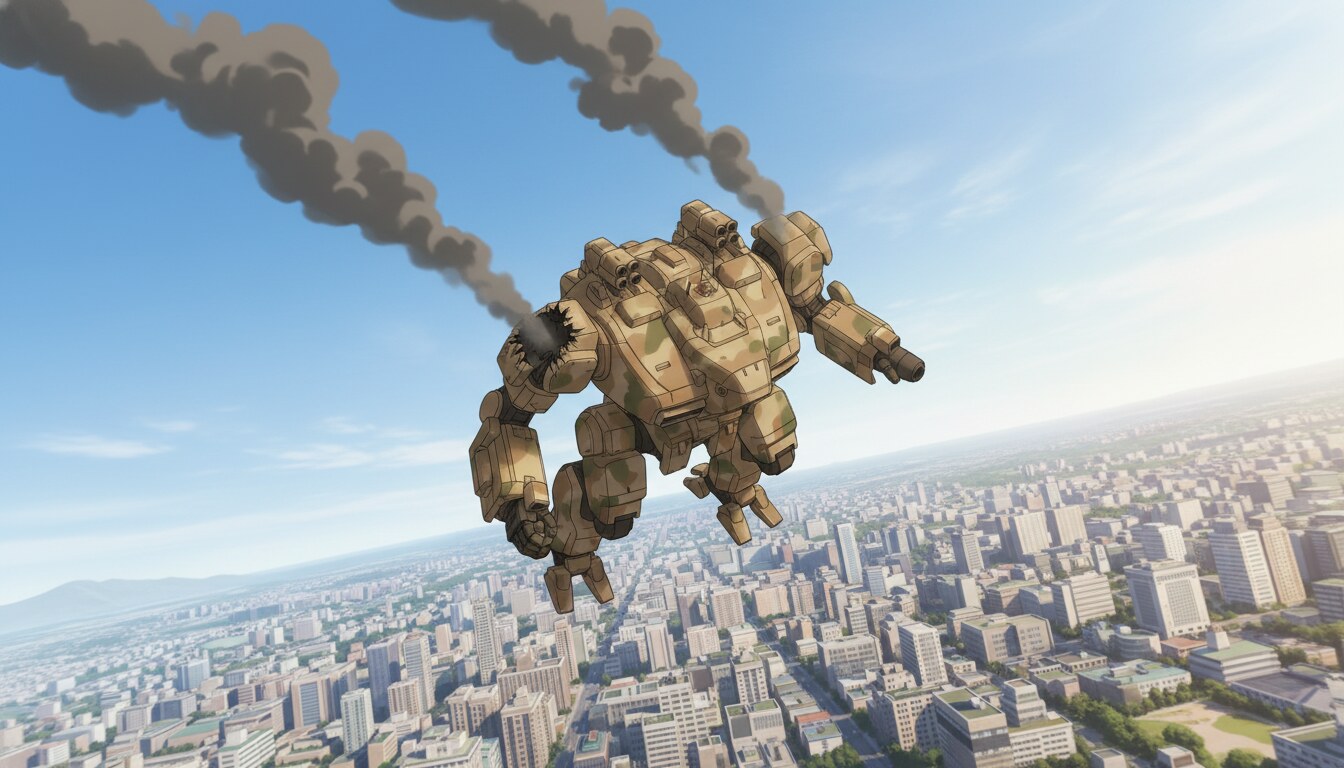
Decide what happens before you generate a single frame. A cockpit still should imply the launch or battle that follows. A boarding shot should set up ignition. A damaged mech in freefall should sell the hit that caused it.
-
4
Animate with Seedance 2
Run image-to-video on approved stills with one clear motion per clip: hands tightening on controls, hatch closing, mech tumbling through smoke. Chain clips to build a full sortie sequence with the same pilot and mech designs throughout.
Create Character Sheets for Military Pilots
Mecha stories hinge on who is inside the cockpit. Before you animate a launch sequence or a desperate evasive maneuver, lock your pilots in character sheets with full turnaround views, rank insignia, and expression range.
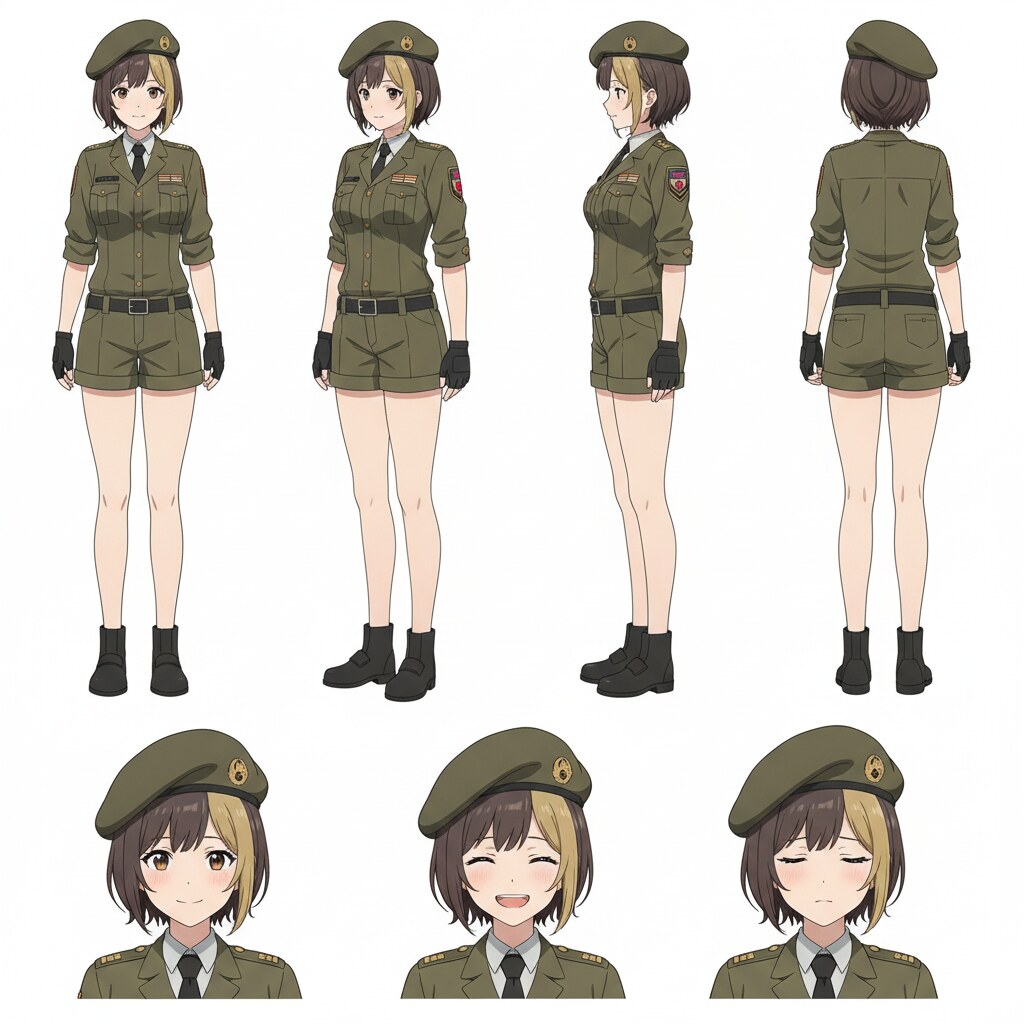
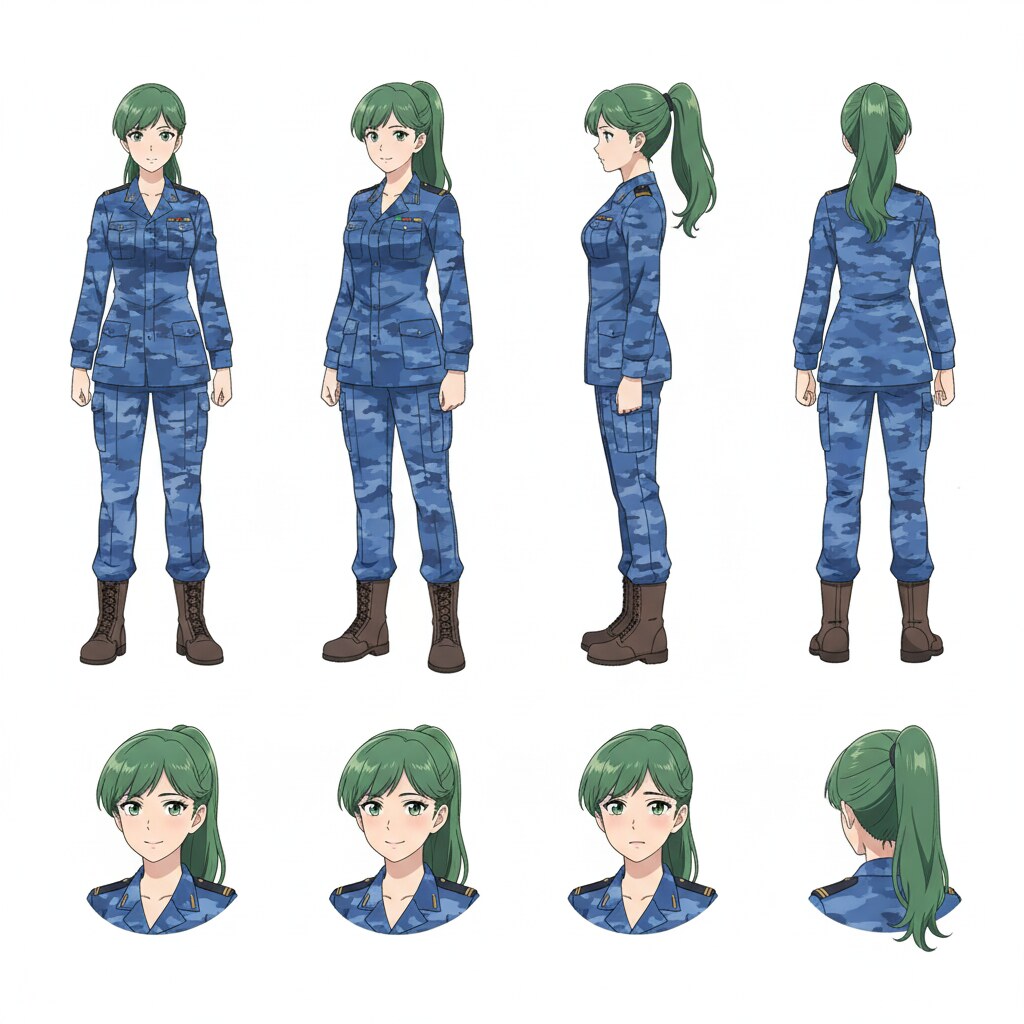
Save each pilot to your character library and tag them with @ in storyboard prompts. The brown-haired officer in olive drab and the green-haired ace in blue camo stay on-model from hangar briefing through the final frame of the battle.
Create Character Sheets for Your Mechs
In mecha anime, the robot is a character too. A mech character sheet captures silhouette, armor plating, weapon mounts, and sensor lighting from every angle so the model does not reshape itself between scenes.
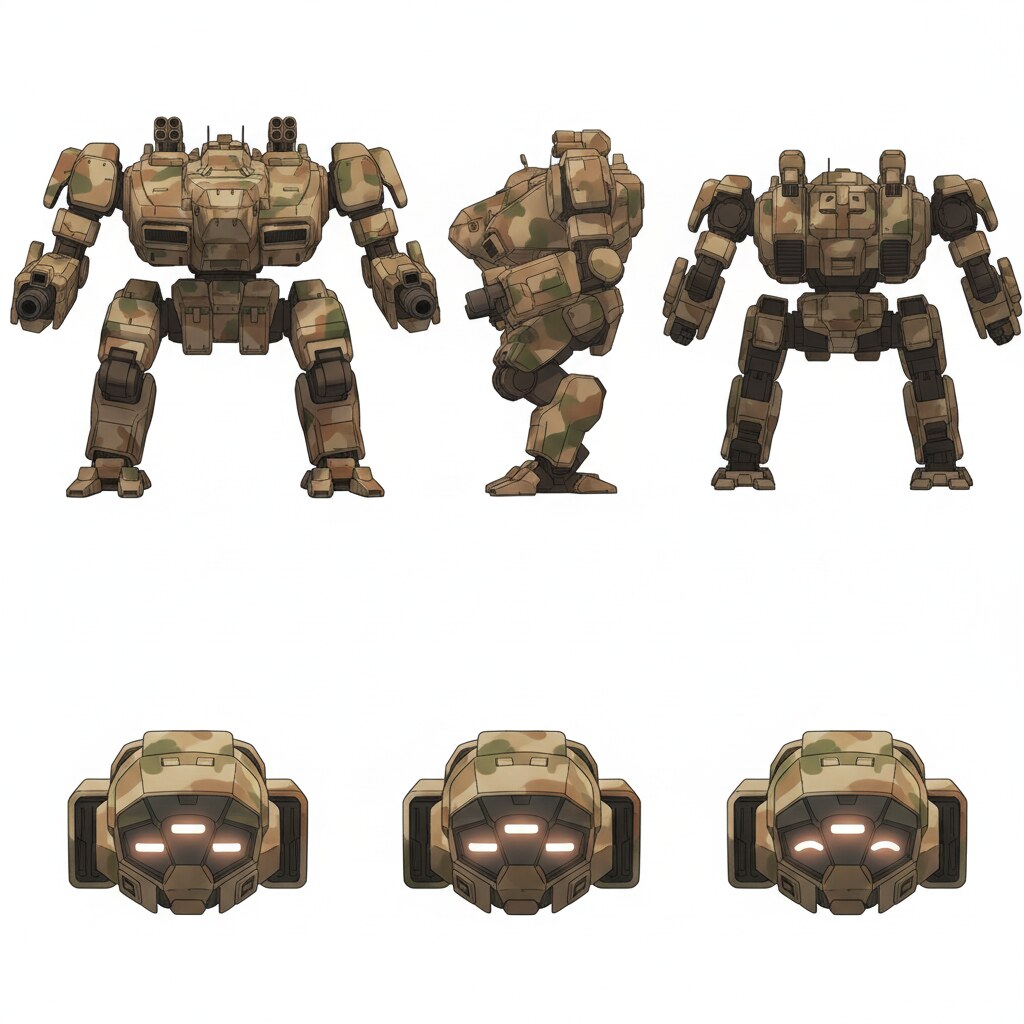
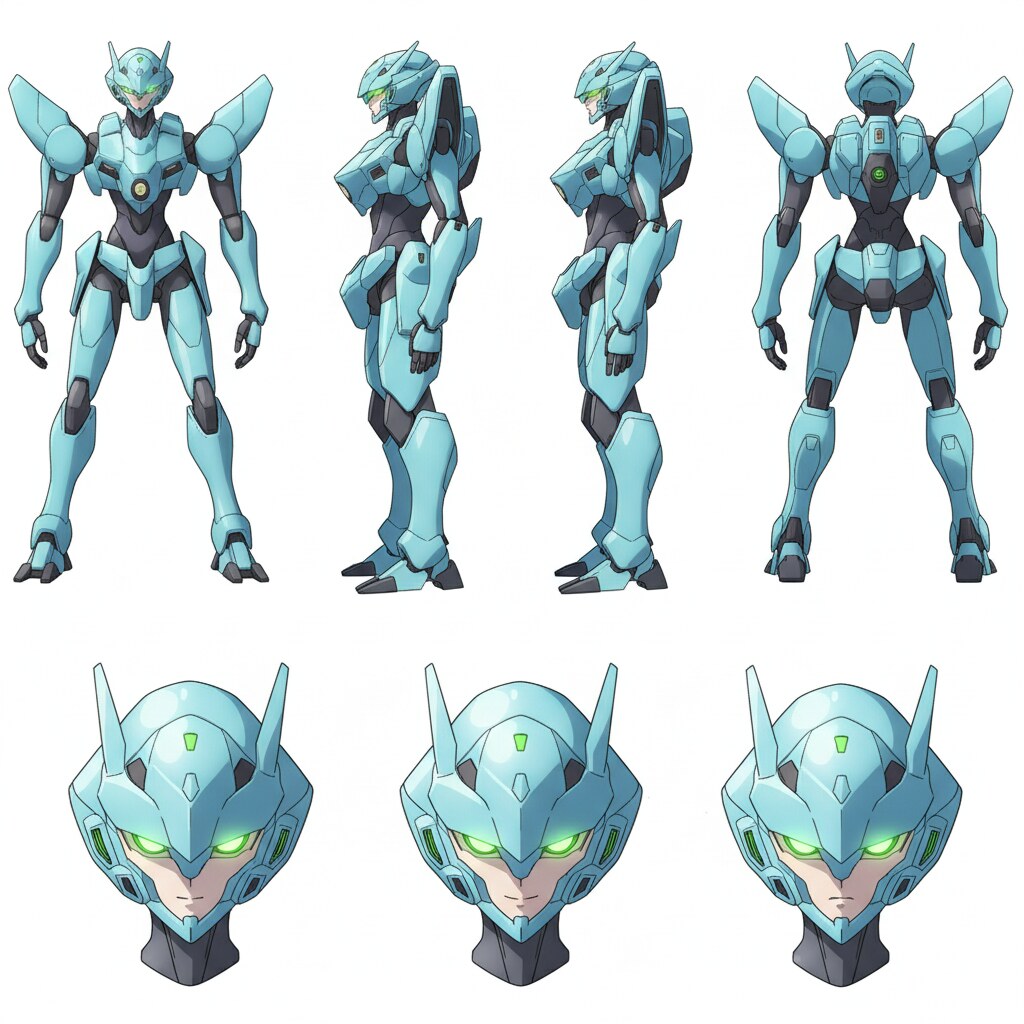
Pair each pilot sheet with a dedicated mech reference. The heavy desert-camouflage unit and the sleek light-blue frame become reusable assets you can drop into hangar stills, launch sequences, and city-spanning dogfights without redescribing them from scratch.
Make the Starting Image Lead Into the Action
The strongest mecha clips start with a still that already contains the next beat. Think about the motion you want, then compose the image so Seedance 2 has a clear direction to follow.
A tense cockpit frame sets up a scramble. A pilot climbing into the hatch sets up ignition and launch. A smoking mech in freefall sets up impact or recovery. Each still is a storyboard panel you approve before animation.
-
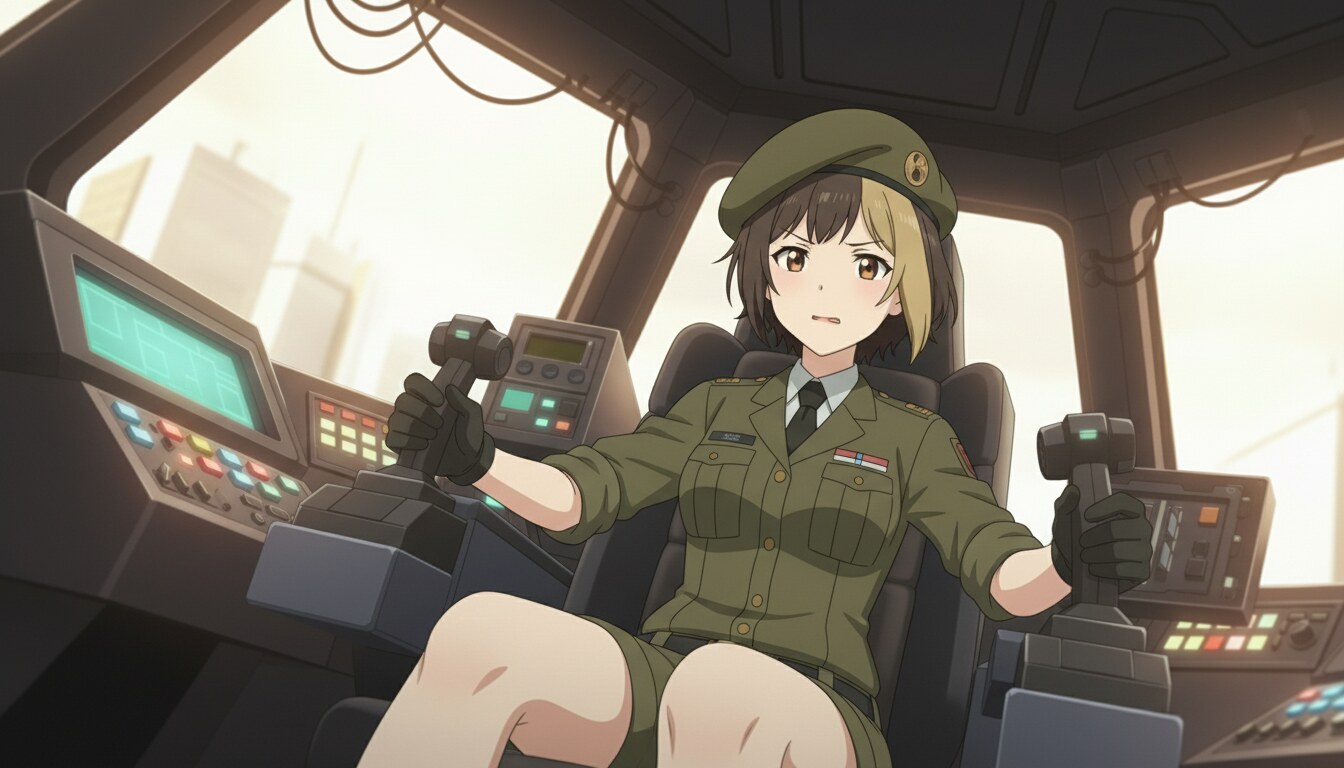 1
1Cockpit tension before launch
Frame the pilot at the controls with city light through the canopy and hands on the sticks. Animate a subtle lean forward, HUD flicker, or throttle push to sell the moment before sortie.
-
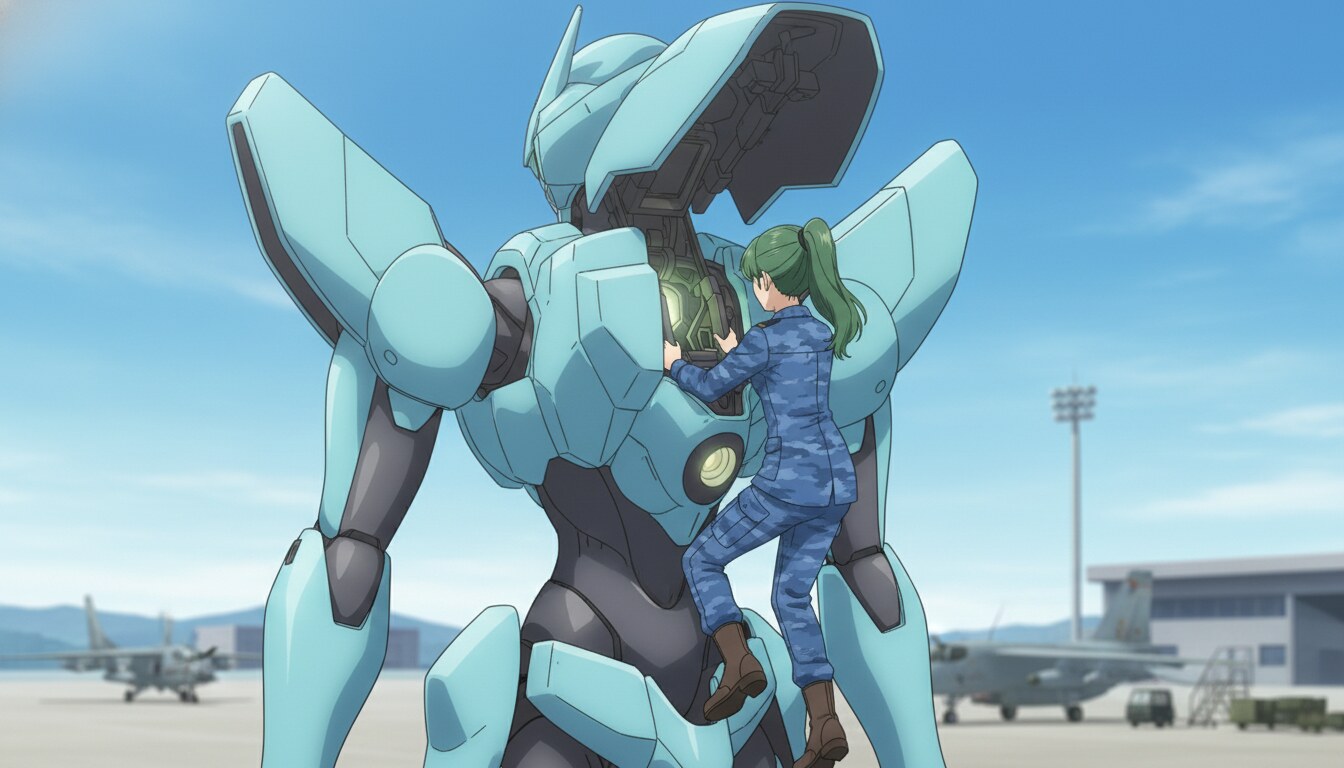 2
2Boarding and ignition
Show the pilot stepping into the open hatch on a sunlit airfield. The next clip can close the canopy, light the core, or lift off while the machine stays locked to your mech character sheet.
-
3
Combat fallout
A damaged mech trailing smoke over a city skyline sells the hit that already happened. Animate the tumble, booster flare, or emergency deploy to pay off the battle your audience has been waiting for.
From Character Sheet to Animated Mecha Combat
Professional mecha sequences are built in layers: pilot sheets, mech sheets, location stills, then motion passes. AutoWeeb keeps all four anchored so your sortie reads like one continuous production instead of unrelated generations.
Generate hangar and cockpit stills with @-tagged pilots, place saved mech references into launch frames, then run Seedance 2 one verb at a time. The brown heavy unit and blue ace frame can even cross paths in the same battle when both sheets are locked.
アニメ動画制作を探索
AIでアニメ動画を作るためのガイド、ジャンル、ツール。
画像から動画へ
一貫したキャラクターでアニメ静止画をアニメーションクリップに変換。
Seedance 2 アニメ
アニメ向けに調整されたSeedance 2でシーンをアニメーション化。
Gemini Omni Flash アニメ
シーンカット、スポーツモーション、柔軟な画像タグ付けに対応するGoogleのマルチモーダル動画モデル。
バトル動画
剣戟、アクション、シネマティックな戦闘クリップ。
バスケ動画
コートドラマ、トレーニング、決勝ショット。
スポーツ動画
ホッケー、サッカー、テニス、スポーツアニメシリーズ。
魔法動画
呪文チャージ、ファンタジー効果、魔法シーン。
恋愛動画
感情のビート、告白、日常系ロマンス。
アニメショート
前提を数分で完成したショートに変換。
アニメエピソード
エピソード全体を計画、絵コンテ、アニメ化。
アニメを作る
キャラクターから完成動画までのスタジオワークフロー。
アニメシリーズ
再登場キャラクターとシーズンアークを構築。
プロンプトガイド
ビジョンに合う映画的なプロンプトを書き、クレジットの無駄を止める。
YouTube動画
Shortsのビート、エピソードバックログ、長編チャプター編集。
異世界構築
ファンタジー世界、再利用可能なロケーション、シネマティックな異世界シーンを設計。
AIアニメエージェント
Turn rough ideas into cinematic Seedance 2 video prompts with the AI Director.
AIアニメ動画ジェネレーター
AIでアニメ動画を作成。ジャンル、ツール、制作ガイドを探索。
Mecha Anime FAQ
Common questions about making mecha anime with AI character sheets and video generation.
How do I keep pilots and mechs consistent across a mecha anime?
Create separate character sheets for each pilot and each mech. Save them to your library, then @-tag pilots and attach mech reference images in every storyboard prompt. Consistency comes from reusing the same sheets, not from re-describing designs in each generation.
Do I need a character sheet for the mech itself?
Yes. Mechs drift as easily as human characters when you describe them from scratch each time. A mech character sheet with front, side, back, and head detail views locks silhouette, color blocking, and sensor lighting across hangar, cockpit, and combat shots.
How do I plan a mecha action sequence before animating?
Work backward from the payoff. If you want a crash landing, storyboard the damaged mech still first, then the hit that caused it, then the cockpit tension before launch. Each approved still becomes one Seedance 2 clip with a single clear motion.
Can I animate cockpit scenes and mech combat with Seedance 2?
Yes. Generate cockpit interiors and exterior combat stills in the storyboard tool, then run image-to-video with focused motion prompts: hands on controls, hatch closing, mech rotating in flight. One action per clip keeps motion clean and designs stable.
Can two different mechs fight in the same scene?
Yes. Lock both mech character sheets and both pilot sheets, then compose a still with both machines in frame. Animate exchange sequences by chaining clips: evasive roll, muzzle flash, impact smoke. Each clip inherits the locked references from your library.
Ready to Make Your Mecha Anime?
Design your pilots, build your mechs, storyboard the sortie, and animate the battle with consistent characters and machines in one workspace.
Start Your Mecha SeriesNo credit card required • Free to try