
The Best AI Anime Video Prompt Formula for Cinematic Results
A seven-part repeatable structure that turns vague scene ideas into precise, cinematic AI anime video prompts every time.
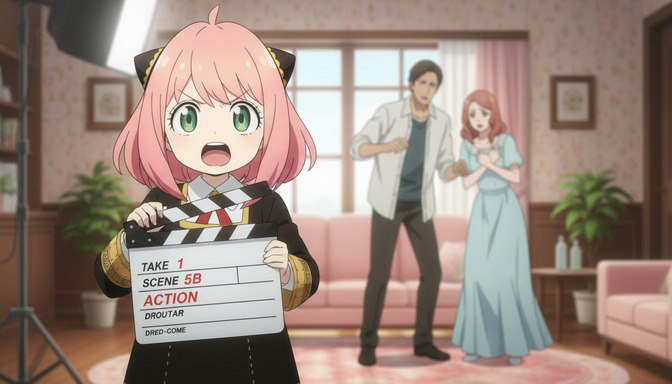
Most AI anime video prompts fail at the same place: they describe the idea of a scene without describing the scene itself. "A girl running through a forest" is an idea. A cinematic prompt is a precise set of instructions that leaves the model almost nothing to guess. The difference between those two things is structure, and structure can be learned in about five minutes.
The formula below has seven parts: Character, Action, Environment, Camera, Style, Emotion, and Lighting. Every strong AI anime video prompt contains all seven. Every weak one is missing at least three. Work through each layer once, assemble them into a single prompt, and the quality of your output will shift immediately.
The formula and what each part actually does.
Think of each layer as answering one specific question the AI model would otherwise have to guess. When you answer all seven, the model stops guessing and starts executing.
Character: who is in the frame?
Character anchors the prompt visually. Include the most distinctive physical details: hair color and length, eye color, and the most visible clothing item. For action-forward clips, outfit details matter less. For close-ups and emotional scenes, facial features become important. Keep this consistent across every clip featuring the same character.
Weak: a girl in a uniform. Strong: a teenage girl with silver-white hair cut short at the jaw, pale violet eyes, a dark navy school blazer with a torn left sleeve.
Action: what exactly is the character doing?
Action describes not just the movement but the weight, timing, and rhythm of it. "She runs" tells the model nothing useful. "She sprints forward with both arms pumping, coat snapping behind her, skidding into a low crouch at the edge of the rooftop" tells the model the speed, the body posture, the fabric behavior, and the endpoint. Anime motion language is specific. Use it.
Useful action phrases: lunges forward in a single sharp burst of speed, turns slowly, eyes narrowing before she speaks, raises one hand, fingers trembling, energy crackling at the tips.
Environment: where is this happening?
Environment sets the physical and tonal world of the clip. Every strong environment description has a location, a time of day, and at least one atmospheric detail that makes it specific to this scene. "A rooftop" is not an environment. "A rain-soaked rooftop at 2 a.m., concrete wet and reflective under a single red neon sign" is an environment. The atmospheric detail does double duty: it defines the space and it reinforces the mood.
Camera: where is the lens and how does it move?
Camera direction is the single highest-leverage addition most people leave out. Without it, the model defaults to a neutral medium shot with minimal movement, which is technically competent and emotionally inert. One clear camera instruction per prompt changes the register of the entire clip.
Options: slow push-in toward her face, low angle looking up at her from ground level, tracking shot from behind as she walks, static wide shot revealing the full environment, close-up on her hands, Dutch angle from the left, crane pull-back to show the city below. One direction, stated clearly. Do not combine two.
Style: what visual language does this scene belong to?
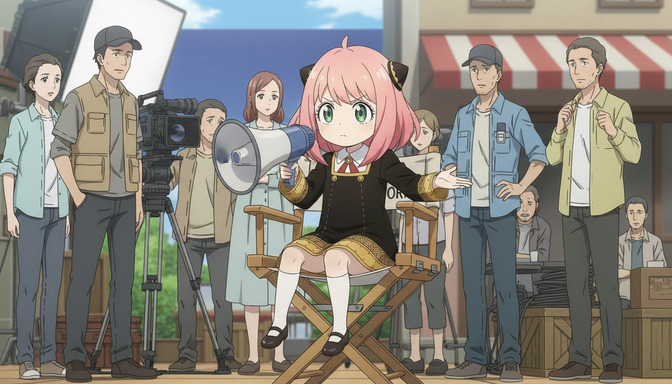
Without a named art style, AI models default to a generalized "anime aesthetic" that commits to no particular visual language. Named styles anchor line weight, color palette logic, shading approach, and character proportion all at once. Demon Slayer art style triggers high contrast, bold ink outlines, and saturated color. Ghibli naturalism triggers soft edges, muted earth tones, and dense environmental texture. Cyberpunk anime aesthetic triggers neon ambient glow, hard geometry, and cool-shifted color temperature.
Name one style per prompt. If you want qualities from two styles, name the specific visual properties: bold ink outlines with soft pastel fill and Ghibli-style environmental texture is more actionable than mixing two style names.
Emotion: what is the character feeling in this moment?
Emotion is the layer most beginner prompts skip entirely, and its absence shows. A character can be running with urgency or running with desperation or running with exhilaration, and each of those produces a visually different clip even if the action and environment are identical. Naming the emotional state tells the model how to calibrate everything it can't resolve from action alone: facial expression, shoulder tension, the speed of the motion, whether the eyes are open wide or narrowed.
Good emotion descriptors: barely contained rage, teeth clenched, quiet grief, expression carefully neutral, reckless joy, laughing as she runs, cold resolve, no hesitation. One or two words followed by one physical tell is the right depth.
Lighting: what is the light source and what color is it?
Lighting defines the emotional register of a scene more than almost any other element. Without a lighting instruction, the model picks neutral ambient light: technically visible, emotionally flat. Anime uses lighting in recognizable, specific ways. Pair a light source with a color temperature every time.
Examples: cold moonlight, steel blue ambient glow, warm amber lantern light casting soft upward shadows, harsh overhead fluorescent, no warm tones, golden-hour backlight, silhouette forming at the edges, flickering firelight, orange and deep shadow alternating. Two descriptors is enough. They shift the emotional tone of the entire clip.
What the formula looks like assembled into a real prompt.
Applying all seven layers to the same scene shows how dramatically structure changes the output. Here is a weak version and a formula-complete version of the same idea.
Weak prompt: an anime girl fighting on a rooftop at night.
Formula-complete prompt: a teenage girl with silver-white jaw-length hair and pale violet eyes, dark navy blazer with a torn left sleeve, lunging forward in a single sharp burst of speed, both arms extended, on a rain-soaked rooftop at 2 a.m. with wet concrete reflecting a single red neon sign below, low angle looking up from ground level, Demon Slayer art style with high contrast and bold ink outlines, cold resolve with no hesitation in her expression, cold moonlight with a steel blue ambient glow and hard shadows across the left side of her face.
The second prompt answers every question the model would otherwise guess: who, doing what, where, from which angle, in what visual language, feeling what, in what light. The model has nothing left to interpolate.
A second example, different tone. Weak: a guy sitting in a cafe looking sad. Formula-complete: a young man with dark brown hair falling over one eye, wearing a rumpled white shirt, sitting at a small table by a rain-streaked window, one hand wrapped around a coffee cup he's not drinking from, static medium shot with a very slow push-in toward his face, Ghibli naturalism with soft edges and muted earth tones, quiet grief with an expression carefully held neutral to avoid showing it, warm amber lantern light from above casting soft upward shadows, cold gray daylight pressing in through the window behind him.
How AutoWeeb's prompt analysis makes this formula easier to use.
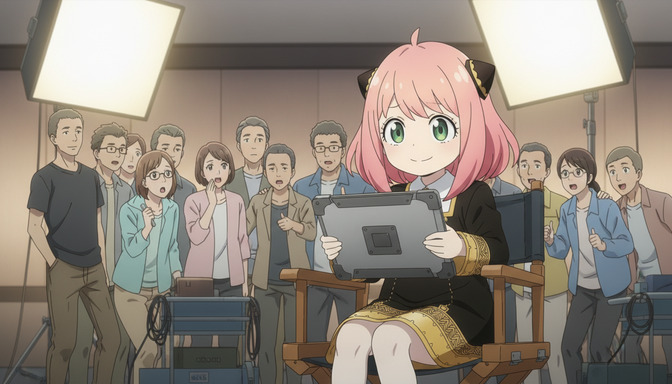
Knowing the formula and applying it correctly every time are two different things. AutoWeeb includes a prompt analysis feature that evaluates your prompt against the seven layers before you generate, for both images and videos.
When you enter a prompt, the analysis identifies which layers are complete, which are vague, and which are missing entirely. If your character description will cause drift across clips, it flags that specifically. If your lighting instruction conflicts with your style reference, it catches the contradiction. If you've written a prompt that covers three beats instead of one, the analysis suggests how to split it into clean shots.
For video generation, this matters at the clip level and at the project level. A single missing layer in one prompt degrades that clip. Missing layers across a series of clips compound into an inconsistent video that feels unfinished regardless of how good the individual frames are. The prompt analysis catches both problems before you run a single generation.
For image generation, the same analysis applies: character anchor, environment specificity, style consistency, lighting tone. A well-structured image prompt produces stills that hold up as scene reference, character sheets, or standalone pieces. The formula works identically across both formats.
The practical benefit is speed. Correcting a weak prompt after a failed generation costs a generation credit and requires you to diagnose the problem yourself. Correcting it before the generation takes thirty seconds and produces a noticeably better result on the first run. AutoWeeb's prompt analysis is the thirty-second version of that process.
Frequently asked questions about the AI anime video prompt formula.
Do I need all seven layers in every prompt?
Yes, for cinematic results. Each layer answers a question the model would otherwise guess, and guesses compound into output that drifts from your intent. That said, some layers are more critical than others depending on the shot type. Close-ups need strong emotion and character anchoring. Wide establishing shots need strong environment and camera direction. Action shots need precise action language and motion timing. The formula applies to every prompt, but the emphasis shifts by shot type.
What order should I write the seven layers in?
Start with Character, then Action, then Environment. These three establish the physical world of the clip and are the highest priority. Add Camera and Style next, as both shape how the previous three are rendered. Add Emotion and Lighting last. Once you've practiced the formula a few times, the order becomes less important than completeness.
Can I use this formula for AI anime images as well as videos?
Yes. The seven layers apply identically to image generation. Character, Action, Environment, Camera angle, Style, Emotion, and Lighting all shape how a still image is rendered. The one difference is that Action in an image prompt describes a held pose or moment rather than a motion through time: crouching with both hands on the ground, head raised, weight forward rather than lunging forward in a burst of speed.
How does AutoWeeb's prompt analysis work?
When you enter a prompt in AutoWeeb, the prompt analysis evaluates it against the structural layers of a complete prompt before generation. It identifies vague or missing layers and flags specific problems: a character description that will cause visual drift, a lighting instruction that contradicts the named style, or a prompt that covers too many events for a single clip. The analysis works for both image and video prompts, and corrections can be applied directly before generating.
Why does the Emotion layer matter so much?
Because the same action in the same environment looks completely different depending on how the character is feeling. A character running with desperation has different posture, facial expression, and body language than a character running with exhilaration. Without an emotion instruction, the model averages across all possible emotional states for that action, producing something generic. Naming the emotion, plus one physical tell that expresses it, resolves this in one line.
What if I want to mix two anime art styles in one prompt?
Instead of naming both styles, name the specific visual properties you want from each. Bold ink outlines with Ghibli-style soft color fill and pastel environmental texture gives the model clear instructions without asking it to blend two competing style vocabularies. Two named styles in one prompt usually produce a compromise that achieves neither cleanly.
How long should an AI anime video prompt be?
Long enough to cover all seven layers, short enough to cover one scene beat. In practice, a complete formula prompt is typically three to five sentences or a single long sentence structured by layer. Prompts that run much longer are usually trying to cover too many events at once. If your prompt needs more than five sentences to describe a single clip, split it into two prompts.
Does camera direction really change the output that much?
More than most people expect. A slow push-in toward a character's face creates tension and intimacy. A low angle looking up makes the same character feel powerful and dominant. A static wide shot makes the same moment feel small and isolated. Same character, same action, same environment. Completely different emotional register. Camera direction is also the layer most beginner prompts skip, which means adding it is the fastest single-layer improvement available.
For a deeper look at how each structural layer compounds into stronger output, the beginner-to-pro guide to AI anime video prompts walks through the full framework with advanced templates and examples. If you've been generating but running into common structural errors, the breakdown of 7 AI anime video prompt mistakes that ruin your output covers the most common failure points and how to fix each one.