
AutoWeeb Is the AI Anime Video Maker for Beginners: No Drawing or Editing Skills Needed
You don't need to sketch a single frame or touch a timeline editor — AutoWeeb handles the creative production so you can focus on the story.
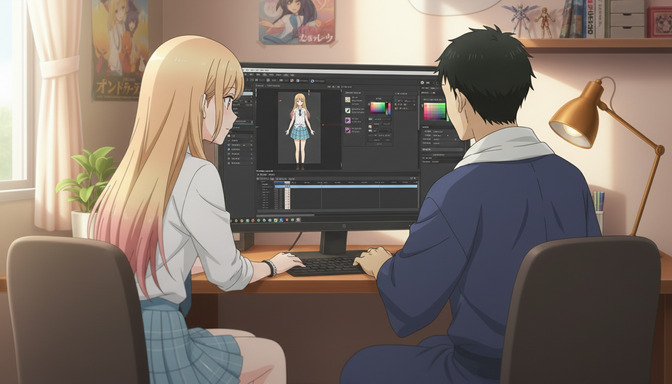
The assumption that stops most people before they start is this: making anime requires drawing. Or at minimum, some technical fluency with video editing software, keyframes, and layer-based compositing. Neither is true when you use AutoWeeb. The entire system is designed around the reality that most people who love anime are fans first, not artists. You do not need to sketch a character, build a rig, export a timeline, or write a technical prompt to create anime videos that actually look like anime. You describe what you want, and AutoWeeb handles what used to require a production team.
This post explains exactly what that means in practice: what the workflow looks like for a complete beginner, where the system does the heavy lifting, and what kinds of results you can expect in your first session. If you've been curious about AI anime video creation but assumed the skill barrier was too high, this is the post to read before you dismiss the idea entirely.
👉 Start Creating Anime Videos Free on AutoWeeb — No Skills RequiredThe skill barrier for anime video creation has collapsed. Here's what replaced it.
Traditional anime production has a very real skill barrier. Character design requires years of figure-drawing practice. Animation requires knowledge of inbetweening, timing curves, and frame rates. Video editing requires familiarity with software that professionals spend months learning. That barrier existed because the tools were professional tools, designed for people whose job was to make anime.
AI has restructured that entirely. The skills that used to be prerequisites are now things the system handles internally. AutoWeeb doesn't ask you to draw your character. It asks you to upload a photo, or describe what you want the character to look like, and it generates the visual from that input. It doesn't ask you to animate the character manually. It asks you to describe the scene and the motion in plain English, and the video agent builds the prompt that drives the animation. It doesn't ask you to edit clips in a timeline. It generates each clip from a description and lets you sequence them.
What replaced the old skill barrier is judgment: knowing what story you want to tell, what the scene should feel like, what your character looks like. Those are things any anime fan already has. You've spent hours watching anime and developing an intuitive sense of what makes a scene land. That intuition is the actual raw material for making anime videos on AutoWeeb. The technical layer is handled.
Step 1: Your character comes from a photo, not a sketchpad.
The first thing most beginners assume they need to do is design a character from scratch. That assumption makes the whole project feel immediately daunting. AutoWeeb's photo-to-anime conversion makes it unnecessary.
Upload a clear portrait photo — a selfie works fine — and AutoWeeb converts it into an anime character that preserves your facial structure, hair color, and features while applying the art style of your choice. You can choose from over a dozen named styles: Demon Slayer's high-contrast linework, Ghibli's soft warmth, Cyberpunk's neon-edged intensity, Spy x Family's polished elegance, and more. The converted character is saved to your library immediately. From that point on, every video you generate can feature them, with consistent appearance across every clip, because the character is anchored to your saved reference rather than regenerated from text each time.
This matters more than it might seem at first. Character consistency across multiple clips is one of the hardest problems in AI video generation, and it's the one that makes the difference between a random collection of clips and something that feels like a real scene from a show. AutoWeeb solves it by design, before you ever touch the video generation step. For more detail on how the conversion process works and what the fidelity settings control, the photo-to-anime converter guide for 2026 covers it thoroughly.
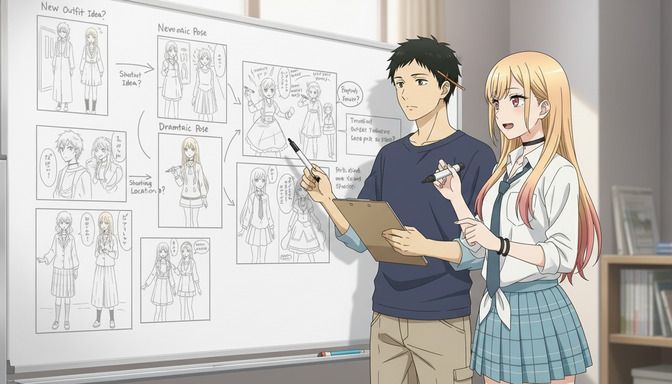
Step 2: Describe your scene in plain English. The video agent handles the rest.
You don't write prompts. You describe scenes. The agent writes the prompts.
The second major barrier for most beginners is prompting. AI video generation tools typically require technically structured prompts that specify art style parameters, camera direction, motion vectors, lighting conditions, and frame rate preferences. Learning to write prompts that produce consistent, high-quality results takes weeks of practice and dozens of failed generations. It is its own skill set, entirely separate from the creative side of the work.
AutoWeeb's video agent removes this entirely. You tell it what you want in plain English. Describe your character, the setting, the mood, and the basic action you have in mind. The agent translates that into a full Seedance 2 prompt with anime-appropriate motion language, camera choreography, style anchoring, and pacing. A description like my character is standing in the rain at night, looking up at a window, they look like they're working up the nerve to say something becomes a complete, properly structured prompt that the model can act on: medium shot of character standing alone in night rain, streetlight reflections on wet pavement, upward gaze toward a lit window, subtle shoulder tension, slow push-in, quiet emotional weight, Ghibli art style, muted blue and amber palette. You recognize that second version as better, but you don't need to write it yourself.
The agent also navigates content filters, which trip up beginners far more than they expect.
Anime scenes, particularly action and emotional confrontation sequences, regularly brush against AI video generators' content filters in ways that aren't intuitive. A scene phrased one way gets flagged; the same scene phrased slightly differently generates cleanly. Figuring out why takes time and a working knowledge of which combinations of words and concepts tend to trigger rejections. Beginners have neither, and a string of failed generations with no clear explanation is one of the most common reasons people give up before they get a result they're happy with.
AutoWeeb's video agent is aware of these patterns and constructs its prompts to avoid them. You describe the dramatic confrontation, the tense standoff, the charged moment before everything changes. The agent handles the phrasing that makes it generate cleanly. You get the scene; you don't deal with the filter navigation.
Step 3: Sequence clips into a scene. No timeline editing required.
Once you've generated a clip, the instinct is to want more: a different angle, a reaction shot, a wider establishing frame before the close-up. This is storyboarding, and it's how anime scenes actually work. A single shot rarely carries the full emotional weight of a moment. It's the cut from wide to close, from action to reaction, that makes a scene feel like a scene.
In AutoWeeb, building a multi-clip sequence doesn't require video editing software. You generate each clip from a separate scene description, and the agent writes each prompt with the appropriate camera framing for its place in the sequence. A three-shot sequence might look like this: wide establishing shot of the rooftop at dusk with both characters facing each other, then medium close-up on the protagonist's face, eyes steady, then slow pull-back as energy begins to gather in their hands. Three clips, generated separately, assembled in sequence. Each one is prompted and generated independently. The editing is just ordering them, not cutting, color-grading, or managing keyframes.
For beginners, the best starting point is a two or three-clip sequence built around a quiet emotional moment rather than an action sequence. Atmospheric scenes, a character walking through a glowing forest at dusk, standing at the edge of a rooftop looking out over a city, pausing in a rain-soaked street before a decision, produce consistently strong results, have simpler motion requirements, and carry genuine emotional resonance. Start there, get a feel for how the tool responds, and build toward more complex motion once you're comfortable with the workflow.
What AutoWeeb replaces compared to traditional anime video production.
| Traditional Step | What It Requires | What AutoWeeb Does Instead |
|---|---|---|
| Character design | Years of figure drawing and anatomy practice | Photo upload + art style selection, character saved automatically |
| Animation | Keyframing, inbetweening, timing curves in dedicated software | Scene description in plain English, video agent builds the prompt |
| Storyboarding | Sketching panels and planning shot sequences visually | Describing shots in sequence, each generated as a separate clip |
| Background design | Environmental concept art and perspective drawing | Pre-built photo pack scenes for forests, cityscapes, festivals, and more |
| Video editing | Timeline editing, color grading, export settings | Clips sequenced in order, no timeline software required |
| Art style consistency | Manual style guide maintenance across every asset | Style anchored per character and applied automatically to every generation |
Frequently asked questions about making anime videos as a beginner.
Do I need to know how to draw to make anime videos with AutoWeeb?
No. AutoWeeb does not require any drawing ability at any point in the workflow. Your character comes from a photo upload or a text description, not a sketch. The scenes are generated from plain-English descriptions you give to the video agent. The art styles are pre-built and applied automatically. There is no step in the AutoWeeb workflow that asks you to draw, trace, or manually illustrate anything.
Do I need video editing software to use AutoWeeb?
No. AutoWeeb generates individual video clips from scene descriptions. You can sequence them without a timeline editor. The platform does not require you to install, learn, or use any external video editing software. If you choose to edit your clips further in another tool after generating them, that option is always available, but it is not a requirement to produce shareable anime video content.
How long does it take to make a first anime video as a complete beginner?
Most beginners complete their first anime video clip within ten to fifteen minutes of signing up. The workflow is: upload a photo, confirm the anime character conversion, choose an art style, describe your first scene to the video agent, and generate. A single clip is the result of those five steps. A short multi-clip sequence takes about thirty minutes total, including the time to plan what each shot should show. There is no learning curve for the production side; the learning happens in understanding how to describe scenes clearly, which most people pick up in the first session.
What art styles are available for anime videos on AutoWeeb?
AutoWeeb offers over a dozen named anime art styles, including Demon Slayer, Ghibli, Cyberpunk, Spy x Family, My Hero Academia, Detective Conan, and others. Each style is applied consistently across both still images and video generations for a given character. You choose the style during character creation and it anchors every generation that follows. You can also create multiple versions of the same character in different styles if you want to experiment with how the same story looks in different visual registers.
What kinds of anime videos are easiest to make first?
Quiet, atmospheric scenes produce the strongest beginner results and are the most forgiving to generate. A character standing in rain before a decision, walking through a glowing forest, sitting at a window at dusk, looking out over a city from a rooftop — these scenes have simple motion requirements, clear emotional stakes, and generate cleanly with minimal iteration. Action sequences are more complex: they require more specific motion language, have higher content filter sensitivity, and need more prompt refinement to get the physics and impact timing right. Start with emotional and atmospheric moments, develop your feel for how the tool responds, and build toward action as your second or third project rather than your first.
Can I use my own photo to create the anime character in my video?
Yes. Photo-to-anime conversion is the most popular starting point for new AutoWeeb users. You upload a clear portrait photo — a selfie is sufficient — and AutoWeeb converts it into an anime character that preserves your facial structure, hair, and features while applying the art style of your choice. The converted character is saved to your library and used automatically in every video generation from that point forward, giving you a protagonist who consistently looks like you across every clip.
What is AutoWeeb's video agent and how does it help beginners?
The video agent is the part of AutoWeeb that takes your plain-English scene description and turns it into a technically structured Seedance 2 prompt. You describe the scene, the mood, the character, and the basic motion. The agent builds a complete prompt with anime-appropriate camera direction, motion language, style anchoring, pacing, and content filter-safe phrasing. For beginners, this removes the need to learn prompt engineering entirely. You focus on the creative direction; the agent handles the technical translation.
Is AutoWeeb free for beginners to try?
AutoWeeb offers a free tier that includes photo-to-anime conversion, the anime character creator, and a limited number of video generations per month. For a beginner evaluating whether the tool is right for them, the free tier is enough to complete a full character creation session and generate two to three test clips — enough to get a genuine sense of the workflow, the output quality, and whether the art style options fit your vision. No payment is required to start.
How does AutoWeeb compare to other AI anime video tools for someone with no experience?
Most AI video tools are general-purpose: they animate a wide range of visual styles but are not specifically optimized for anime. That means the art style approximations are often imprecise, the prompting requirements are high, and character consistency across clips requires manual reference management. AutoWeeb is purpose-built for anime specifically. Every part of the platform — the art styles, the character system, the video agent, the scene library — is designed around the visual language of anime rather than adapted from a tool meant for something else. For a beginner who wants results that look like anime rather than results that vaguely resemble it, that specialization produces better outcomes with significantly less effort.
For a deeper look at narrative structures that make anime videos worth watching once you have the production side handled, the guide to best AI anime story structures for beginners covers the frameworks that map directly onto multi-clip video planning. If you want to understand the full range of video generation options available in 2026, the post on the best AI anime video generators for beginners compares AutoWeeb against general-purpose tools across every major feature.
Related Blog Posts
Best AI Anime Generator for Gifts: Birthdays, Holidays, and Personalized Presents
The most personal gift you can give an anime fan is one that turns them into the main character.
Find the best AI anime generator for gifts in 2026. Personalized anime art for birthdays, Christmas, and holidays. Turn any photo into a custom anime portrait they'll actually keep.
Best AI Anime Generator: No Drawing Skills Needed
Characters, scenes, and videos — created entirely through prompts, photos, and tools built for people who can't draw a straight line.
The best AI anime generator for people with no drawing skills. Create anime characters, scenes, and videos in 2026 with AutoWeeb — no art background required.
AutoWeeb vs DomoAI: Which is Best for Anime in 2026?
Anime quality, beginner usability, storytelling, self-insert, and pricing compared
AutoWeeb vs DomoAI compared for anime creators in 2026. Anime output quality, photo-to-anime, video templates, storyboarding, pricing, and REST API access explained.
How to Make an Anime Version of Yourself for Social Media
Your TikTok, Instagram, and Discord profiles deserve more than a stock avatar — here's how to make one that actually looks like you.
Learn how to make an anime version of yourself for TikTok, Instagram, and Discord. Step-by-step guide for a custom anime pfp or avatar that looks like you in 2026.
Explore AutoWeeb
Jump into the tool that fits your creative step.
AI Anime Video Generator
Animate storyboard shots into cinematic clips with Seedance 2 and consistent characters.
Anime Character Creator
Design original characters with consistent sheets across every scene.
AI Anime Image Generator
Generate cinematic anime stills anchored to your character library.
Anime Filters
Upload any photo and apply AI anime filters to turn it into stunning anime art in seconds.
AI Anime Location Generator
Create a location set once, then generate reference images from every angle.
AI Anime Storyboarding
Describe your idea, pick your characters, and let AI draft the script and scenes.
AI Anime Prompt Agent
Turn a rough idea into a cinematic Seedance 2 prompt with the AI Director.