
Best AI Anime Video Generator for Beginners in 2026
Generic AI video tools can animate almost anything. Only one is built to animate your anime character, in your chosen art style, with prompts a beginner can actually write.
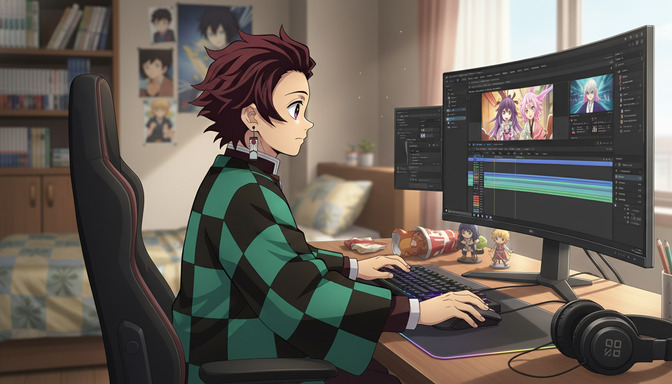
Most AI video generators in 2026 can animate a prompt. Very few can animate an anime character, in a specific art style, holding the same appearance across multiple clips, without requiring you to write a paragraph of technical instructions just to get a result that looks halfway right. For beginners who want to make anime videos — not just AI videos with a vaguely anime aesthetic — that distinction is the entire ballgame.
This guide is for US creators who are new to AI video generation and want to make content that actually looks like anime: consistent characters, recognizable art styles, scenes that feel like they belong in a show rather than a generic AI demo reel. It covers what separates purpose-built anime video tools from general-purpose ones, how AutoWeeb's video agent simplifies the prompting work that trips up most beginners, and how photo-to-anime conversion and storyboarding fit into a workflow that produces real results.
👉 Try AutoWeeb Free — Create Your First Anime Video TodayGeneric AI video tools were not built for anime, and it shows immediately.
Tools like Runway, Kling, and Pika are impressive for what they do. They animate photorealistic footage, generate cinematic motion from text, and handle a wide range of visual styles competently. Anime is not a style they're optimized for. When you prompt a generic AI video tool for "a demon slayer style fight scene in a bamboo forest," you're likely to get something that gestures at anime without committing to it: proportions that drift toward realism, line weights that feel wrong, motion that lacks the held frames and speed cuts that make anime action feel like anime.
The more specific problem for beginners is prompting. Generic video tools require you to specify lighting conditions, camera angles, motion vectors, art style parameters, and frame rate preferences to get consistent results. That's a skill set that takes weeks to develop. Most beginners give up after two or three attempts that don't look like what they had in mind, not because AI video generation can't do anime, but because the tools they're using require expertise to unlock it.
AutoWeeb is built from the ground up for anime specifically. The art styles, the character system, the scene library, and the video prompting workflow are all designed around the visual language of anime, not adapted from a tool meant for something else.
AutoWeeb's video agent writes better prompts than most beginners can, and that's the point.
Anime video prompts fail for specific, learnable reasons — and the agent handles all of them automatically.
The most common beginner mistakes in anime video prompting are vagueness, contradiction, and under-specification. "Make a cool anime fight scene" gives the model almost nothing to anchor on. "A girl with red hair fights a villain" gives it slightly more, but still no art style, no motion language, no scene context, and no camera direction. The model fills in the blanks with whatever is most statistically likely in its training data, which usually isn't what you had in mind.
AutoWeeb's video agent takes your rough description and builds a properly structured prompt from it. You tell it: my character faces off against a rival in the rain, dramatic tension, their hands are glowing. The agent translates that into a full Seedance 2 prompt with anime-appropriate motion language, style anchoring, camera choreography, and pacing notes. The output might read: close-up on face, rain streaking across frame, glowing red energy building in both hands, slow zoom out to reveal rival standing ten meters away, cinematic hold before the charge, Demon Slayer art style, muted blues and electric crimson. You get the dramatic scene you described without needing to know how to write it.
The agent also helps with content filter navigation, which is the second most common blocker for beginners.
Anime content, especially action sequences, tends to brush against AI video generators' content filters more often than beginner creators expect. Fight sequences that include impact effects, dark forest scenes with weapons, and intense emotional confrontations can all trigger soft rejections depending on how they're phrased. The video agent is aware of these patterns and phrases its generated prompts in ways that are specific enough to produce compelling results while avoiding the combinations that consistently get flagged. For beginners who have no visibility into why their prompt failed and no idea how to fix it, this saves a significant amount of trial and error.
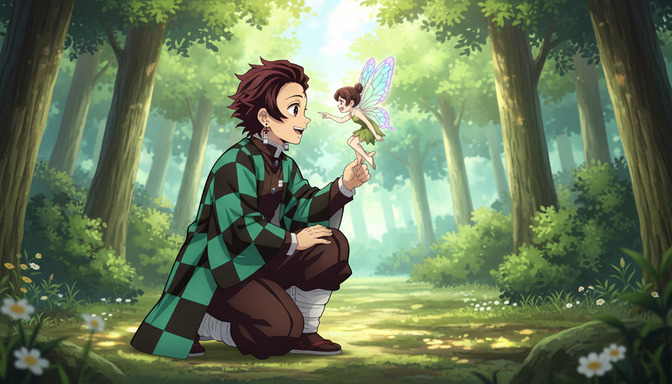
Photo-to-anime conversion is the fastest way to start making anime videos that actually feature you.
The fantasy most anime fans have is not "create a random anime character." It's "put myself into the show." Photo-to-anime conversion makes that possible in a way that text-based character creation can't fully replicate. Upload a clear portrait photo and AutoWeeb converts it into an anime character that preserves your facial structure, hair, and features while applying the art style of your choice: Demon Slayer's detailed linework, Ghibli's soft naturalism, Cyberpunk's neon-edged aesthetic, or a dozen others.
Once the conversion is done, that character is saved in your library. From that point, every video you generate can feature them. The character's face, hair, and proportions remain consistent across clips because they're anchored to your saved reference, not regenerated from a text description each time. For beginners, this is enormously useful because it removes the hardest part of anime video creation: designing a character who looks the same across multiple generations.
The workflow from photo to first video takes about ten minutes. Upload the photo, choose the art style, confirm the character, describe the first scene to the video agent, and generate. The result is a short anime video clip featuring a character who looks like you, in a style you recognized from a show you already love. That's a hard thing to get from a generic AI video tool on your first session. For a deeper look at the conversion process, the guide to photo-to-anime conversion in 2026 covers the fidelity settings and art style options in detail.
Storyboarding turns a single clip into a scene with actual narrative shape.
A storyboard is how you control pacing, not just visuals — and it's more beginner-accessible than it sounds.
Beginners tend to think of storyboarding as a professional production step for studios with teams. In the context of AI anime video generation, it's the difference between a single clip that looks cool in isolation and a sequence that tells a story. A storyboard is just a planned sequence of shots: what the camera shows, in what order, with what motion between them. You don't need drawing skills to build one in AutoWeeb — you're assembling shot descriptions and sequencing them, not sketching panels by hand.
A three-beat storyboard for a tense rooftop confrontation might look like this: establishing wide shot of both characters facing each other in the rain, cut to close-up on protagonist's eyes narrowing, cut to slow zoom out as energy begins to gather in their hands. Each beat becomes a separate video prompt. The agent writes each prompt with motion language appropriate to the shot type. The three clips, assembled in sequence, play like a scene from an episode rather than three disconnected generations.
Scene variety matters as much as action — slice-of-life and magic moments are where most beginners get their best early results.
Fight scenes are the most-attempted video type for beginners and, because of their complexity, often the hardest to get right in the first few sessions. Quieter scenes, a character walking through a forest at dusk, reaching out to a glowing creature, standing in the rain before a decision, tend to produce cleaner results early on because the motion is simpler and the content filters are less frequently triggered. Starting with an emotionally resonant quiet moment and building toward action sequences as you get more comfortable with prompting is a genuinely better strategy for beginners, not a consolation prize.
AutoWeeb's photo pack scenes give you pre-built backgrounds, forests, cityscapes, festival grounds, school hallways, for placing your character without needing to generate the environment from scratch. Combining a photo pack background with a character from your library and a motion prompt from the video agent is the fastest path to a high-quality clip in a single session.
AutoWeeb vs. generic AI video tools: what actually matters for anime beginners.
| Feature | AutoWeeb | Generic AI Video Tools |
|---|---|---|
| Anime-specific art styles | 12+ named styles (Demon Slayer, Ghibli, Cyberpunk, etc.) | Generic "anime aesthetic" approximation |
| Prompt writing for beginners | Video agent writes the full prompt from your description | Manual prompt writing required |
| Character consistency across clips | Saved character library anchors every generation | Requires manual reference image or prompt repetition |
| Photo-to-anime starting point | Built-in, one upload, multiple style options | Not offered or very limited |
| Storyboarding / scene sequencing | Scene builder with characters and background packs | No dedicated storyboard tools |
| Content filter navigation | Agent phrases prompts to minimize false positives | Up to the user to figure out what gets flagged |
| Learning curve for first result | Under 10 minutes from signup to first clip | Hours of prompt iteration typical |
Frequently asked questions about AI anime video generation for beginners.
What is the best AI anime video generator for beginners in 2026?
AutoWeeb is the strongest option for beginners specifically because it removes the two hardest parts of AI anime video generation: writing a technically correct prompt and keeping the same character consistent across multiple clips. The video agent writes the prompt from a plain-English description of your scene. The character library saves your character after the first generation and anchors every subsequent clip to it. You don't need prior experience with AI tools, video production, or prompt engineering to get a strong result on your first session.
How do I make an anime video with AI if I've never done it before?
The fastest path is: upload a photo to generate your anime character, choose an art style, then describe your first scene to AutoWeeb's video agent in plain English. The agent turns your description into a full prompt and generates the clip. For your first session, start with a quieter scene, a character walking through a forest, standing at a window, or reacting to something offscreen. These produce cleaner results than action sequences and give you a sense of how the tool responds before you tackle more complex motion. From there, build toward multi-shot sequences using the storyboard approach.
What makes AutoWeeb different from Runway, Kling, or Pika for anime videos?
Runway, Kling, and Pika are general-purpose AI video tools. They animate a wide range of visual styles competently, but anime is not their primary focus. AutoWeeb is built exclusively for anime: the art styles are named and specific, the character system is designed to hold appearance across multiple clips, and the video agent is trained on anime motion language rather than generic video production terminology. For anime specifically, that specialization produces better results with significantly less prompting effort.
Can I use a photo of myself to start an anime video?
Yes. AutoWeeb's photo-to-anime feature converts a portrait photo into an anime character that preserves your facial features and hair while applying the art style of your choice. Once the conversion is done, your character is saved in your library and available as the protagonist for any video you generate. This is the most direct path to creating anime videos that feel personal rather than generic.
How does AutoWeeb's video agent work?
You describe your scene in plain English: the character, the setting, the mood, and the basic motion you want. The video agent translates that description into a structured Seedance 2 prompt with anime-appropriate motion language, camera direction, art style anchoring, and pacing. It also phrases the prompt to avoid patterns that commonly trigger content filter rejections. You review the generated prompt, adjust if needed, and submit for generation. The agent handles the technical knowledge that would otherwise take weeks of trial and error to develop on your own.
What kinds of anime video scenes are easiest to start with?
Atmospheric and emotional scenes produce the strongest beginner results: a character standing in rain before a confrontation, walking through a glowing forest at dusk, looking out over a city from a rooftop, reaching out toward something just offscreen. These scenes have clear visual anchors, simple motion requirements, and strong emotional resonance without the complex physics that make action sequences harder to control. Once you're comfortable with how the tool responds to different motion descriptions, add action elements gradually, speed cuts, energy effects, impact frames.
Do I need to know anything about storyboarding to make good anime videos?
No prior knowledge is needed, but the concept is worth understanding because it dramatically improves results. A storyboard is just a planned sequence of shots, what the camera shows, in what order. In AutoWeeb, that means generating two or three clips with different framing, wide establishing shot, medium character shot, close-up reaction, and assembling them in sequence. Each clip is a separate generation with a separate prompt. The visual flow between them is what makes the result read as a scene rather than three disconnected images. Even a two-clip sequence, wide establishing shot cut to close-up face, produces a more compelling result than a single clip alone.
Is there a free way to try AI anime video generation?
AutoWeeb offers a free tier that includes access to photo-to-anime conversion, the character creator, and a limited number of video generations per month. For beginners who want to evaluate the tool before committing to a paid plan, the free tier is enough to complete a full character creation session and generate two to three test clips. That's sufficient to get a clear sense of the workflow and the output quality.
For more on building the narrative foundation that makes anime videos worth watching, the guide to best AI anime story structures for beginners covers the frameworks that translate directly into video scene planning. If you're still exploring which art style fits your vision, the post on best AI anime generators for beginners in 2026 walks through the full range of style options and how to choose between them.
Related Blog Posts
Best AI Anime Generator for Gifts: Birthdays, Holidays, and Personalized Presents
The most personal gift you can give an anime fan is one that turns them into the main character.
Find the best AI anime generator for gifts in 2026. Personalized anime art for birthdays, Christmas, and holidays. Turn any photo into a custom anime portrait they'll actually keep.
Best AI Anime Generator: No Drawing Skills Needed
Characters, scenes, and videos — created entirely through prompts, photos, and tools built for people who can't draw a straight line.
The best AI anime generator for people with no drawing skills. Create anime characters, scenes, and videos in 2026 with AutoWeeb — no art background required.
AutoWeeb vs DomoAI: Which is Best for Anime in 2026?
Anime quality, beginner usability, storytelling, self-insert, and pricing compared
AutoWeeb vs DomoAI compared for anime creators in 2026. Anime output quality, photo-to-anime, video templates, storyboarding, pricing, and REST API access explained.
How to Make an Anime Version of Yourself for Social Media
Your TikTok, Instagram, and Discord profiles deserve more than a stock avatar — here's how to make one that actually looks like you.
Learn how to make an anime version of yourself for TikTok, Instagram, and Discord. Step-by-step guide for a custom anime pfp or avatar that looks like you in 2026.
Explore AutoWeeb
Jump into the tool that fits your creative step.
AI Anime Video Generator
Animate storyboard shots into cinematic clips with Seedance 2 and consistent characters.
Anime Character Creator
Design original characters with consistent sheets across every scene.
AI Anime Image Generator
Generate cinematic anime stills anchored to your character library.
Turn Photo Into Anime
Upload any photo and watch AI turn it into stunning anime art in seconds.
AI Anime Location Generator
Create a location set once, then generate reference images from every angle.
AI Anime Storyboarding
Describe your idea, pick your characters, and let AI draft the script and scenes.
AI Anime Prompt Agent
Turn a rough idea into a cinematic Seedance 2 prompt with the AI Director.