
Best Camera Movements to Use in AI Anime Video Prompts
Dolly, pan, tilt, tracking shot, zoom, overhead, close-up — how to use cinematic camera language to direct AI anime videos like a professional cinematographer.
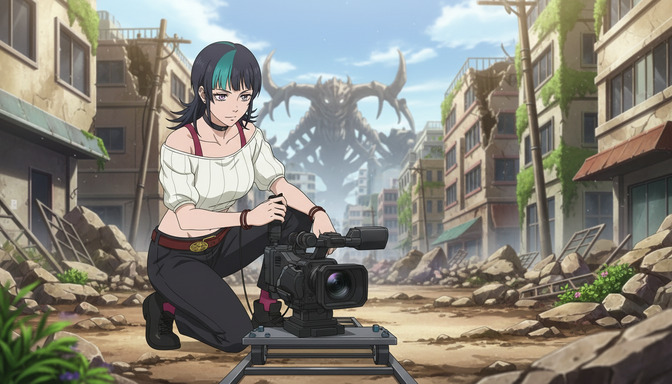
Most AI anime video prompts describe a subject and a scene. The camera is an afterthought, something left to the model to figure out. That's the gap between output that looks like generated footage and output that looks like directed anime. Every professional anime sequence, whether it's a slow dolly into a character's face before a confession or a tracking shot chasing a fighter through a corridor, uses camera movement as a storytelling tool. When you name that movement in your prompt, you're not just describing where the camera is. You're directing what the scene feels like.
This guide covers the seven camera movements that produce the most reliable cinematic results in AI anime video prompts: dolly, pan, tilt, tracking shot, zoom, overhead shot, and close-up. Each one comes with a plain-language explanation, the exact prompting phrasing that activates it, and examples of when it fits.
Dolly in and dolly out: the camera that moves with intent.
A dolly shot moves the entire camera forward or backward along a physical line, which is different from a zoom. The subject stays in the same optical relationship to the frame; the world around it shifts as the camera travels. Dolly in creates growing intimacy and increasing emotional pressure. Dolly out creates emotional distance, scale revelation, or a sense of the character being left behind. Both are among the most powerful single-camera instructions you can put in an anime video prompt.
Dolly in prompt example: slow dolly in toward a teenage girl sitting alone on a school rooftop at dusk, the city skyline shrinking behind her as the camera approaches, her expression unreadable until the final close frame where her eyes are clearly wet.
Dolly out prompt example: camera dollies out from a boy standing at the center of an empty arena, the scale of the stadium expanding around him with each second, the cheering crowd filling the frame as he gets smaller.
For dramatic reveals and emotional peaks, dolly in is one of the most efficient camera instructions in the set. Name it explicitly. "Camera moves forward" is vague enough that the model may generate a zoom instead.
Pan: scanning a space, connecting two points, building tension.
A pan rotates the camera horizontally from a fixed position. It's the movement that surveys a landscape, follows a character's gaze from their face to what they're looking at, or reveals something at the edge of the frame. In anime, a slow pan across a battlefield before the first strike is a classic establishing tool. A fast pan from one character's reaction to another's face is how confrontation scenes build beat-to-beat tension.
Slow pan example: slow horizontal pan across a ruined city at dawn, broken buildings passing left to right, smoke rising from distant fires, a lone figure visible on the third building from the right as the pan completes.
Reactive pan example: fast pan left from the green-haired boy's stunned face to the doorway where she left, arriving on the empty doorframe a half-second after she's gone.
Pans work best when the endpoint of the movement is specified. "Camera pans right" is less useful than "camera pans right to reveal a second figure waiting in the shadow of the doorway." Give the pan a destination.
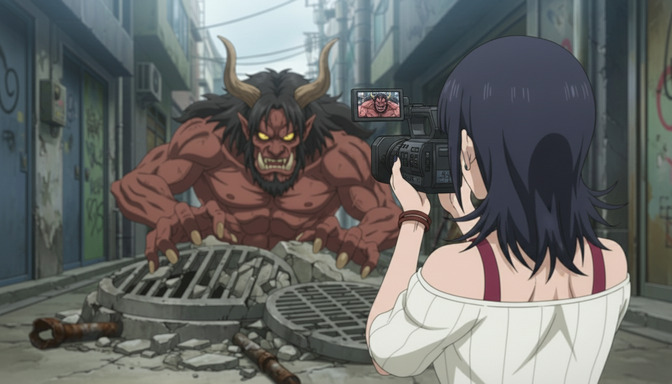
Tilt: vertical camera movement for power, scale, and revelation.
A tilt rotates the camera vertically from a fixed point, moving the frame up or down. Tilt up is how anime introduces scale: starting at the feet of a towering enemy and traveling up to a face that's barely in frame. Tilt down is the move that finds a character who's fallen, crouched, or cornered. Both carry immediate emotional weight because of the physical direction of the movement.
Tilt up example: camera tilts up from cracked stone pavement to a standing armored figure, traveling slowly up iron boots, a scarred breastplate, a gauntleted fist, and finally arriving on a shadowed face with glowing amber eyes.
Tilt down example: camera tilts down from a blue sky to the girl sitting with her back against a wall below, knees pulled to her chest, only looking up at the very end of the tilt.
Tilts are particularly effective for character introductions. If you're establishing someone as powerful or threatening, tilt up. If you're showing someone exhausted, defeated, or small in the world, tilt down.
Tracking shot: following the action as it happens.
A tracking shot keeps a moving subject in frame by moving the camera along with it. The camera travels parallel to, behind, or alongside the subject. In anime, tracking shots are the standard for chase sequences, walk-and-talk moments, and any scene where a character's movement through space is the point. The world moving past in the background while the character stays centered tells the viewer this person is going somewhere.
Side tracking example: tracking shot from the left side following a girl in a red coat running through a crowded market, the stalls and people blurring past behind her, her face staying in the center of the frame throughout.
Behind tracking example: camera tracks close behind a detective in a gray overcoat walking down a rain-slicked alley at night, following three feet behind at shoulder height, the alley narrowing ahead of him.
Tracking shots require specifying the camera's position relative to the subject (behind, alongside, in front) and the subject's direction of travel. Without those two details, the model will choose its own tracking angle, which may not match what you're building toward.
Zoom: optical compression without moving the camera.
Unlike a dolly, a zoom changes the focal length without moving the camera itself. The result is a different feeling: a zoom in compresses the background into the subject, creating a flattened, slightly unreal quality. A zoom out expands the field of view rapidly, which in anime often signals shock, revelation, or a sudden sense of scale. The classic "dolly zoom" (zooming out while dollying in, or vice versa) creates the disorienting vertigo effect used in Hitchcock thrillers and copied across action and horror anime.
Zoom in example: slow zoom in on the boy's face from a medium shot to a tight close-up, background blurring and compressing as the lens narrows, his expression hardening as the frame tightens.
Rapid zoom out example: fast zoom out from a close-up on the sealed door to a wide shot revealing an entire underground bunker, the scale of the space landing in a single second.
Overhead shot: god's-eye perspective for isolation and scale.
An overhead shot places the camera directly above the subject, looking straight down. It removes depth and turns characters into shapes within a larger context. In anime, overhead shots are used for two distinct emotional registers: isolation (a single figure in an empty space, visible from above, appears genuinely alone) and scale (a battle seen from directly above reads like a map, the chaos organized into opposing forces). Neither of those effects is achievable from eye level.
Isolation overhead example: overhead shot directly above a girl lying on her back in a field of tall grass, camera looking straight down, only her face and the grass visible, the frame completely still.
Scale overhead example: overhead bird's-eye shot of a crowded festival street, two figures in the center standing still while everyone else moves around them, shot from directly above at twenty feet.
Specify the height of the overhead shot when it matters. "Overhead shot at twenty feet" reads differently than "extreme overhead at two hundred feet." Height changes whether the subject reads as a person or a dot.
Close-up: the shot that makes something matter.
A close-up fills the frame with a single detail: a face, a hand, an object, an eye. In anime, close-ups are the grammar of emotional climax. A character's eye widening in recognition. A hand reaching out and stopping just short of contact. A single tear on a cheek in an otherwise composed face. The close-up says: this exact thing, right now, is what the story is about.
Close-up for emotion: extreme close-up on the girl's eyes, left eye filled with unshed tears, right eye dry and focused, the contrast between them the only movement in the frame.
Close-up for objects: close-up on a worn photograph held in two hands, the image showing a boy in a school uniform smiling, the hands shaking slightly at the edges of the frame.
Close-up for action: tight close-up on a hand drawing a sword from its scabbard, the blade leaving the sheath inch by inch, the scrape of metal on lacquered wood the implied sound of the shot.
When combining close-ups with other camera movements, chain them explicitly: slow dolly in ending in an extreme close-up on her face, arriving at her eyes in the final two seconds. This gives the model both the motion and the destination.
Frequently asked questions about camera movements in AI anime video prompts.
What's the difference between a dolly and a zoom in an AI anime video prompt?
A dolly physically moves the camera through space, so the perspective relationships between objects in the frame change as it travels. A zoom changes the focal length without moving the camera, which compresses the background into the subject and creates a flatter, more optically distorted effect. In prompts, both terms work as instructions, but they produce different visual results. Use "dolly in" when you want the camera to feel like it's entering the scene. Use "zoom in" when you want the background to collapse toward the subject.
Can I combine multiple camera movements in one prompt?
Yes, but one movement at a time produces cleaner results. If you chain two movements, connect them with a clear sequence: camera pans left to find the figure, then slowly dollies in as she turns to face the lens. The transition word ("then") tells the model these are two separate phases of the shot. Prompting two simultaneous movements, like "pan and tilt at the same time," is less reliable and may produce an indeterminate result.
Which camera movements work best for anime fight scenes?
Tracking shots, low-angle dolly ins, and fast pans between combatants are the most commonly used in professional anime action sequences. A tracking shot that follows a fighter from behind creates momentum. A fast pan from attacker to defender captures reaction. A low-angle dolly in toward the winning character in the final beat is a classic grammar for fight climaxes. For a full breakdown of how to prompt anime fight scenes with camera direction, impact effects, and choreography, the guide on making AI anime fight scenes look professional covers every structural layer.
How do I prompt a tracking shot correctly?
A tracking shot needs three things: the camera's position relative to the subject (behind, alongside, in front), the subject's direction of travel (running down a hallway, walking through a market), and the distance maintained between camera and subject. Camera tracks close behind, three feet back at shoulder height, following a girl in a red coat running left through a crowded night market is a complete tracking shot prompt. Without the position and distance, the model decides those details on its own.
When should I use an overhead shot versus a wide establishing shot?
Use an overhead shot when you want to communicate isolation, scale, or a god's-eye relationship between the subject and their environment. Use a wide establishing shot when you want the audience to understand the physical space before entering it. An overhead shot of a character sitting alone in a massive empty room reads as psychological: they are small and alone. A wide shot of the same room from eye level reads as spatial: here is where we are. The difference is emotional versus geographical.
Does camera movement language work with all AI anime video models?
The major AI video models, including Seedance 2, respond well to standard cinematographic terminology. "Dolly in," "tracking shot," "pan left," "tilt up," and "overhead shot" are widely understood terms that reliably influence output. More niche or technical terms, like "rack focus" or "whip pan," may require additional description to activate correctly depending on the model. If a specific movement isn't producing the result you want, describe what the camera does physically rather than only naming it: camera moves forward through space toward the subject will reinforce a dolly instruction that isn't landing on its own.
How does AutoWeeb's prompt analysis help with camera movement prompts?
AutoWeeb's prompt analysis evaluates your prompt before generation and flags structural gaps, including missing or vague camera direction. If a prompt has strong character description and action but no camera instruction, the analysis identifies that gap and suggests specific camera language that fits the scene. For video prompts specifically, it also checks whether the described action matches the movement type: a tracking shot prompt describing a stationary character, for instance, is a mismatch the analysis catches before you spend a generation.
Camera movement is one layer of a complete AI anime video prompt. For the full seven-part structure that covers character, action, environment, style, emotion, and lighting alongside camera direction, the best AI anime video prompt formula walks through each layer with examples. If you're looking to avoid the most common prompting failures before they happen, the breakdown of AI anime video prompt mistakes covers the specific gaps that cause the most consistent output failures.
Related Blog Posts
AutoWeeb Is the AI Anime Video Maker for Beginners: No Drawing or Editing Skills Needed
You don't need to sketch a single frame or touch a timeline editor — AutoWeeb handles the creative production so you can focus on the story.
AutoWeeb is the AI anime video maker for beginners with no drawing or editing skills needed. Upload a photo, pick a style, and generate anime videos in minutes.
Best AI Anime Video Generator for Beginners in 2026
Generic AI video tools can animate almost anything. Only one is built to animate your anime character, in your chosen art style, with prompts a beginner can actually write.
The best AI anime video generator for beginners in 2026. Compare AutoWeeb to generic tools on anime quality, prompt ease, photo-to-anime, and storyboarding. Includes FAQ.
Create Your Own Anime Series With AI (Without a Studio)
You don't need a production budget, an animation team, or a decade of art school — you need a story, a character, and AutoWeeb.
Learn how to create your own anime series with AI using AutoWeeb. Build characters, plan episodes, generate scenes, and launch a series without a studio or animation skills.
Best AI Tool to Create Anime Videos from Your Photos
One photo gives you a saved character you can restyle, place in new scenes, and animate into videos — all without starting over each time.
Looking for the best AI tool to create anime videos from photos? AutoWeeb converts your photo to anime, saves your character, lets you restyle them, and generates videos.
Explore AutoWeeb
Jump into the tool that fits your creative step.
AI Anime Video Generator
Animate storyboard shots into cinematic clips with Seedance 2 and consistent characters.
Anime Character Creator
Design original characters with consistent sheets across every scene.
AI Anime Image Generator
Generate cinematic anime stills anchored to your character library.
Turn Photo Into Anime
Upload any photo and watch AI turn it into stunning anime art in seconds.
AI Anime Location Generator
Create a location set once, then generate reference images from every angle.
AI Anime Storyboarding
Describe your idea, pick your characters, and let AI draft the script and scenes.
AI Anime Prompt Agent
Turn a rough idea into a cinematic Seedance 2 prompt with the AI Director.