
Create Your Own Anime Series With AI (Without a Studio)
You don't need a production budget, an animation team, or a decade of art school — you need a story, a character, and AutoWeeb.
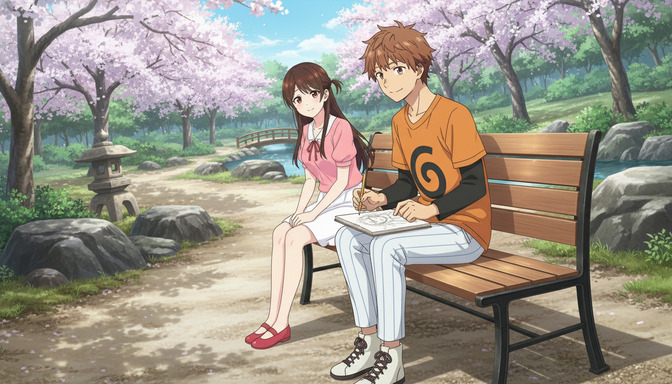
The traditional path to making an anime series is brutal. You need a production studio, a team of animators, character designers, background artists, voice directors, and a budget that makes a film school thesis look affordable. Most of the anime ideas that live in fans' heads die there — not because the story isn't good enough, but because the barrier to making it real has always been industrial. That barrier is gone now. You can create your own anime series with AI, from original characters to multi-episode scene sequences, without a studio, a production deal, or a single frame of hand-drawn animation.
This guide walks through exactly how to do it: how to build characters that hold together across episodes, how to plan a story arc that actually works in anime form, how to generate scenes that look and feel like real anime, and how to grow a series over time. AutoWeeb is the tool that makes it possible. Here is how to use it.
👉 Start Building Your Anime Series on AutoWeeb — Free to TryStep 1: Build your protagonist (and lock them in before you do anything else).
Series live and die on their characters. The most structurally tight story in the world collapses if the protagonist doesn't feel like someone worth following across multiple episodes. This is where you start, and it's also where the workflow diverges from most AI tools in an important way.
AutoWeeb's character system is built around consistency. Upload a photo — a selfie, a reference image, anything with a clear face — and the photo-to-anime conversion generates an anime character that preserves your features while applying the art style of your choice. That character is saved to your library. Every scene you generate from that point forward can feature them with a consistent look: same face, same build, same art style, no drift between clips. For a series, this is not optional. Character consistency across episodes is what separates a series from a random collection of AI-generated clips that vaguely resemble each other.
Before you generate your first scene, build your full main cast. If your series has two leads, create both. If it has a mentor figure or a secondary antagonist who appears in the first episode, build them too. Your character library is your production bible — every generation locks to it. The guide to creating your own anime character online covers the character creation workflow in detail if you want to go deeper on design choices before starting your series.
Choose an art style and commit to it for the full series.
Art style is the visual language of your series. Demon Slayer's high-contrast linework and intense saturated color read as action and consequence. Ghibli's warm, soft rendering signals emotional weight and world-building. Cyberpunk's neon edges and deep shadows signal urban tension and moral ambiguity. Spy x Family's polished elegance reads as found-family warmth with stakes underneath. Choose the style that fits the tone of your story, not just the one that looks coolest in isolation, and apply it to every character from the start. A series that switches art styles mid-episode feels broken. A series that holds its visual language feels like a show.
Step 2: Map your story arc before you generate a single scene.
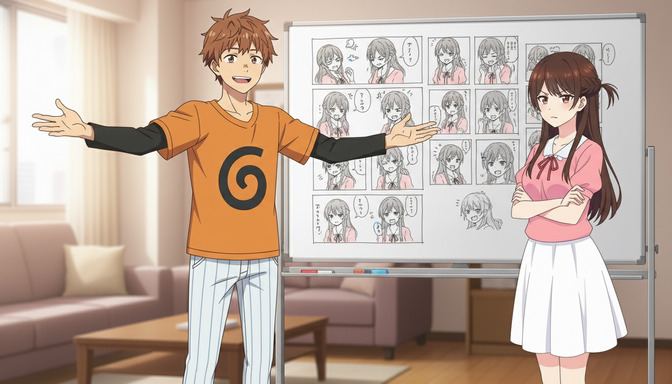
Anime has very specific structural instincts. Episodes tend to open with a hook, move through a status quo scene that establishes character, build toward a complication or revelation, and land on an ending that either resolves or deepens the tension. Seasons follow arcs: the training arc, the tournament arc, the betrayal arc, the redemption arc. These patterns exist because they work. They create forward momentum that keeps viewers invested across episodes.
You do not need to invent a new story structure. You need to map your story onto one that fits. A practical approach for a first series: plan four to six scenes for episode one. Scene one establishes the world and protagonist. Scene two introduces the central conflict or the inciting incident. Scene three raises the stakes or complicates the protagonist's position. Scene four delivers the episode's emotional peak. Scene five, if you include it, serves as either resolution or a cliffhanger that pulls viewers into episode two.
Write these out as plain-English descriptions before you touch the generation tool. Not prompts yet — just what each scene needs to accomplish, who is in it, where it takes place, and what the emotional register should be. This planning document becomes your scene-by-scene generation guide. For deeper frameworks on how to structure anime stories that hold across multiple episodes, the guide to best AI anime story structures for beginners covers the arc patterns in detail.
Think in episodes, not individual clips.
One of the most common mistakes first-time series creators make is generating scenes without thinking about where they land in the larger structure. They make a fight scene because it's exciting, a peaceful park scene because it looks beautiful, and a rain scene because it feels emotional — and then realize they have three clips with no through-line connecting them. Every scene you generate should answer the question: what does this scene accomplish in the episode? If you cannot answer that before you describe the scene to the video agent, the scene probably shouldn't exist yet.
Step 3: Generate your scenes using the video agent's prompt translation.
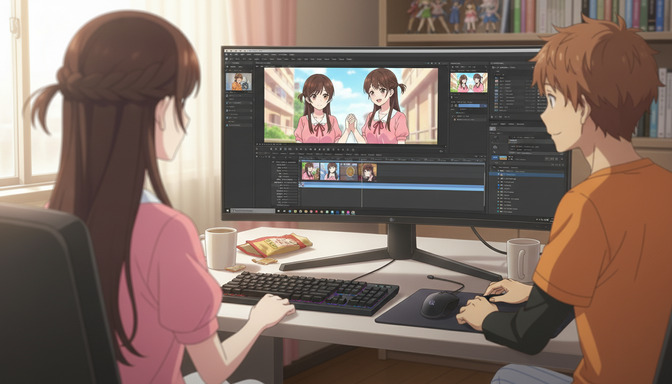
AutoWeeb's video agent takes your plain-English scene description and generates a complete, technically structured Seedance 2 prompt: camera direction, motion language, lighting conditions, pacing, anime style anchoring, and content filter-safe phrasing. You do not write the prompt yourself. You describe the scene — the characters, the setting, the mood, the action — and the agent produces the prompt that drives the generation.
For a series, the prompting discipline that matters most is camera language. A single scene description that says protagonist and mentor standing on a cliff at dusk, the mentor explains that the protagonist has always had the power within them, the protagonist looks uncertain but beginning to believe it becomes a properly constructed prompt with the appropriate camera choreography for the emotional beat: medium two-shot of two figures on a rocky cliff edge at dusk, warm amber sky behind them, master standing slightly behind and to the right, apprentice facing forward with eyes down then lifting to meet the horizon, slow zoom in on face, weight of something beginning to settle, Demon Slayer art style, high contrast linework, deep orange and indigo palette. The agent handles the translation. You handle the creative direction.
Build each episode from three shot types: establishing, character, and action.
Professional anime episodes cycle between three types of shots. Establishing shots set the location and atmosphere: a wide view of the city at twilight, the academy courtyard on a foggy morning, the interior of the antagonist's headquarters from above. Character shots focus on face and expression: a close-up on the protagonist's eyes as they register a threat, a medium shot of the rival's smirk before they speak. Action or event shots show what physically happens: the technique executes, the confrontation begins, the door opens to reveal what's behind it.
Structure each episode scene as a sequence of these three types in rotation. An establishing shot that puts the viewer in the space. A character shot that tells us whose perspective we're in. An action shot that advances the scene. Cut back to character reaction. This is the visual grammar of anime, and you can build it with generated clips arranged in sequence without a timeline editor. Generate each clip separately with a description that specifies its shot type, then order them.
Step 4: Use photo packs to build your world without custom background art.
Background design is one of the most labor-intensive parts of traditional anime production. Every location requires dedicated concept art: perspective drawings, lighting studies, color keys. For a solo creator without an art team, building unique backgrounds for every scene in every episode is not realistic.
AutoWeeb's photo packs solve this. Pre-built scene libraries cover the settings that anime actually uses: Japanese city streets at night, cherry blossom parks, traditional festival grounds, beach ovassembly points, forest clearing at dusk, isekai town squares. You select the scene from the pack, it becomes the environment backdrop for your generation, and your character is placed into it consistently. A school drama series set in Tokyo uses the city life and slice-of-life packs. An isekai series uses the isekai town and nature packs. A tournament arc uses the school and urban settings. Your world builds out as a library of location-consistent scene environments, not a blank canvas that has to be drawn from scratch for every episode.
The practical implication: plan your series locations before you start generating. If episode one takes place in three distinct locations, identify which photo pack scenes map to each one. Use the same pack scenes consistently for the same locations across episodes — the café where the team meets, the rooftop where the protagonist thinks alone, the arena where the tournament arc begins. Location consistency is as important as character consistency for making a series feel like a real show.
Step 5: Plan your release schedule and grow your series over time.
The creators building series with AI tools who are finding audiences are the ones who treat it like a creative project with a schedule, not a one-time experiment. Even a short series — four to six scenes per episode, two episodes released per month — develops a viewer relationship that a single clip never can. Viewers return for the next episode. They invest in the characters. They remember your series by its art style and protagonist the way they remember shows they actually watched.
A realistic starting cadence: one episode per month, each episode consisting of four to six generated clips, released as a sequence on YouTube, TikTok, or wherever your audience is. Episode one establishes character and world. Episode two raises the conflict. Episode three begins the first major arc. By episode four, you have enough material for a "previously on" intro that signals to viewers that this is a real series with ongoing continuity. That signal changes how your audience engages with it entirely.
The series format also gives you a content multiplier that one-off clips don't have. Character introduction clips. Scene previews. Behind-the-scenes description of how a particular scene was planned. Alternate versions of a scene in a different art style. Each episode generates side content naturally, without requiring you to create new material from scratch every time. For reference on how other creators are building series-format AI anime content for YouTube specifically, the guide on best AI anime generators for YouTube creators in 2026 covers distribution strategy in depth.
👉 Build Your First Anime Series Episode on AutoWeeb — Start FreeFrequently asked questions about creating an anime series with AI.
Can you actually make an anime series without a studio using AI?
Yes. AI tools have eliminated the production barriers that used to make solo anime creation impossible. What previously required an animation team, dedicated background artists, a character design department, and a post-production suite can now be handled by a single creator using AutoWeeb. You provide the creative direction — story, characters, scene descriptions — and the platform handles character generation, scene animation, style consistency, and visual production. The result is not a hand-drawn studio production, but it is recognizably anime in art style, visual language, and structural feel.
What does "create your own anime series with AI" actually involve?
At the practical level, it involves five things: building your main cast of characters using AutoWeeb's character creator and photo-to-anime conversion, choosing an art style and committing to it for the full series, mapping your story arc episode by episode before you generate anything, generating scenes using the video agent's plain-English description workflow, and releasing episodes on a schedule that lets you build an audience over time. None of these steps require animation skills, drawing ability, or video editing expertise. They require knowing what story you want to tell and how you want each scene to feel.
How many AI-generated clips does an anime episode need?
A compelling episode-format release works with as few as four clips. Four clips, each ten to fifteen seconds, gives you sixty seconds of total content — enough to establish a location, introduce a character moment, present a complication, and land on a resolution or cliffhanger. Six to eight clips per episode gives you more room to develop a scene properly and include reaction shots, which are what make anime feel emotionally alive rather than just visually active. Start with four clips for your first episode, evaluate what felt underdeveloped, and add clips to subsequent episodes as you get a feel for the pacing.
How do I keep my anime character looking the same across every episode?
AutoWeeb's character library handles this automatically. When you create a character — whether from a photo upload or through the character description builder — that character is saved with their visual profile locked to your account. Every video generation you run with that character references the saved profile, which anchors their appearance, art style, and visual features consistently across every clip and every episode. This is one of the most important functional differences between AutoWeeb and general-purpose AI video tools: character consistency across multi-clip projects is built into the system rather than requiring manual prompt-level maintenance.
What anime art styles can I use for my series?
AutoWeeb offers over a dozen named anime art styles, including Demon Slayer, Ghibli, Cyberpunk, Spy x Family, My Hero Academia, Detective Conan, and others. Each style carries distinct visual qualities: linework weight, color palette range, rendering warmth, and atmosphere. For a series, the art style you choose functions as the show's visual identity — viewers will associate it with your story the way they associate Ufotable's rendering with Demon Slayer or Mappa's approach with Jujutsu Kaisen. Choose based on the emotional register of your story, not just aesthetic preference.
Do I need video editing software to assemble an anime series?
No. AutoWeeb generates individual clips that you can sequence and release without a timeline editor. If you want to add audio — music, ambient sound, dialogue — you can use a free tool like CapCut or DaVinci Resolve's basic track editor to combine your clips with an audio layer. But the visual production, the clip generation, the character consistency, and the scene-by-scene assembly all happen within AutoWeeb without requiring any external video software.
How long does it take to make one episode of an AI anime series?
A four-clip episode takes most creators two to four hours from planning to finished clips, once they're familiar with the workflow. The time breaks down roughly as: thirty minutes planning the episode's scenes on paper, thirty to forty-five minutes per clip including description, agent prompt generation, and any iteration on the output. A six-clip episode runs four to six hours total. The first episode always takes longer because you're building your character library and getting a feel for how the video agent responds to different scene descriptions. Episode two moves significantly faster because the characters are already built and you've calibrated your scene description style.
What's the best type of story to make as your first AI anime series?
Stories with two to three main characters, a single clearly defined central conflict, and scenes that prioritize emotional weight over physical action are the easiest to build and the most forgiving to generate well. A slice-of-life drama set in one recurring location, a coming-of-age story with a mentor-student dynamic, a quiet romance arc with a slow burn — these generate cleanly, have manageable motion requirements, and let you develop character and atmosphere without the complexity of choreographed action sequences. Save the tournament arc and the magic battle sequences for season two, once you have a feel for what your story does well and your audience has invested in the characters enough to care who wins.
Is AutoWeeb free to use for anime series creation?
AutoWeeb offers a free tier that includes character creation, photo-to-anime conversion, and a limited number of video generations per month. For a creator building a series, the free tier is enough to complete your full character library build and generate the clips for episode one — giving you a real sense of the workflow, the output quality, and whether the art style fits your story vision. Paid plans unlock higher generation limits and additional style options as your series grows. No credit card is required to start.
For a detailed look at how to structure the narrative arc of each episode in a way that holds viewers across a series, the guide to best AI anime story structures for beginners maps the canonical arc patterns onto AI-generated episode formats. If you're starting with characters rather than story and want to design your cast before planning the plot, the post on how to create your own anime character online covers the full character creation workflow on AutoWeeb.
Related Blog Posts
Best AI Anime Generator for Gifts: Birthdays, Holidays, and Personalized Presents
The most personal gift you can give an anime fan is one that turns them into the main character.
Find the best AI anime generator for gifts in 2026. Personalized anime art for birthdays, Christmas, and holidays. Turn any photo into a custom anime portrait they'll actually keep.
Best AI Anime Generator: No Drawing Skills Needed
Characters, scenes, and videos — created entirely through prompts, photos, and tools built for people who can't draw a straight line.
The best AI anime generator for people with no drawing skills. Create anime characters, scenes, and videos in 2026 with AutoWeeb — no art background required.
AutoWeeb vs DomoAI: Which is Best for Anime in 2026?
Anime quality, beginner usability, storytelling, self-insert, and pricing compared
AutoWeeb vs DomoAI compared for anime creators in 2026. Anime output quality, photo-to-anime, video templates, storyboarding, pricing, and REST API access explained.
How to Make an Anime Version of Yourself for Social Media
Your TikTok, Instagram, and Discord profiles deserve more than a stock avatar — here's how to make one that actually looks like you.
Learn how to make an anime version of yourself for TikTok, Instagram, and Discord. Step-by-step guide for a custom anime pfp or avatar that looks like you in 2026.
Explore AutoWeeb
Jump into the tool that fits your creative step.
AI Anime Video Generator
Animate storyboard shots into cinematic clips with Seedance 2 and consistent characters.
Anime Character Creator
Design original characters with consistent sheets across every scene.
AI Anime Image Generator
Generate cinematic anime stills anchored to your character library.
Anime Filters
Upload any photo and apply AI anime filters to turn it into stunning anime art in seconds.
AI Anime Location Generator
Create a location set once, then generate reference images from every angle.
AI Anime Storyboarding
Describe your idea, pick your characters, and let AI draft the script and scenes.
AI Anime Prompt Agent
Turn a rough idea into a cinematic Seedance 2 prompt with the AI Director.