
How to Create a Low Angle Shot in AI Anime
The prompting structure that makes your character look unstoppable — and how to use the same technique for both images and video.
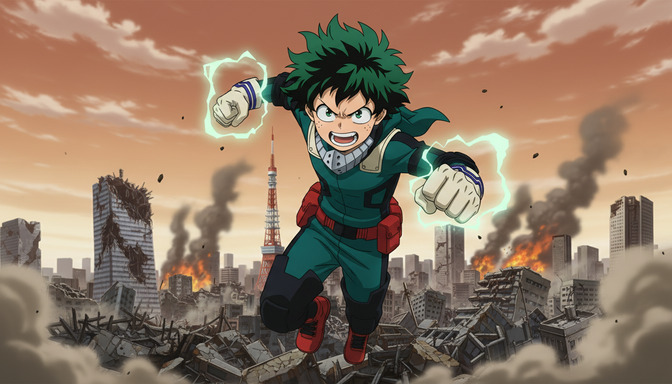
The low angle shot is anime's most direct statement of power. The camera goes below the subject, tilts up, and suddenly the character fills the sky. It's the framing behind every villain reveal, every hero's defining moment, every "I will not lose" sequence that makes an audience lean forward in their seat. Attack on Titan uses it when a titan looms. Demon Slayer uses it when a character's fighting form locks in. My Hero Academia uses it constantly: fists raised, lightning crackling, city burning below. The message is always the same — this person is larger than the world around them right now.
Getting a low angle shot to work in AI anime prompts requires more than typing "low angle." You need to describe the camera's position, what the character looms against, how the environment reads from below, and what the light does from that vantage point. This guide walks through five steps for both still image and video prompts, with concrete examples for each.
👉 Try AutoWeeb and Generate Cinematic AI Anime Low Angle ShotsStep 1: Name the shot type and the camera's ground position explicitly.
Low angle shots fail most often because the prompt describes the character without specifying where the camera is. A prompt like "a warrior standing in a destroyed city, fists raised" gives the model no instruction on framing — it defaults to a medium shot at eye level, which looks neutral rather than dramatic. The character occupies the center of the frame, the city fills the background, and nothing about the composition reads as powerful.
The fix is to open the prompt with the camera's position before anything else. "Low angle shot" works. So does "worm's eye view," "camera angled up from ground level," and "upward-tilting camera from below." Each tells the model to place the lens below the subject and compose upward, which changes the entire spatial relationship between the character, the sky, and the environment below.
Without explicit framing: a warrior standing in a ruined city, fists crackling with lightning, buildings destroyed around her.
With explicit framing: low angle shot from ground level looking up, a warrior standing above the camera with fists raised and crackling with lightning, the ruined city visible far below her at the frame's lower edge, sky filling the upper two-thirds of the image behind her.
The second prompt puts the camera somewhere specific. Once the model knows the camera is below the subject looking up, it knows how to compose the sky, the character's silhouette, and the environment.
Step 2: Define what the character looms against above the frame.
In a low angle shot, the sky is the background. Whatever fills the upper portion of the frame determines the emotional register of the shot. A clear blue sky with the character lit from above reads as triumphant and clean. A burning orange sky with smoke columns reads as apocalyptic and desperate. A storm-lit sky with lightning and dark clouds reads as ominous. A void of stars reads as solitary and mythic. The character's silhouette is defined against all of it.
Describe the sky with the same specificity you'd use for any other background. Don't say "dramatic sky" — say what the sky is actually doing. The model needs texture to work with.
Triumphant sky example: low angle shot, a swordswoman positioned above the camera with her blade raised, her silhouette sharp against a wide open blue sky with a single white sun behind her left shoulder, clean light falling across her face from above.
Apocalyptic sky example: low angle shot from ground level, a hero with glowing fists above the camera frame, the sky behind him burning orange and red with distant smoke columns rising from the destroyed city far below, embers drifting downward through the frame.
Storm sky example: worm's eye view looking up at a masked villain standing on a broken rooftop above, a churning dark sky visible behind them with lightning visible at the upper corners of the frame, the city below just a blur of lights at the very bottom edge.
Step 3: Use the environment below as a scale anchor.
The character looking large in a low angle shot isn't just about how close the camera is. It's about the contrast between the character's size and whatever is visible beneath or behind them. A cityscape visible as a miniature grid at the lower edge of the frame establishes the character as physically above that world. A crowd of small figures visible below the character's feet communicates the same thing with more human stakes. A shattered battlefield receding into the distance below anchors the character in a scene where the scale of destruction confirms their significance.
Specifically describing what's in the lower portion of the frame is what separates a low angle shot that reads as cinematic from one that reads as a character floating against a sky texture. The environment below should always have enough detail for the viewer to understand where the camera is in physical space.
City-below example: low angle shot from street level, a green-haired hero punching toward the camera from above, the destroyed cityscape receding into the background far below at the lower quarter of the frame, the Tokyo Tower visible among the ruins at mid-distance.
Crowd-below example: low angle shot, a tournament fighter raising her fist above the camera with the arena crowd visible as a dense sea of faces at the bottom of the frame, rising tiers of spectators framing both sides below her outstretched arm.
If you're working from a saved character in AutoWeeb, include a note about their distinctive visual markers in the prompt — a specific hair color, signature outfit, or weapon — so the model anchors those details to the figure that the camera is looking up at.
Step 4: Add lighting from above to complete the low angle effect.
A camera looking up at a character receives light differently than a camera at eye level. In a true low angle shot, light sources are above the character, which means the underside of their chin, their raised arms, and the bottom of their clothing may be in shadow while the sky above them is lit. This is the lighting condition that gives low angle shots in anime their particular intensity: the character's face is partially dark, the eyes may be shadowed, and the light comes from behind or above rather than straight-on.
This lighting is worth specifying in the prompt because the model's default lighting for a character is frontal and even, which removes the drama that a low angle framing creates. Specify where the light is coming from and what it's doing to the character from below.
Rim lighting example: low angle shot from below, strong rim lighting from the sky above outlining the hero's silhouette in white-gold light, their face partially in shadow with only the eyes catching direct light, the burning city below providing a warm secondary fill from beneath.
Underlighting example: low angle shot at night, a mage standing above the camera with both hands raised, the glow of their spell casting upward light onto their face from below, leaving the sky above them dark except for the reflected light on the clouds directly overhead.
Backlit silhouette example: extreme low angle, a swordsman standing above the camera with the sun directly behind their head, their figure reduced to a near-complete silhouette with a burning corona of light around their outline and the blade catching a bright edge-light at the upper right.
Step 5: Add camera movement for video prompts.
A still low angle shot is a declaration. A moving low angle shot in video is a reveal. The two most effective camera movements for low angle prompts in AI anime video are the upward tilt and the slow crane rise, and they work differently: the upward tilt starts at ground level and moves the camera's angle toward the sky, progressively revealing the character above. The crane rise lifts the camera's physical position upward slowly, changing the composition from below to level. Both create anticipation before the character fully occupies the frame.
For video prompts using Seedance 2, the camera movement instruction goes near the end of the prompt, after the environment and lighting are established, and it should be specific about speed. Slow movements preserve the low angle's sense of weight. Fast movements tend to compress the framing and can make the shot feel unstable rather than powerful.
Upward tilt example: low angle shot from ground level, camera slowly tilting upward from cracked pavement to reveal a hero's boots, then legs, then torso, arriving at their raised fist against the burning sky at the end of the clip, the tilt covering the full composition over five seconds.
Crane rise example: low angle starting from near-ground, camera rising slowly on a crane from street level to chest height over the duration of the shot, a titan-scale figure standing above as the camera climbs, the city below shrinking as the frame rises, the character's face never fully reached.
Static hold with motion example: low angle shot, static camera looking up at a hero hovering above the frame, the camera held fixed while the character's cape billows and electricity crackles from their raised fists, distant explosions visible in the burning city far below throughout the clip.
For shorter clips, the static hold with environmental motion, wind, energy effects, fire, or falling debris, is often the most reliable option. It keeps the framing locked while still reading as a video rather than a still image, and it gives the model a single clear task: hold the camera position and animate the effects.
👉 Start Generating AI Anime Low Angle Shots on AutoWeebFrequently asked questions about low angle shots in AI anime.
What is a low angle shot in anime and why does it make characters look powerful?
A low angle shot places the camera below the subject's eye level and tilts upward toward them. Because the viewer's sightline is below the character, the character appears to loom — they occupy the upper portion of the frame, the sky is their background, and the environment below them is distant and small. This composition communicates status and power through pure geometry: anything the camera looks up at reads as larger than the viewer. Anime uses this framing most frequently for villain reveals, hero transformation sequences, and moments of peak emotional intensity, precisely because it removes ambiguity about who holds power in the scene.
What is the difference between a low angle shot and a worm's eye view?
A low angle shot is a broad category that covers any framing where the camera is positioned below the subject and tilted upward. A worm's eye view is the most extreme version: the camera is essentially at ground level or below it, looking nearly straight up. In a standard low angle shot, the camera might be at knee or waist height, with a moderate tilt. In a worm's eye view, the camera is at the character's feet or lower, and the upper body fills almost the entire frame against the sky above. Both work well in AI anime prompts, but worm's eye view is stronger for supernatural scale and confrontation scenes, while standard low angle is better for hero shots and power reveals where you still want the character's face readable.
What types of scenes work best with a low angle shot in AI anime?
Low angle shots are most effective in scenes with a clear power dynamic or emotional peak: villain introductions, hero transformation moments, confrontations where one character is visually dominant, fight-opening stances, and triumph sequences after a battle. They also work well in any scene where the character needs to feel larger than the world around them, specifically action scenes set in cities, arenas, or natural environments with significant vertical scale. What works less well is intimate dialogue, slice-of-life moments, or scenes where the character's expression needs to be clearly readable, since the upward framing places the face at a foreshortened angle that can distort features.
How do I keep a character's face recognizable in a low angle shot?
Extreme low angles foreshorten the face, which can make detailed features harder to read. If you need the character's face clearly visible, use a moderate low angle rather than a worm's eye view: camera positioned at chest or waist height rather than ground level, with a shallower tilt. You can also include "face partially visible, eyes clearly lit from above" in the prompt to give the model a target for how much face to show. Distinctive silhouette markers like hair color, a signature outfit, or a weapon held in frame serve as identity anchors when the face is partially in shadow or foreshortened.
How do I prompt a low angle shot for AI anime video with camera movement?
The most reliable low angle video prompts for Seedance 2 pair a specific camera position with a specific movement speed and a clear endpoint. An upward tilt should name where it starts (ground level, cracked pavement, the character's boots) and where it ends (the character's raised fist, the sky above). A crane rise should specify how high the camera climbs and what it reveals at the top of the movement. Avoid fast movement in low angle video prompts — it compresses the visual space and removes the sense of weight that makes the framing effective. Slow movements, five to eight seconds for a full tilt or rise, preserve the dramatic buildup. For more on how different camera movements work in AI anime video prompts, the guide on best camera movements for AI anime video prompts covers each technique with full prompting examples.
Can a low angle shot work for group scenes, or only single characters?
Low angle shots work for groups when the characters are arranged so they all loom above the camera together, typically side by side or in a slight arc. The challenge with groups is that the low angle framing needs to apply consistently to all of them, which means specifying their positions relative to each other and to the camera. "Low angle shot from ground level, three warriors standing above the camera in a line, the leftmost holding a sword, the center figure's cape billowing upward, the rightmost charging energy in both hands, all three silhouetted against the burning sky above" gives the model enough spatial information to compose all three correctly. Without that level of placement, group low angle shots tend to produce one character correctly framed and the others at unintended angles.
Does AutoWeeb's prompt analysis help with low angle shot prompts?
AutoWeeb's prompt analysis checks whether the camera position and subject relationship are clearly defined before generation. For low angle shots specifically, it flags prompts that name the shot type but don't specify what the character looms against, what the environment below looks like, or where the light is coming from. If your prompt says "low angle shot" but then describes a character with no sky or environmental detail, the analysis will identify the missing spatial context and suggest what needs to be added to produce the intended framing.
The low angle shot is one of the most compositionally direct tools in AI anime prompting, and the technique maps cleanly to other cinematic framing types. For the opposite framing, the guide on how to create an extreme long shot in AI anime covers how to make your character feel small against an enormous world. And if you're building a scene with multiple shot types in sequence, including low angle for power moments, the complete AI anime video prompt formula covers how to combine environment, camera, lighting, and style into a single structured prompt for any shot type.
Related Blog Posts
How to Turn an Idea into an AI Anime Video
From premise to storyboard to finished short — a step-by-step guide to transforming a raw story idea into a structured AI anime video using scene prompts, pacing, and AutoWeeb's storyboarding feature.
Learn how to turn a story idea into an AI anime video with scene prompts, pacing, and AutoWeeb's storyboard tool. Step-by-step guide with examples and FAQ.
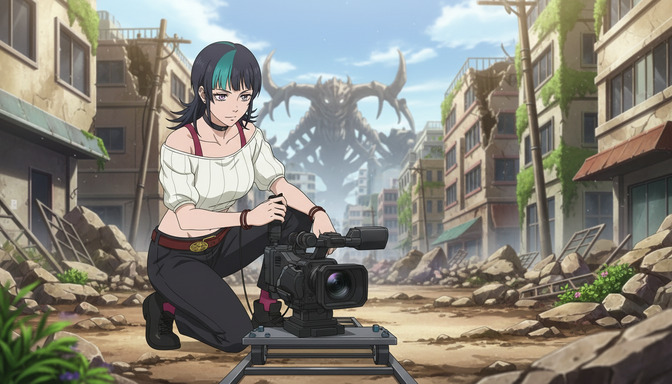
Best Camera Movements to Use in AI Anime Video Prompts
Dolly, pan, tilt, tracking shot, zoom, overhead, close-up — how to use cinematic camera language to direct AI anime videos like a professional cinematographer.
Learn how to use camera movement language like dolly in, pan, tilt, tracking shot, zoom, overhead shot, and close-up in AI anime video prompts for cinematic results.
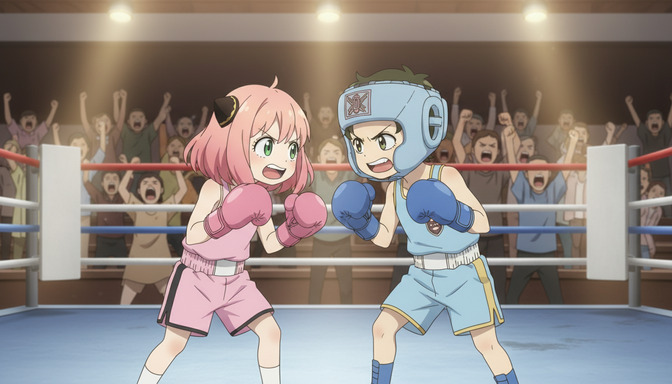
How to Make AI Anime Fight Scenes Look Professional
Choreography, camera angles, speed, impact effects, and emotional stakes — the complete prompting guide for AI anime fight scenes that hit like the real thing.
Learn how to prompt AI anime fight scenes with choreography, camera angles, speed lines, impact effects, and emotional weight. Includes AutoWeeb prompt analysis tips.
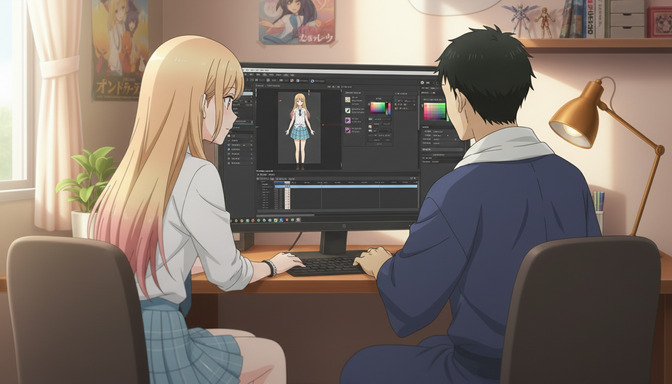
AutoWeeb Is the AI Anime Video Maker for Beginners: No Drawing or Editing Skills Needed
You don't need to sketch a single frame or touch a timeline editor — AutoWeeb handles the creative production so you can focus on the story.
AutoWeeb is the AI anime video maker for beginners with no drawing or editing skills needed. Upload a photo, pick a style, and generate anime videos in minutes.
Explore AutoWeeb
Jump into the tool that fits your creative step.
AI Anime Video Generator
Animate storyboard shots into cinematic clips with Seedance 2 and consistent characters.
Anime Character Creator
Design original characters with consistent sheets across every scene.
AI Anime Image Generator
Generate cinematic anime stills anchored to your character library.
Turn Photo Into Anime
Upload any photo and watch AI turn it into stunning anime art in seconds.
AI Anime Location Generator
Create a location set once, then generate reference images from every angle.
AI Anime Storyboarding
Describe your idea, pick your characters, and let AI draft the script and scenes.
AI Anime Prompt Agent
Turn a rough idea into a cinematic Seedance 2 prompt with the AI Director.