
How to Turn Video Game Aesthetics Into Anime Videos for YouTube
RPG dungeons, boss arenas, and creator setups — a workflow for game-adjacent anime Shorts without copying IP
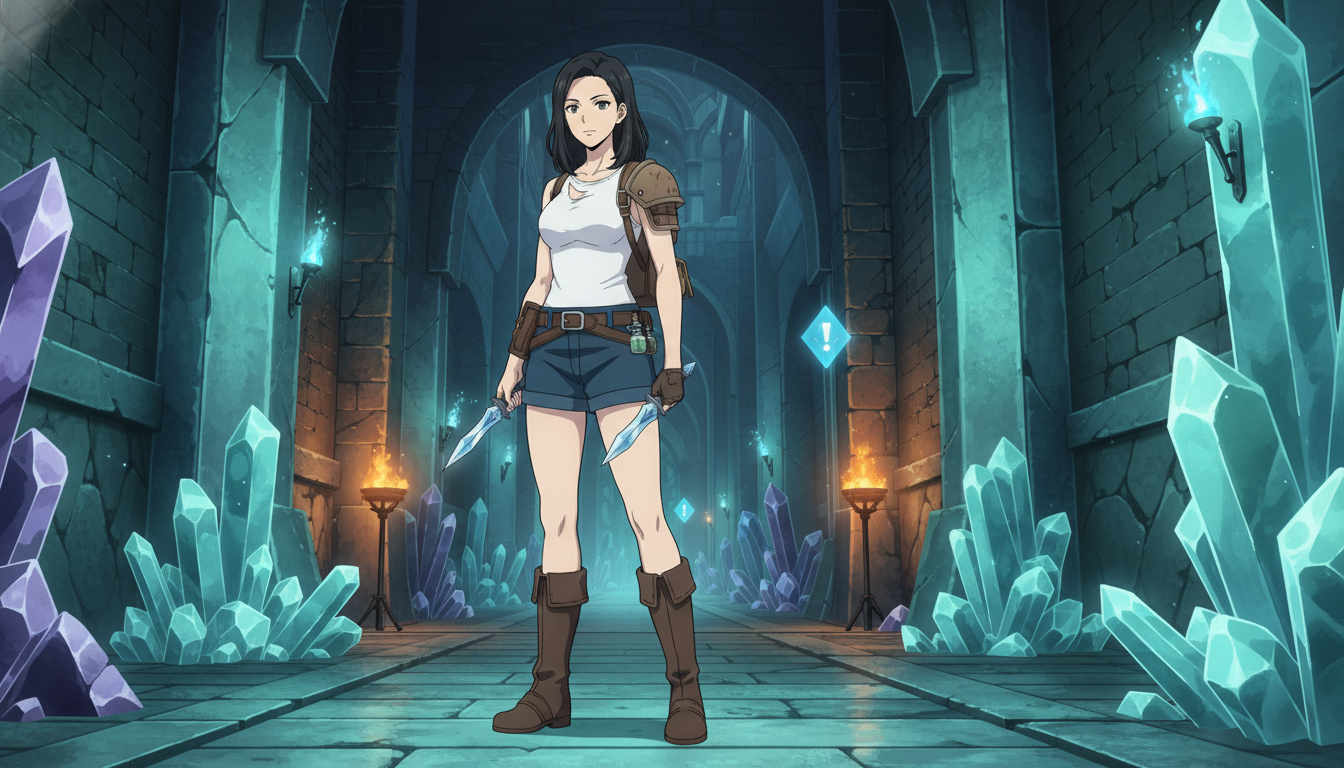
Gaming channels and anime channels overlap more than either audience admits. The same person who watches a forty-hour RPG story also binges a twelve-episode fantasy arc. The visual language is shared: the wide establishing shot before a boss, the UI glow in a dark corridor, the quiet beat at a save point before everything escalates. If you are a YouTube creator who already thinks in levels, cutscenes, and encounter design, you are closer to making ai anime video content than someone starting from a blank canvas.
This guide is about video game to anime workflow: how to translate game-adjacent aesthetics into original anime stills and short clips, without copying existing franchises, and how to publish those clips on YouTube Shorts or long-form breakdowns. The goal is not fan art of a specific title. It is building your own world that feels like the games your audience already loves.
Why game aesthetics map cleanly onto AI anime video generation.
Games are already structured like anime episodes. A dungeon is three beats: enter, escalate, resolve. A boss fight is a turning point shot followed by a wide payoff. Cutscenes are storyboard panels with locked camera angles. When you prompt an anime video generator, you are doing the same work a level designer does: specify the environment, the character state, the camera, and the single action that must read in a few seconds.
The difference is ownership. Recreating a copyrighted character or logo will hit content filters and platform policies. Describing an original knight with cobalt pauldrons in a flooded cathedral arena does not. Your channel grows on a cast you control, the way a good indie RPG builds recognition through silhouette and color palette rather than borrowed IP.
Start by naming the genre mood you want, not the game you are imitating. Soulslike ruins. cozy farming sunset. neon roguelike alley. tactical RPG war table. Each mood has a prompt vocabulary: stone and moss, warm gold hour, magenta rim light, parchment and brass. That vocabulary is what Seedance 2 and still-image generation respond to best.
Step 1: Build an original character that reads like a playable protagonist.
Before you generate a single clip, lock a protagonist in AutoWeeb's character library. You can convert a selfie with photo-to-anime, or design from scratch with the anime character creator. Game-inspired designs work best when three details are explicit in the prompt: silhouette, signature color, and one wearable prop.
A strong RPG-ready prompt might look like this:
"original anime heroine, ash-brown braid, moss-green cloak with bronze clasps, leather bracer on left arm, steel-gray eyes, calm expression, full body, neutral gray background, shonen linework"
Save the result as your character sheet. Every dungeon scene, tavern still, and boss frame should reference that saved character so your YouTube series does not drift between uploads. Consistency is what makes viewers subscribe; they are following a protagonist, not a random feed of generations.
Step 2: Generate still frames that feel like key art, not wallpapers.
Still images are the first frame of every good clip. For game-adjacent content, think like key art: one clear subject, one readable environment, one light source with a color story. Use photo packs when you need a curated location fast, or describe a custom set piece when you need something specific.
Dungeon and exploration frames
Wide shots sell scale. Prompt the corridor, the light, and the character placement in one sentence:
"wide shot, original heroine in moss-green cloak walking through crystal dungeon corridor, teal torchlight, floating dust particles, low fog, camera tracking from behind, Demon Slayer detailed linework"
Hub and creator-setup frames
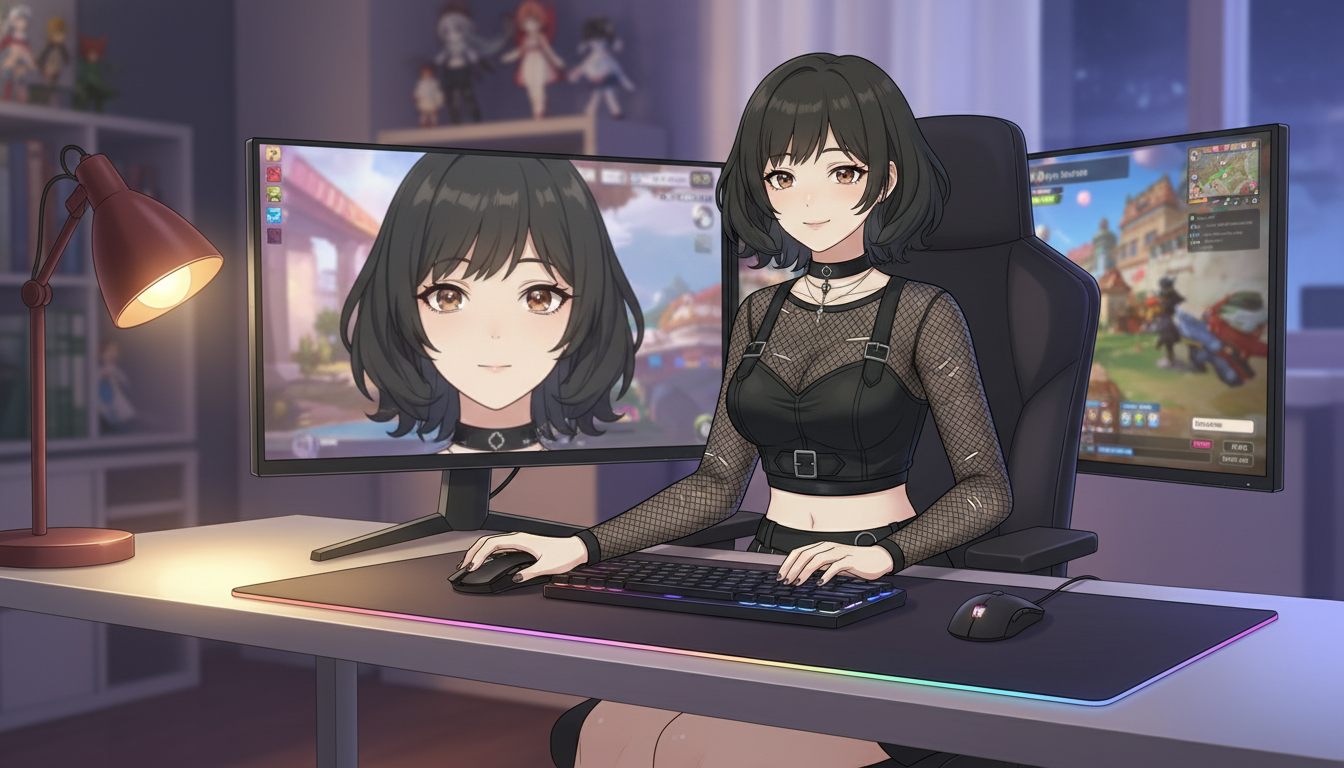
"Between level" scenes perform well on YouTube because they feel personal. A character at a desk, inventory spread on the table, map pinned to the wall. These bridge gameplay commentary and pure anime content.
"medium shot, original gothic anime character at dual-monitor desk, warm desk lamp, cozy room, slice-of-life anime style, soft bokeh on background shelves"
Boss encounter frames
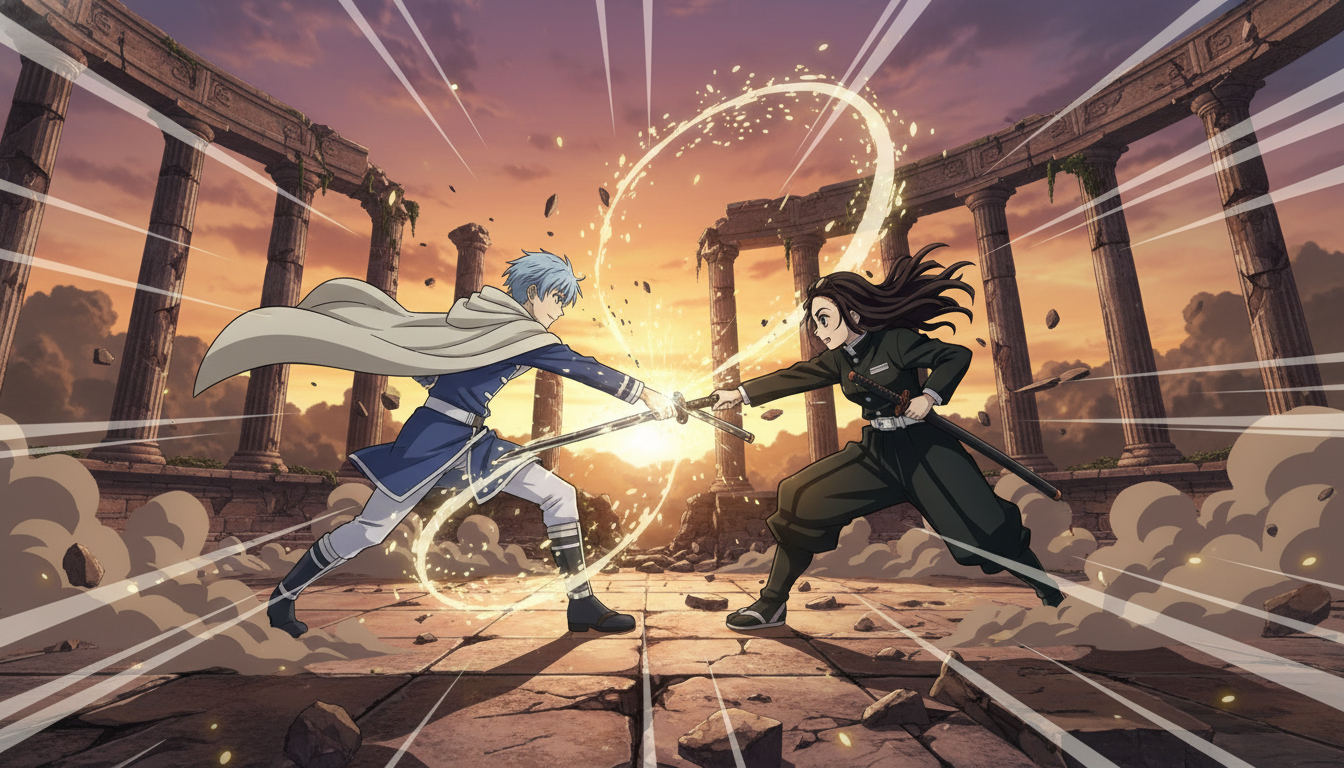
Boss art needs contrast: small hero scale against large architecture, warm character light against cold environment, or the reverse. Keep the action singular. A raised blade. A defensive stance. A spell charging in the palm. One beat per still.
Step 3: Animate stills into Shorts-ready clips with Seedance 2.
A still frame becomes a YouTube Short when motion is intentional. Seedance 2 uses your image as the first frame, so every detail you locked in the still carries forward. Prompt motion the way a game camera script does: one primary action, one camera move, matched to clip length.
For a five-second dungeon walk:
"slow tracking shot following character from behind, torch flames flickering, dust drifting through light beams, cloak swaying with each step"
For a ten-second boss beat:
"low angle static shot, warrior raises sword overhead, embers swirl upward, camera pushes in slightly as blade catches sunset flare, cut to close-up of determined eyes"
The full Seedance 2 prompting guide covers camera language and duration matching in depth. The game-to-anime shortcut is simple: if you would not fit an action into one attack animation in a fighting game, do not fit it into one clip.
Step 4: Sequence clips into a YouTube-friendly episode structure.
Three clips are enough for a Short that feels like a mini quest: enter the space, face the obstacle, land the consequence. That maps to setup, turn, and resolution, the same structure in the guide on turning an idea into an AI anime video.
AutoWeeb's storyboard feature lets you assign your saved protagonist to each beat so the face and outfit stay aligned when you export. For a weekly upload schedule, batch your stills on one day and your motion prompts on another. Gaming audiences reward reliable series rhythm more than one perfect render.
Title and thumbnail language can lean game-native without claiming affiliation: "Anime Dungeon Run #4" or "Boss Arena Short" reads clearly in search and in the Shorts feed. Pair that with tags around how to make anime video with ai and your niche game mood keywords.
What to avoid when blending gaming and anime on YouTube.
Do not use trademarked names, logos, or character likenesses in prompts or on-screen text. Platforms and AI filters both penalize it, and your channel cannot build equity on borrowed IP. Do not overload a single clip with a full quest log of actions. Do not switch art styles between episodes without signaling a flashback or dream sequence. Viewers forgive experimental episodes when the baseline series look is stable.
If you want a comparison of tools built for serialized output versus one-off art, the post on AI anime generators for YouTube creators covers character persistence and batch workflows. For fight-heavy clips specifically, see how to create anime sword fight videos with AI.
Video games taught you pacing, environment storytelling, and encounter design. Anime video tools let you publish that instinct as original shorts. Build one protagonist, three location types, and a repeatable three-beat structure. Your channel becomes a series players want to follow, not a gallery of unrelated generations.
Related Blog Posts
Storytelling and Worldbuilding in AI Anime: How to Build Worlds That Feel Real
From establishing the visual logic of a world to building characters with history — how to use AI anime to create stories that live beyond a single image.
Learn how to use AI anime generation for storytelling and worldbuilding — covering environment design, character consistency, narrative sequencing, and the visual grammar that makes worlds feel lived-in.
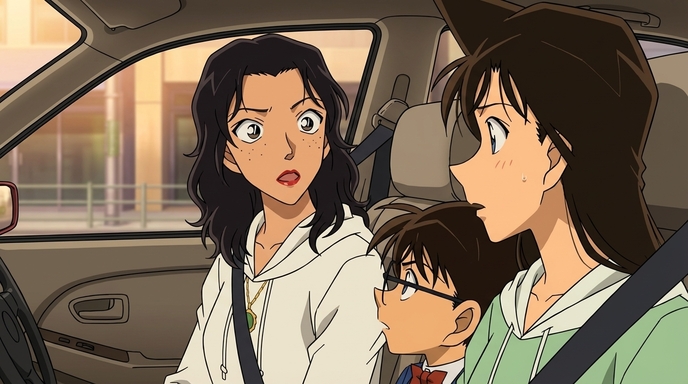
Best AI Anime Facial Expression and Pose Prompts for Emotional Scenes
How to prompt joy, rage, sadness, determination, embarrassment, and every major pose type to make AI anime characters feel emotionally alive.
Learn the best AI anime facial expression and pose prompts for joy, rage, sadness, determination, embarrassment, romance, and cinematic body language. With prompt examples.
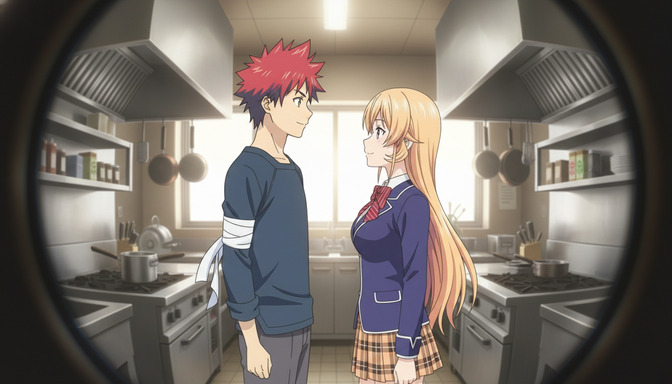
Best Lens Effects for AI Anime Prompts: Depth of Field, Bokeh, Motion Blur & More
How to use bokeh, shallow depth of field, fish-eye, bloom, motion blur, anamorphic flare, and zoom blur to make AI anime feel like it was shot through a real lens.
Learn how to add bokeh, depth of field, fish-eye, motion blur, zoom blur, bloom, and anamorphic flare to AI anime prompts. Practical examples for every lens effect.
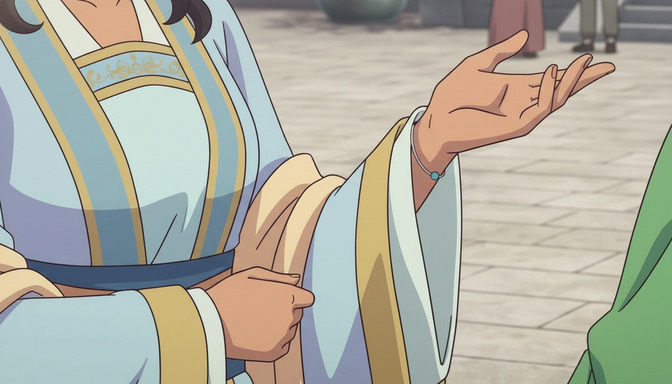
Extreme Close-Up Shots Explained: How to Create Powerful Emotional Scenes in AI Anime
How and when to use extreme close-up framing to isolate the details that carry the most emotional weight in AI anime.
Learn how and when to use extreme close-up shots in AI anime emotional scenes. Includes prompt examples for eyes, hands, lips, and detail inserts that make scenes land.
Explore AutoWeeb
Jump into the tool that fits your creative step.
AI Anime Video Generator
Animate storyboard shots into cinematic clips with Seedance 2 and consistent characters.
Anime Character Creator
Design original characters with consistent sheets across every scene.
AI Anime Image Generator
Generate cinematic anime stills anchored to your character library.
Anime Filters
Upload any photo and apply AI anime filters to turn it into stunning anime art in seconds.
AI Anime Location Generator
Create a location set once, then generate reference images from every angle.
AI Anime Storyboarding
Describe your idea, pick your characters, and let AI draft the script and scenes.
AI Anime Prompt Agent
Turn a rough idea into a cinematic Seedance 2 prompt with the AI Director.