
Dress Your Anime Characters in Any Outfit
Start from a character sheet, describe a new look, and AutoWeeb generates your character in a fresh outfit — same face, hair, and identity every time.
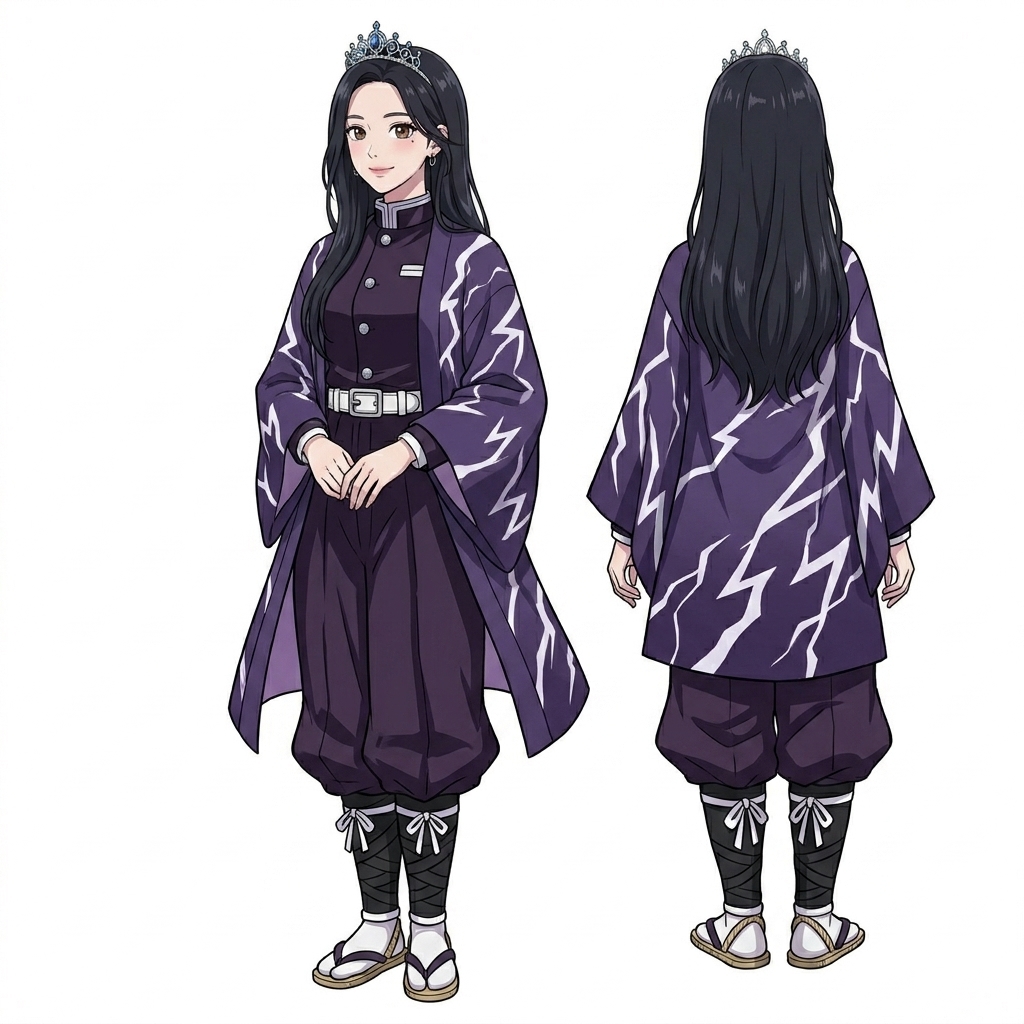
How to Change Character Outfits
Three steps from character sheet to a brand-new look — without redrawing your OC from scratch.
-
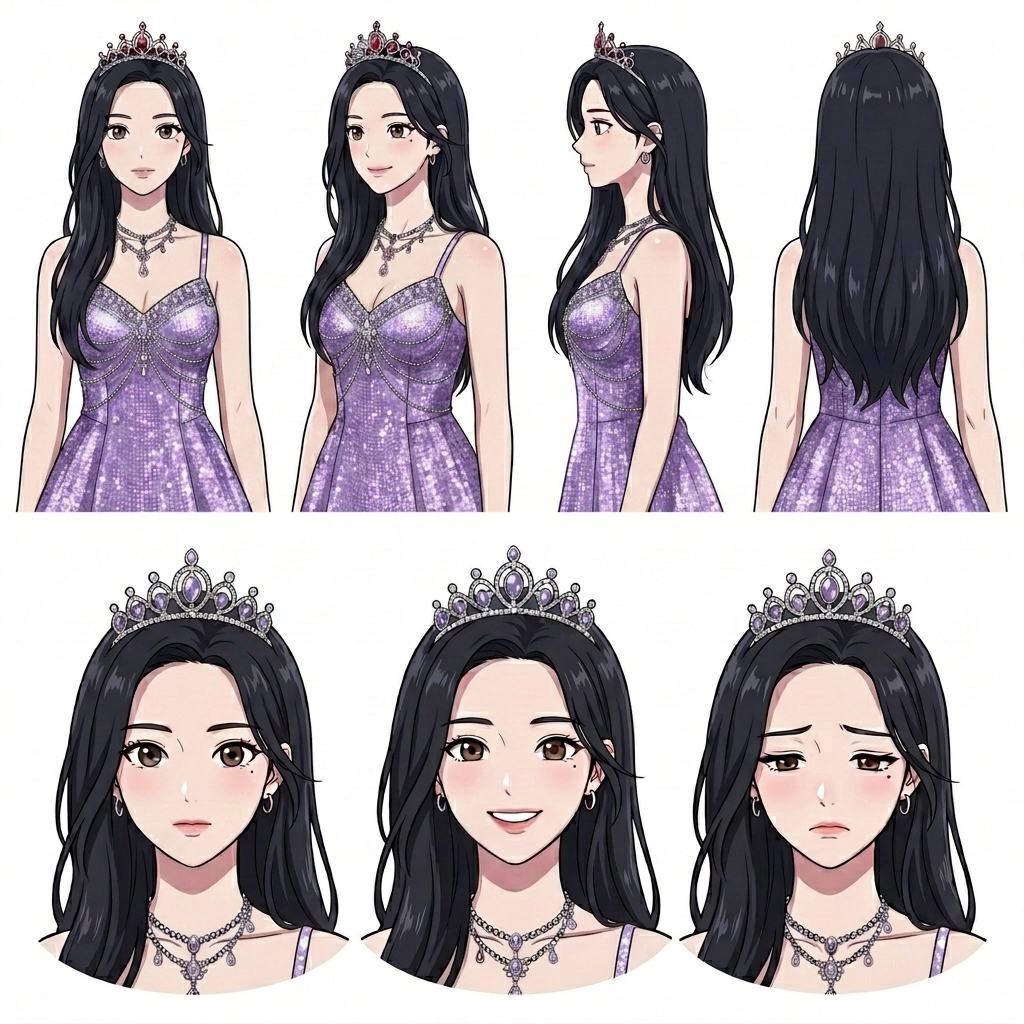
Start With Your Character Sheet
Save a character sheet with front, side, and expression views. AutoWeeb locks in face, hair, and body proportions so outfit changes never drift the design.
-
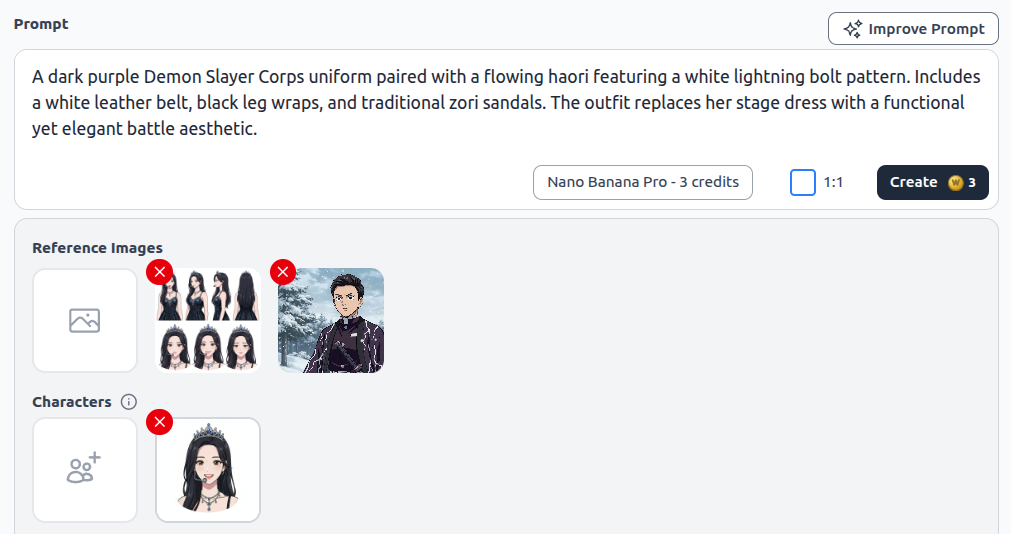
Describe the New Outfit
Write a prompt for the look you want — formal wear, school uniform, battle gear, or casual street style. Use Improve Prompt to refine fabric, color, and accessories before you generate.
-
Generate the New Look
AutoWeeb renders your character in the new outfit while keeping the same identity from your sheet. Reuse the result across storyboards, scenes, and videos.
Frequently Asked Questions
Everything you need to know about custom anime character outfits in AutoWeeb.
Will my character still look the same after an outfit change?
Yes. Outfit generation is anchored to your saved character sheet — face shape, hair, eye color, and distinguishing features stay consistent. Only the clothing and accessories change.
Can I create multiple outfit variations for one character?
Yes. Generate as many looks as you need — school uniform, formal dress, combat gear, seasonal outfits — and save each to your character library for reuse in any scene.
Do I need to redraw my character for every outfit?
No. Upload or generate a character sheet once, then describe new outfits in plain language. AutoWeeb handles the visual translation while preserving your OC's identity.
Ready to Redress Your Characters?
Swap outfits in minutes — from character sheet to cinematic still, with the same face in every look.
Try Custom OutfitsNo credit card required • Free to try