
Pose Your Anime Characters Any Way You Want
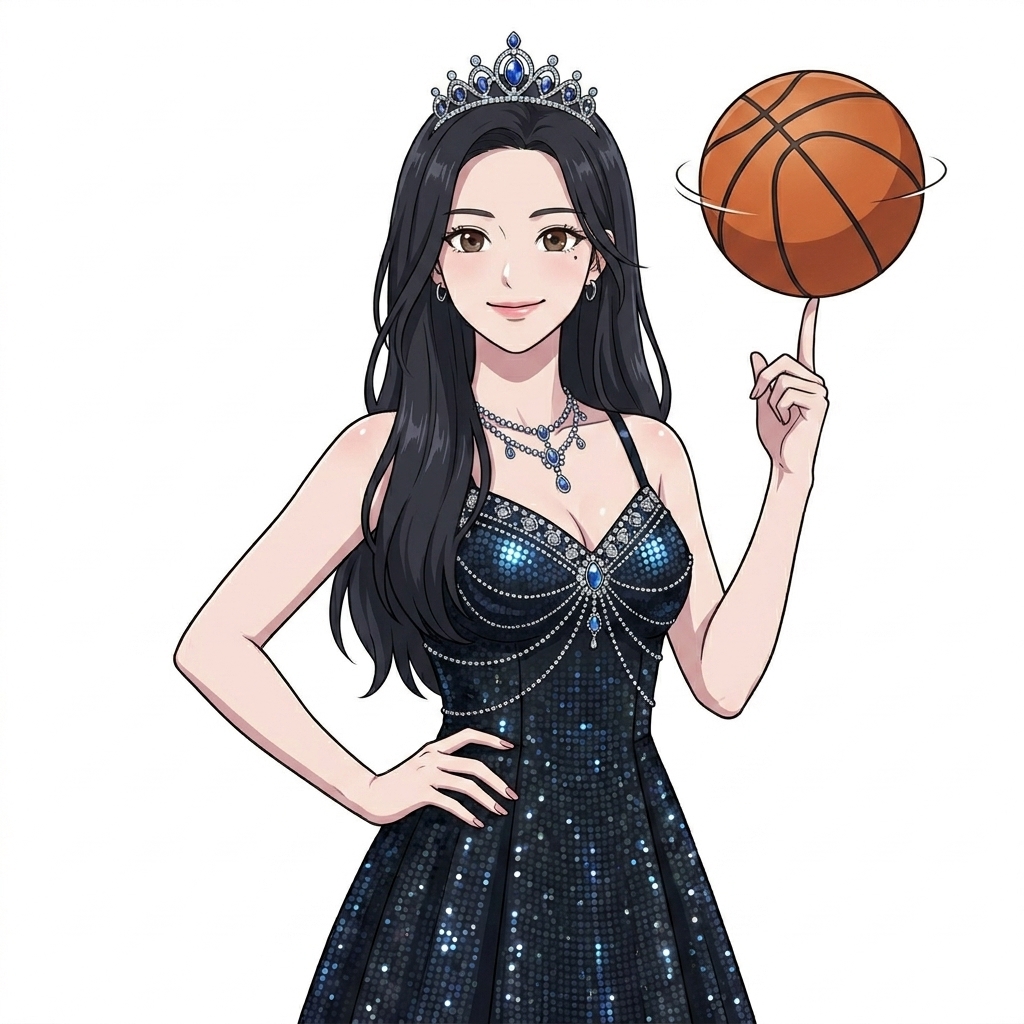
Describe dynamic actions, casual stances, or expressive body language — AutoWeeb keeps your character's identity while placing them in the exact pose you need.
How to Create Custom Poses
From turnaround references to action shots — control body language without losing character consistency.
-
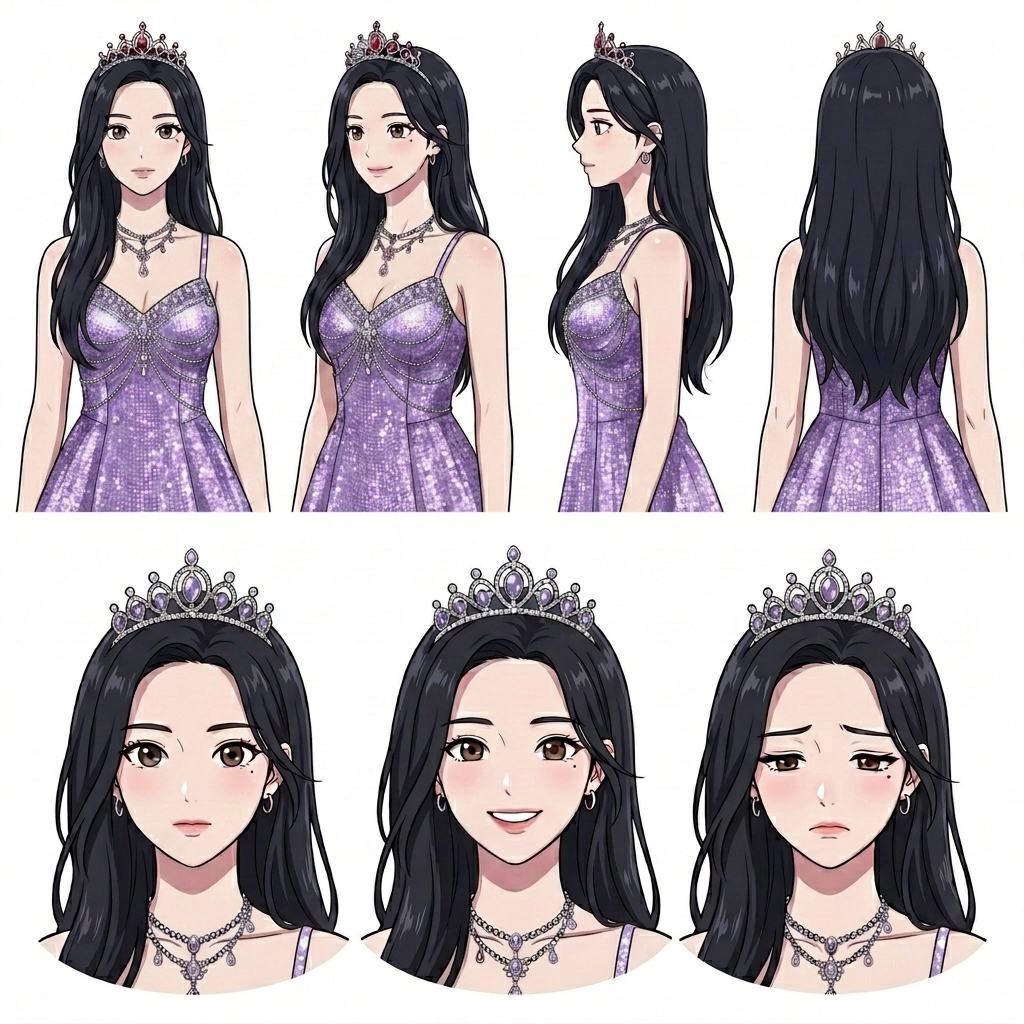
Build Your Character Reference
Create a character sheet with turnaround views and expression range. This gives AutoWeeb a stable foundation before you change stance, gesture, or camera angle.
-
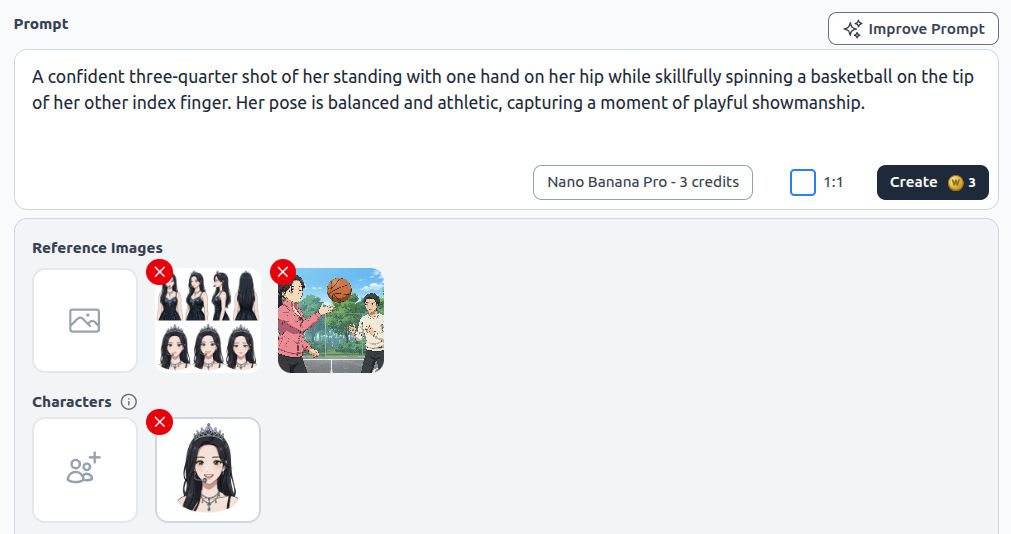
Describe the Pose and Add References
Write a detailed pose prompt — stance, hand placement, expression, and camera angle. Add pose reference images so AutoWeeb matches the body language you want.
-
Generate the Final Pose
AutoWeeb produces your character in the exact pose — athletic, dramatic, romantic, or comedic — with the same face and outfit from your saved references.
Frequently Asked Questions
Everything you need to know about custom anime character poses in AutoWeeb.
Can I use pose reference images?
Yes. Upload pose references alongside your character sheet. AutoWeeb maps the body language from the reference onto your saved character while preserving their face, hair, and outfit.
What types of poses work best?
Action poses, casual standing shots, seated compositions, combat stances, romantic proximity, and expressive gestures all work well. The more specific your prompt — hand placement, weight distribution, gaze direction — the better the result.
Can I animate a pose into a video?
Yes. Generate a still in your target pose, then use it as a starting frame for AutoWeeb's AI anime video generator. Your character moves from the exact pose you designed.
Ready to Pose Your Characters?
Describe the action, add a reference, and generate — same character, any pose you need.
Try Custom PosesNo credit card required • Free to try