
How to Make an Anime Character
You don't need drawing skills or expensive software. AutoWeeb turns your description or reference photo into a full anime character sheet in under 30 seconds.
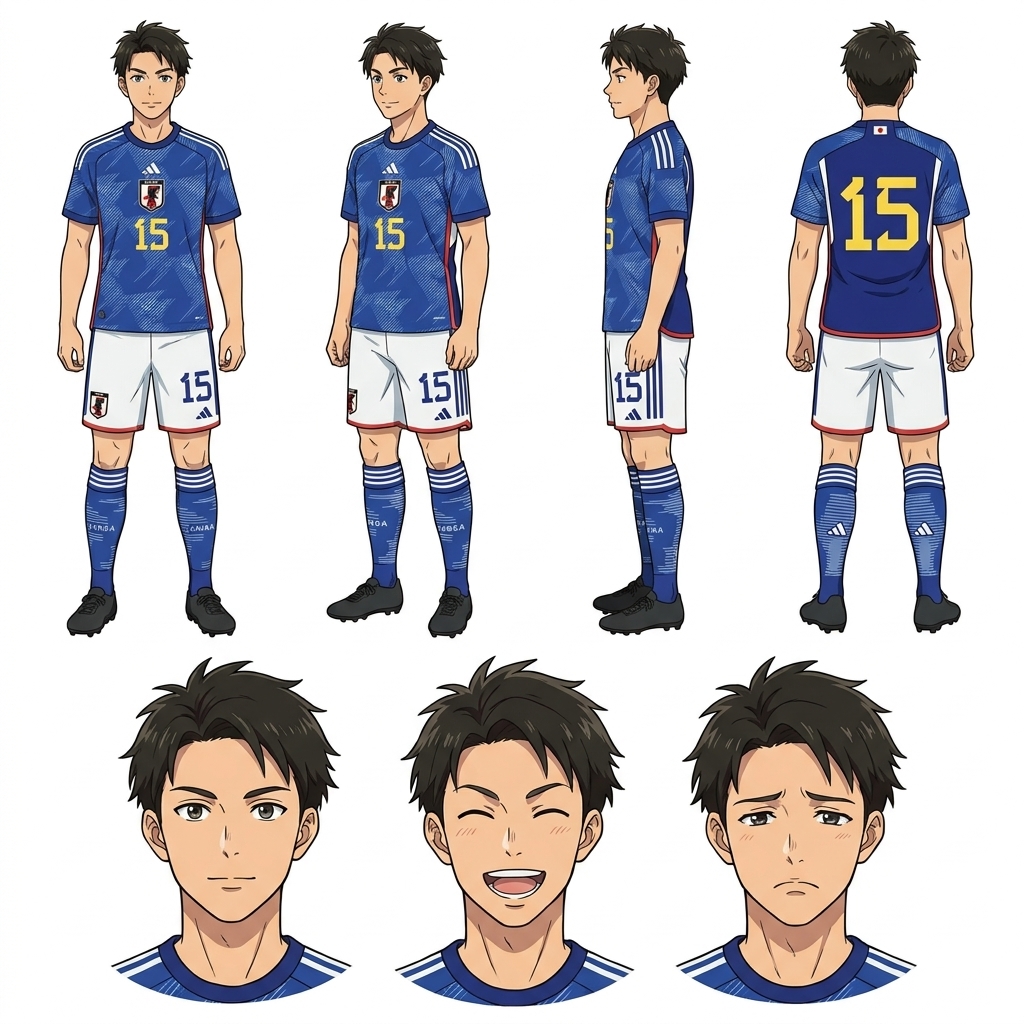
Custom Anime Characters
A custom anime character is one you define from the ground up. AutoWeeb gives you direct control over every design decision, then generates consistent art so your character looks the same in every image and video.
Start with a Description or Photo
Write how your character looks and feels, or upload a reference photo. AutoWeeb reads both inputs and maps them into a coherent character definition.
Customize Every Detail
Choose hair color, eye style, outfit, accessories, art style, and personality expression. Every detail feeds directly into the character definition the AI uses.
Generate and Lock Your Sheet
AutoWeeb outputs a full reference sheet with multiple poses and expressions. Lock it to the library and every future image uses the same face, hair, and outfit.
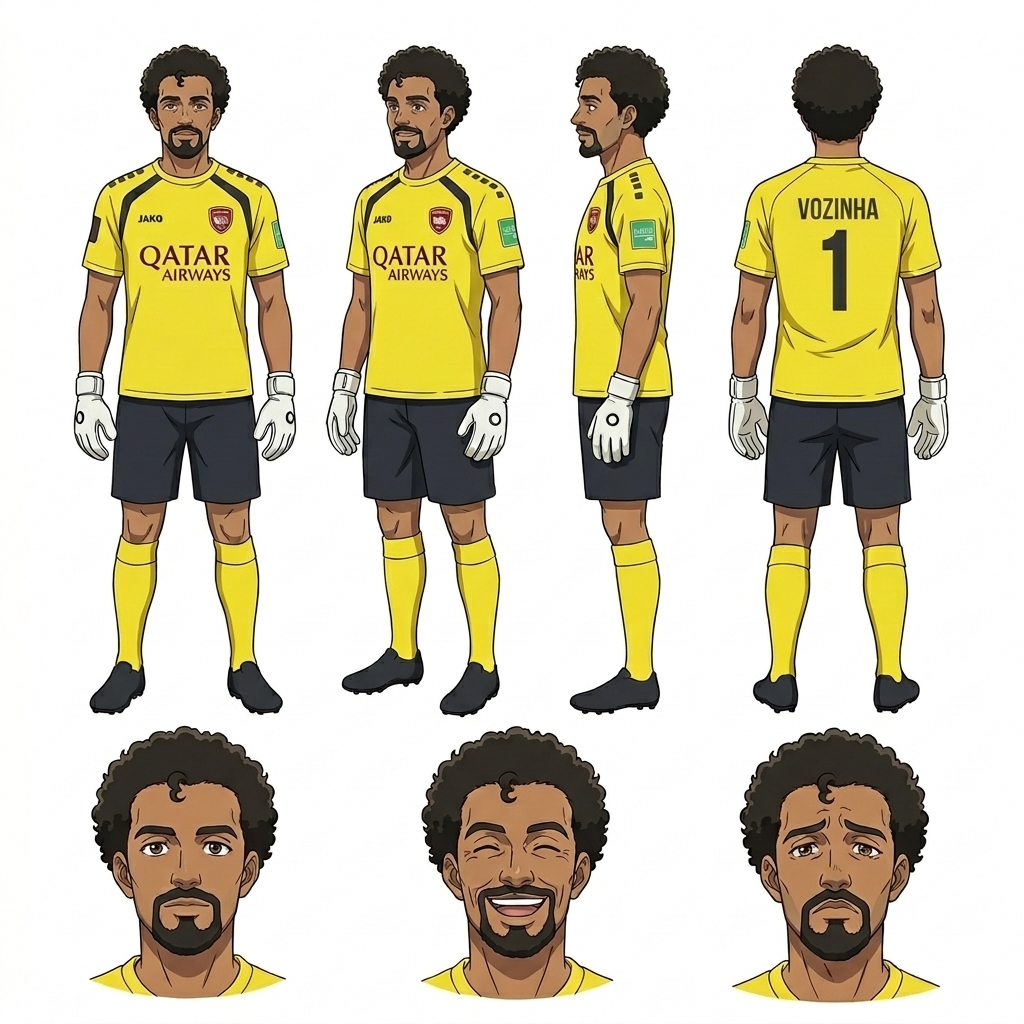
Full body character sheet -- front, side, and expression variations
How to Create an Anime Character of Your Own
Creating an original anime character means deciding who they are before you worry about what they look like. Start with role and personality, then translate those ideas into visual details. AutoWeeb handles the actual artwork once you've established the concept.
-
1
Define their role in the story
Hero, rival, mentor, side character? The role shapes personality, which shapes how the character looks and carries themselves. AutoWeeb reads personality cues and applies them to posture, expression, and styling.
-
2
Choose a visual starting point
Describe physical traits in plain language -- age, build, hair, eyes, skin tone, signature outfit -- or upload a photo of someone whose look you want to adapt into anime art.
-
3
Pick an art style
Named styles like Demon Slayer, Ghibli, or Shonen define line weight, shading, and palette. Pick one and AutoWeeb renders your character consistently within that visual language.
-
4
Generate and refine
Review the output and adjust any detail that doesn't match your vision. Iterate until the character looks right, then lock the sheet. AutoWeeb reuses the locked definition in every scene you build from that point.
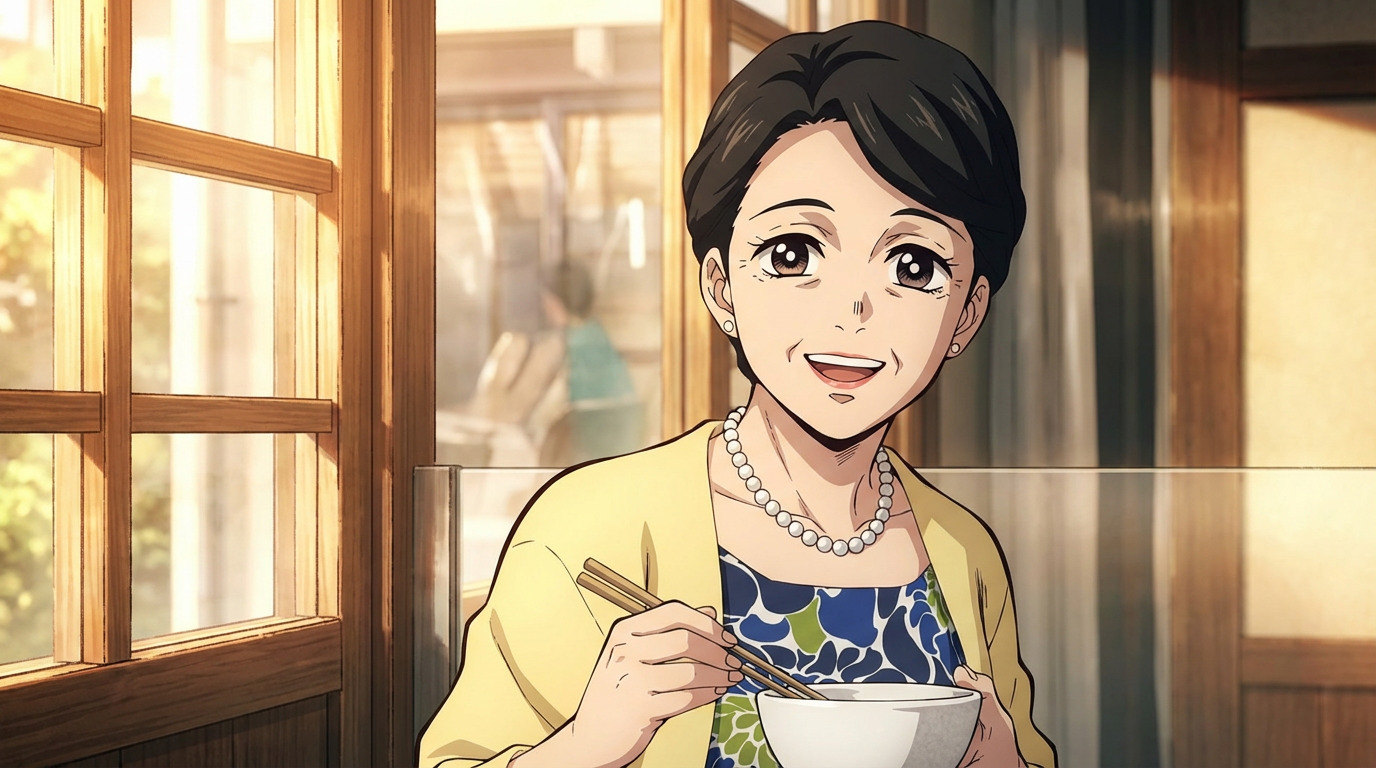
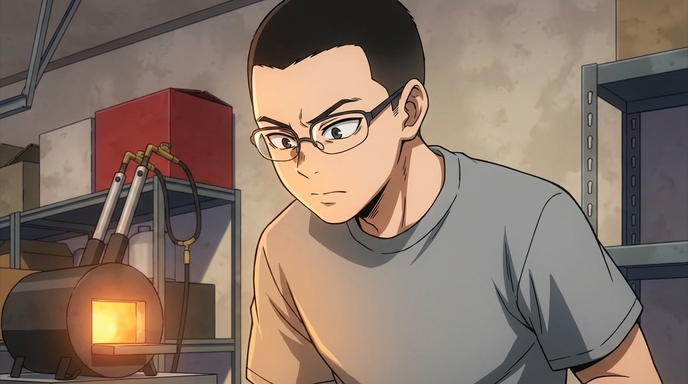
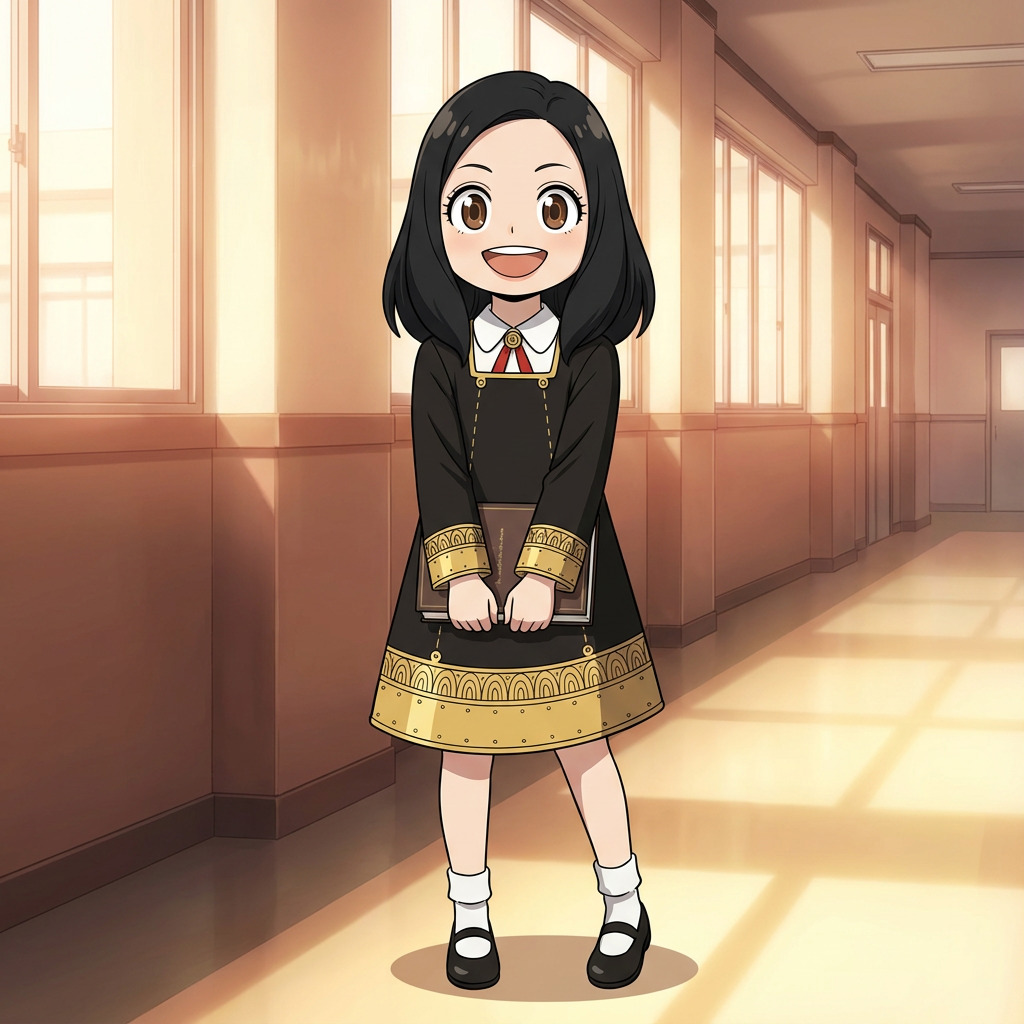
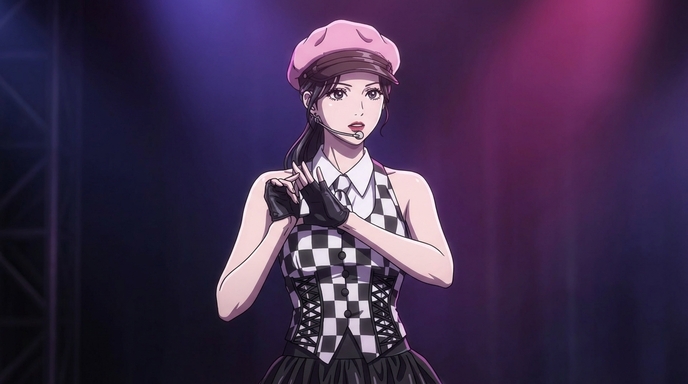
Choose a named art style for your character
Anime Character Design Tips
Small choices make a big difference in how readable and memorable your character is. These principles apply whether you are designing your first character or your fortieth.
Use a Signature Color
Pick one dominant color for hair or outfit and repeat it in accessories. A single strong color makes your character recognizable at a glance.
Match Expression to Personality
A stoic character with a permanent neutral expression reads very differently from one with a wide grin. Tell AutoWeeb your character's default mood and it applies it to the resting expression on the sheet.
Give Them One Memorable Detail
A distinctive scar, a unique weapon, an unusual accessory, or a specific hairstyle. One standout detail is enough to make a character stick in a viewer's mind.
Design for Consistency First
Avoid designs that are too complex to replicate consistently. Simple, bold shapes read well at every scale, from a full-body scene to a small avatar thumbnail.
Let the Outfit Reflect the Story
A worn traveling cloak tells a different story than polished academy uniform. Clothing is character shorthand. Describe outfit condition and context to AutoWeeb for better results.
Iterate Fast with AI
AutoWeeb generates a full sheet in seconds, so run multiple variations. Try different hair lengths, swap the art style, or change the expression before committing to the final design.
Anime Character Creation FAQ
Questions about how to make, design, and manage anime characters with AutoWeeb.
How long does it take to make an anime character with AutoWeeb?
Most creators have a complete character sheet ready in under two minutes. Typing a description takes 30 to 60 seconds. Generation takes another 20 to 30 seconds. Reviewing and locking the character takes another minute. You can start using the character in scenes immediately after.
Do I need to be a writer or artist to create a good character?
No. You just need to know what kind of character you want. If you can describe someone's basic appearance and personality in a few sentences, AutoWeeb can turn that into a finished design. The AI fills in visual details based on the context you provide.
What's the difference between making a character from a description versus a photo?
A description gives you a fully original character based on your written concept. A photo gives the AI a real face to adapt into anime art, which is useful if you want the character to resemble a specific person. Both methods produce a full character sheet with consistent art. You can also combine both -- upload a photo and add a description to modify details like hair color or outfit.
Can I create multiple anime characters for a full cast?
Yes. AutoWeeb's character library stores unlimited character definitions. Create each cast member separately, lock their sheets, and reference them together in multi-character scenes. The AI keeps each character distinct with no blending of faces or outfits between cast members.
Can I edit my character after generating the initial sheet?
Yes. Before locking, you can adjust any detail and regenerate. After locking, you can create updated versions of the sheet with outfit or expression changes while keeping the core face and definition intact. This lets your character evolve across your story without losing consistency.
Can I animate the anime character I create?
Yes. Save your character to the library, generate a scene image with them in it, then describe the motion you want. AutoWeeb's AI Director writes a cinematic animation prompt and generates the clip with your character's face and outfit intact across every frame.
Explore the Anime Character Creator
Deep dives into every part of the character creation process.
Personalized Anime Character
Build a character around your description or photo with a full anime customizer.
Anime Character Creator Full Body
Generate complete sheets with front view, side view, poses, and expressions.
Design an Anime Character
Control outfit, traits, expressions, and art style with AutoWeeb's AI designer.
Anime Character Reference
Generate reference sheets for manga, storyboards, and consistent animation.
Anime Character Creator
The main character creator -- start here to build your first anime character.
Ready to Make Your Anime Character?
No drawing skills, no software to install. Describe your character or upload a photo and AutoWeeb builds the rest.
Create Your Character FreeNo credit card required - Free characters included