
VTuber Character Art Generator
Upload a model screenshot or reference image and generate polished anime art for PFPs, thumbnails, banners, chibis, and social posts. Your VTuber design stays consistent across every output.
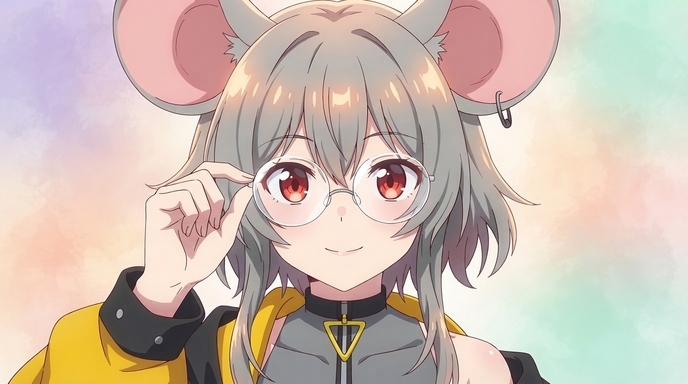
Example VTuber Anime Outputs
Finished art from existing VTuber character references. Different formats, same on-model identity.
VTuber PFP
Tight portrait crop for YouTube, Twitch, Discord, and Twitter. Hair, eyes, and expression stay sharp at small sizes.
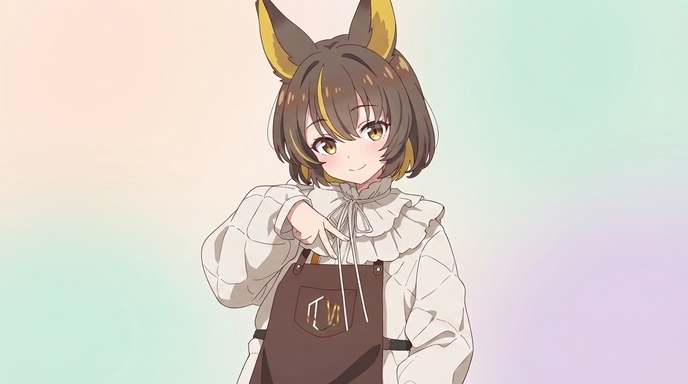
Character Illustration
Full-body or three-quarter renders for channel art, wallpapers, and promotional graphics.
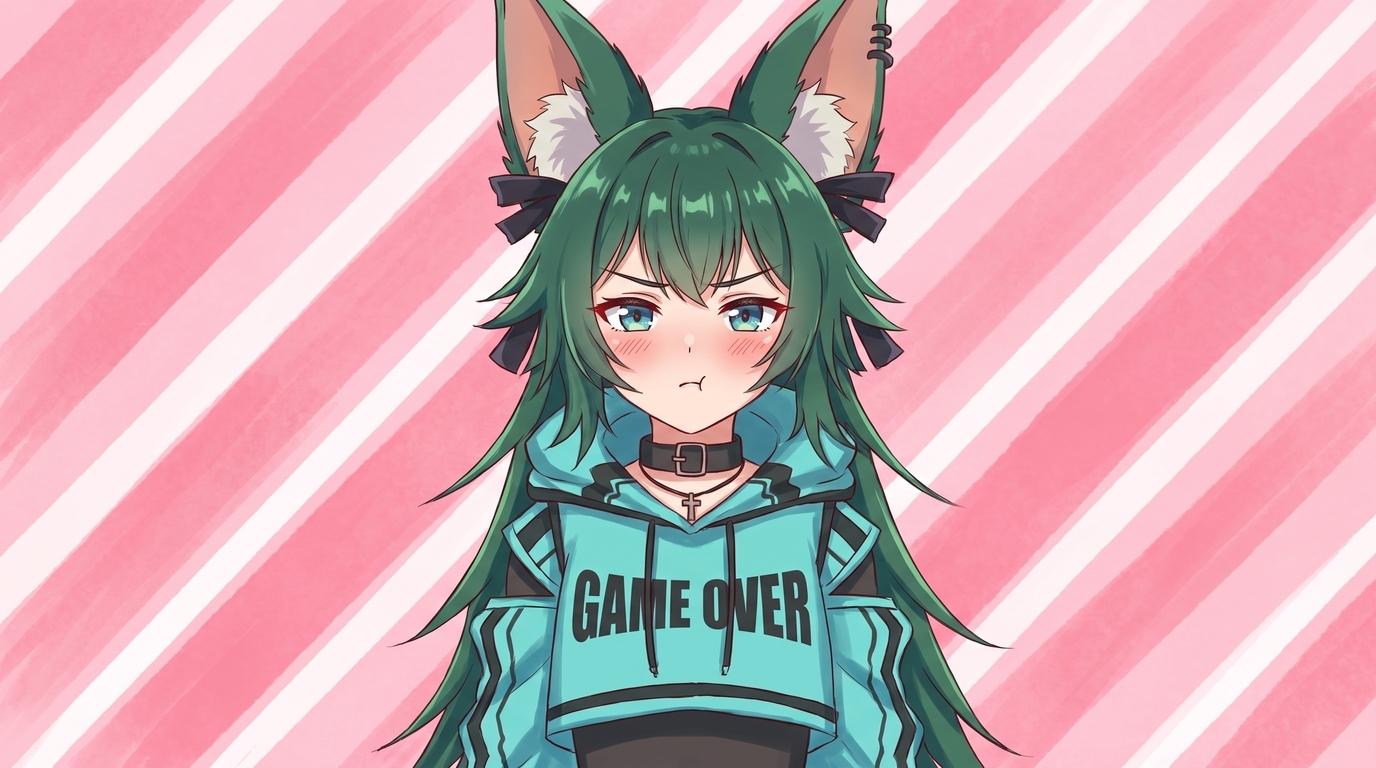
Chibi Reaction
Sticker-scale chibis for emotes, Discord reactions, and casual social posts.
Each image is a finished example from an existing VTuber reference, not a step in a conversion sequence. Upload your model screenshot or character art and get the same level of consistency: hair style, eye color, outfit details, and accessories carried into polished 2D anime art.
What Stays On-Model
VTuber characters are built around recognizable identity markers. AutoWeeb preserves the details viewers associate with your channel, not a generic anime template with your hair color swapped in.
VTuber profile art at PFP scale with sharp hair and facial detail.
Art You Can Generate
One locked VTuber character becomes a full content library.
VTuber PFPs
Portrait crops for YouTube, Twitch, Discord, and Twitter profiles. Hair highlights and eye detail stay readable at thumbnail scale.
YouTube Thumbnails
Expressive character poses with bold composition for stream announcements, video covers, and highlight clips.
Channel Banners
Wide-format compositions with your VTuber against scenic or branded backdrops for YouTube and Twitch headers.
Chibis and Stickers
Smaller, cuter proportions for Discord emotes, reaction images, and sticker packs. Same palette and accessories at a different scale.
Social Posts
Square and portrait images for Twitter, Instagram, and community announcements without commissioning new art each time.
Seasonal Art
Holiday outfits, summer looks, and event-themed illustrations that reuse your locked character design.
How the VTuber Art Generator Works
Three steps from model reference to a full library of on-model anime art.
-
1
Upload a reference image
Use a Live2D screenshot, VRoid render, model sheet, or existing character illustration. Clear lighting and a visible face help the AI read your design.
-
2
Convert and lock your character
Run the reference through AutoWeeb's photo-to-anime converter, pick an art style, and save a character sheet that locks hair, eyes, outfit, and accessories.
-
3
Generate art for every channel need
Create PFPs, thumbnails, banners, chibis, reaction images, wallpapers, and seasonal illustrations from the same locked VTuber identity.
Keep Building Your VTuber Brand
One conversion is the starting point. AutoWeeb gives you a production path once your VTuber becomes a locked anime character.
Anime Character Creator
Generate character sheets with front view, side view, and expression panels that lock your VTuber design.
Photo to Anime Guide
The full photo-to-anime workflow with style selection, character sheets, and consistent outputs.
Custom Anime Character Outfits
Swap wardrobes for seasonal events and outfit reveals while keeping the same face and hair.
Anime Photo Packs
Place your saved VTuber into themed scene packs for festivals, city streets, and slice-of-life interiors.
Explore Character Creation
Deep dives into every part of building anime characters.
Personalized Anime Character
Build a character around your description or photo with a full anime customizer.
Photo to Anime Guide
Turn a photo into an anime character, try different styles, and save a reusable character for videos.
Anime Self-Insert Guide
Upload a selfie, pick an anime, and see yourself inside the scene.
Anime Character Creator Full Body
Generate complete sheets with front view, side view, poses, and expressions.
Design an Anime Character
Control outfit, traits, expressions, and art style with AutoWeeb's AI designer.
Anime Character Reference
Generate reference sheets for manga, storyboards, and consistent animation.
Custom Anime Character Outfits
Swap wardrobes while keeping the same face, hair, and character identity.
Custom Anime Character Props
Add weapons, instruments, sports gear, or any object to character scenes.
VRChat Avatar to Anime
Upload a VRChat screenshot and get polished 2D anime PFPs, illustrations, and character art.
Custom Anime Character Poses
Describe dynamic actions and body language with consistent identity.
Anime Character Creator
Start here to create your first anime character online.
VTuber Character Art Generator FAQ
Common questions about generating anime art from an existing VTuber character.
Can I generate anime art from my existing VTuber model?
Yes. Upload a screenshot of your Live2D model, a VRoid render, a model sheet, or existing character art to AutoWeeb's photo-to-anime converter. The AI reads hair, outfit, accessories, and facial features and produces polished 2D anime artwork that preserves your VTuber design.
What reference images work best for VTuber art?
Clear front or three-quarter views with even lighting work best. Live2D model screenshots, VRoid studio renders, commission reference sheets, and high-resolution PNGs from your artist all convert reliably. Avoid heavy bloom, extreme angles, or cropped accessories.
Can I make a VTuber PFP without redesigning my character?
Yes. Upload your existing reference and generate a tight portrait crop. AutoWeeb keeps hair style, eye color, accessories, and expression personality intact so the PFP matches what viewers already recognize on stream.
Can I create thumbnails, banners, and chibis from one VTuber?
Yes. After your first conversion, save the design as a character sheet. From there you can generate YouTube thumbnails, channel banners, chibi reaction stickers, social posts, wallpapers, and seasonal art using the same locked character definition.
Is this only for established VTubers?
No. Aspiring VTubers with a character design, VRoid model, or commission sheet can use the same workflow to build a full art library before debut. You do not need to redesign from scratch for every new piece of channel art.
Is AutoWeeb affiliated with any VTuber platform?
No. AutoWeeb is an independent AI anime art tool. This page is for VTubers and aspiring creators who want to generate 2D anime art from their own character references for personal channel use.
Generate VTuber Character Art
Upload a reference image and build a full library of on-model anime art.
Upload VTuber Reference FreeNo credit card required • Free to try