
Anime Video Prompting Guide
A well-structured prompt is the difference between a clip that looks generic and one that feels like it was pulled from an actual episode. Learn the formula, avoid wasted credits, and write prompts that match your vision.
How to Write AI Anime Video Prompts
Everything you need to write AI anime video prompts: six structural layers, two repeatable formulas, credit-saving frameworks, seven common mistakes, and TikTok hook patterns.
This guide consolidates AutoWeeb's full video prompting curriculum into one page. Whether you are writing your first clip or refining a multi-scene project, the sections below cover every layer that separates a generic generation from a cinematic one.
Start with the six layers every strong prompt needs, then learn why video prompts fail differently from image prompts. The 7-part cinematic formula and the layered composition formula give you two repeatable structures. The mistakes section is a pre-flight checklist. The TikTok section covers short-form hooks and three-beat pacing.
AutoWeeb's AI Director and prompt analysis apply this framework automatically. Learning the structure yourself means fewer wasted credits and more control when you edit manually.
Beginner to Pro: The Six Layers of a Strong Anime Video Prompt
The most common complaint with AI anime video generators is that the output does not match the image in your head. In almost every case, the problem is the prompt. A vague input produces a vague result. Writing AI anime video prompts well follows a consistent structure: character, action, camera, lighting, style, and scene detail. Each layer constrains the output toward your intent.
Layer 1: Character
Describe hair color and length, eye color, clothing, and distinguishing features. The model cannot infer these from context. If you use a saved character in AutoWeeb's character library, the system anchors the generation automatically, but a short character note in the prompt still helps.
Layer 2: Action
Specify what the character is doing and how. "Running" is under-specified. Sprinting through rain-soaked cobblestones, coat flying behind her, head down against the wind is a scene. Name anime-native motion when you want it: held tension before a strike, slow-motion particle effects, a single speed line across the frame.
Layer 3: Camera Movement
Camera language is one of the highest-value additions beginners skip. Useful terms: slow zoom in, low angle looking up, tracking shot from behind, Dutch angle, wide establishing shot, close-up on face, crane shot pulling back to reveal. Pick one camera move per clip.
Layer 4: Lighting
Name the lighting condition directly: backlit by a setting sun, silhouette forming at the edges or cold moonlight casting long shadows across the courtyard. Color temperature and light source both belong in your prompt.
Layer 5: Art Style
Without a named art style, models default to a generalized anime aesthetic. Naming one directly, Demon Slayer art style or Ghibli naturalism, produces dramatically more consistent results.
Layer 6: Scene Detail
A character in "a forest" is underspecified. A bamboo forest at dusk, mist rising between the stalks, soft amber light filtering through the canopy is a scene. These details shape color palette, motion quality, and emotional register.
Beginner templates
Emotional moment: [Character], standing in [location], [physical action], [emotional state]. [Camera]. [Lighting]. [Art style]. Cinematic hold.
Action scene: [Character] engaged in [action], [motion detail]. [Camera]. [Lighting and atmosphere]. [Style]. [Pacing note].
Establishing shot: Wide establishing shot of [location], [atmospheric conditions], [time of day]. [Character position if present]. [Camera]. [Art style].
Filled-in example: Young woman with long silver hair and a white knight's uniform, standing at the edge of a cliffside overlooking a fog-covered valley, hands at her sides, head slightly bowed. Slow push-in toward her face. Cold blue morning light, mist catching the early dawn. Ghibli art style. Cinematic hold.
Advanced example: pre-battle tension
Two-shot, wide angle, two warriors standing twenty meters apart in a barren wasteland. The protagonist, silver-haired woman in black coat, holds her blade at her side. The antagonist, tall cloaked figure, has no visible face. Neither moves. Camera holds completely still. Harsh midday sun directly above. Stark minimal palette. Dramatic pause before the charge. Ufotable cinematic style.
AutoWeeb's video agent applies this logic automatically when you describe a scene in plain English. For manual prompting, these layers are the framework the agent works from.
Write Better Video Prompts Without Wasting Credits
Most wasted credits trace back to treating a video prompt like an image prompt. An image prompt describes a state. A video prompt describes a change: who moves, how fast, in what direction, and where the scene lands. When those questions go unanswered, the model guesses, and the guess rarely matches your intent.
Why video prompts fail differently
Video prompts compete with time. A clip has a beginning, middle, and end. Describing only the beginning produces motion that peaks at frame one and has nowhere to go. Seedance 2, which AutoWeeb uses for anime video, responds dramatically better to motion-specific language than atmospheric description alone.
The five components before you generate
- Subject and starting state: who is in frame and their position at the start
- The action: one clear motion with direction and quality
- Camera instruction: position and movement, written separately from character motion
- Environment and active elements: location, light source, weather, wind direction
- End state: where the clip lands in its final frame
Weak versus strong: action scene
Weak: Epic sword fight, two samurai, dramatic, fast action, cinematic.
Strong: Two samurai face each other across a moonlit courtyard. The taller one draws his blade in a single upward arc, stepping forward into a diagonal cut. Camera holds wide and low, angled upward, stable. Tall grass bends in a cold wind moving left to right. Dust rises from the stone on impact.
Weak versus strong: emotional scene
Weak: Sad anime girl looking out at rain, emotional, melancholy vibes.
Strong: A girl sits at a window, elbows on the sill, chin resting on her folded hands. Her eyes are fixed on the rain-streaked glass. One tear tracks slowly down her left cheek. Camera starts at a medium shot and slowly pushes in to a tight close-up on her eyes and the reflection of raindrops in them.
Credit-saving habits
- Cut quality-keyword stacking. Words like "cinematic" and "4K" take space that should hold motion instructions.
- Specify wind direction globally so hair, clothing, and background move consistently.
- Replace emotion labels with physical states: eyes downcast, shoulders dropped, breath visible in cold air.
- Fix prompts before generating rather than re-running weak ones. AutoWeeb's prompt analysis flags missing layers first.
The Anatomy of a Great AI Anime Prompt
Better prompts are not longer prompts. They carry the right information in the right order. Most failures happen because creators describe what they imagine instead of the visual facts the model needs. Vague prompts generate the statistical average. Specific prompts generate your scene.
Six components for any prompt type
- Character description first: eye shape, hair, outfit silhouette, accessories
- Environment: weather, time of day, texture, atmosphere
- Camera direction: framing, angle, movement for video
- Lighting: source, color temperature, direction, shadows
- Emotional direction: expression and body language as physical facts
- Animation direction (video only): what moves, how, and for how long
Image prompt: bad versus optimized
Bad: anime girl with purple hair in a garden
Optimized: a teenage anime girl with long straight violet hair, large lavender eyes, wearing a white sundress with a pale yellow floral pattern, standing in a sunlit Japanese garden, cherry trees in bloom behind her, afternoon golden light from frame-right, gentle expression, medium shot, eye level
Video prompt: bad versus optimized
Bad: anime girl walks through a forest, cinematic
Optimized: a teenage anime girl with long violet hair in a loose braid, wearing a white linen dress, she walks slowly through a misty cedar forest at dawn, soft ground fog at knee height, warm pale light ahead of her, dress and hair moving gently with her steps, camera static at medium shot from slightly behind, 5 seconds
Character prompt: identity documents
Character prompts exist to produce a reference so specific that every downstream generation reads as the same person. Bad: anime character with red hair and cool outfit. Optimized: character design sheet, front-facing portrait — 17-year-old male with short spiky crimson-red hair, bright amber eyes, light scar through left eyebrow, black zip-up track jacket over white tee, neutral grey studio background, clean even lighting.
AutoWeeb's AI Prompt Agent
When you type a rough idea like "cool female samurai at sunset," the Prompt Agent rewrites it into a structured prompt with character, environment, lighting, and camera direction filled in. For video, it adds animation direction automatically. For saved characters, it pulls stored identity as the base so you add scene and action without copying descriptions every time.
The 7-Part Cinematic Video Prompt Formula
Every strong AI anime video prompt contains seven parts: Character, Action, Environment, Camera, Style, Emotion, and Lighting. Weak prompts like an anime girl fighting on a rooftop at night leave the model guessing on every layer. A formula-complete prompt names hair color, a specific motion arc, rooftop atmosphere, a low-angle camera, a named art style, emotional register, and light source.
| Layer | Question it answers | Example fragment |
|---|---|---|
| Character | Who is in frame? | Silver-white jaw-length hair, pale violet eyes, torn navy blazer |
| Action | What are they doing? | Lunges forward in a sharp burst, coat snapping behind her |
| Environment | Where? | Rain-soaked rooftop at 2 a.m., wet concrete reflecting red neon |
| Camera | How is it framed? | Low angle looking up from ground level |
| Style | What visual language? | Demon Slayer art style, bold ink outlines |
| Emotion | What do they feel? | Cold resolve, no hesitation |
| Lighting | What is the light doing? | Cold moonlight, steel blue ambient glow |
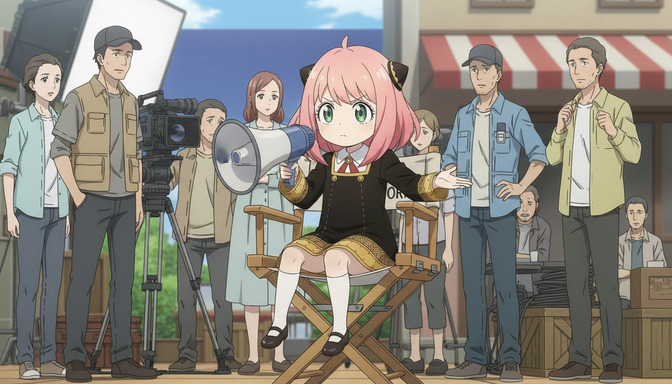
Assembled example
A teenage girl with silver-white jaw-length hair and pale violet eyes, dark navy blazer with a torn left sleeve, lunging forward in a single sharp burst of speed on a rain-soaked rooftop at 2 a.m. with wet concrete reflecting a single red neon sign below, low angle looking up from ground level, Demon Slayer art style with high contrast and bold ink outlines, cold resolve with no hesitation in her expression, cold moonlight with steel blue ambient glow and hard shadows across the left side of her face.
AutoWeeb prompt analysis
AutoWeeb evaluates your prompt against these seven layers before you generate. It flags vague or missing layers, character descriptions that will cause drift, lighting that conflicts with style, and prompts that cover too many beats for one clip. Correcting a weak prompt before generation is faster and cheaper than diagnosing a failed output afterward.
The Layered Prompt Formula: Style, Lighting, Camera, and Emotion
Layered prompting addresses distinct visual dimensions in order: Subject, Composition, Lighting, Style, Mood, Motion, and Environment. Together they define a space so specific the model's defaults rarely get a foothold. This is not about longer prompts. A seven-layer prompt can be one efficient sentence if each layer earns its place.
How the layers stack
- Subject: who is in frame and their spatial relationship to others
- Composition: shot type and camera angle, stated early in the prompt
- Lighting: source, color temperature, direction, shadow behavior
- Style: aesthetic family plus one quality modifier
- Mood: what the scene feels like to watch, not just what characters feel
- Motion: character action, camera movement, active environmental elements
- Environment: location with spatial depth, time of day, ambient conditions
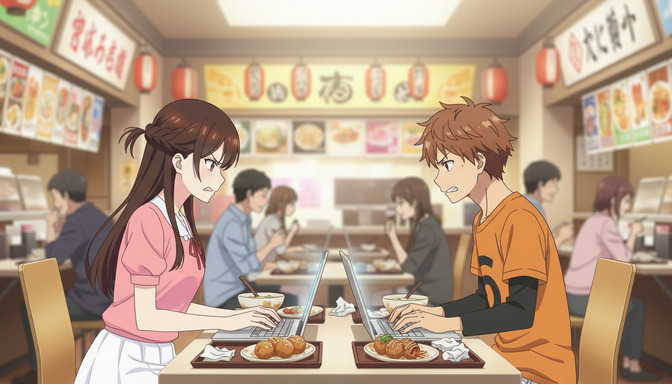
Complete layered prompt example
Medium shot, slightly low angle, of a sharp-eyed detective in a rumpled trench coat and a young assistant in a school uniform sitting across from each other at a narrow ramen counter, the assistant's laptop open between them, warm amber light from overhead paper lanterns falling softly on both faces, slice-of-life anime style with a warm desaturated palette and clean expressive linework, mood of quiet confrontation, the detective leaning back with arms crossed and the assistant leaning forward with hands flat on the counter, steam rising slowly from untouched soup bowls, a busy ramen restaurant at evening rush behind them with colorful menu boards and paper lanterns overhead.
Remove the shot type and the model defaults to arbitrary framing. Remove lighting and warmth undermines confrontation. Remove mood and postures become decoration rather than story. Each layer constrains a specific type of ambiguity.
7 AI Anime Video Prompt Mistakes That Ruin Your Output
Bad output almost always traces back to a bad prompt. Each mistake below has a clear symptom in the output and a specific fix you can apply on your next generation.
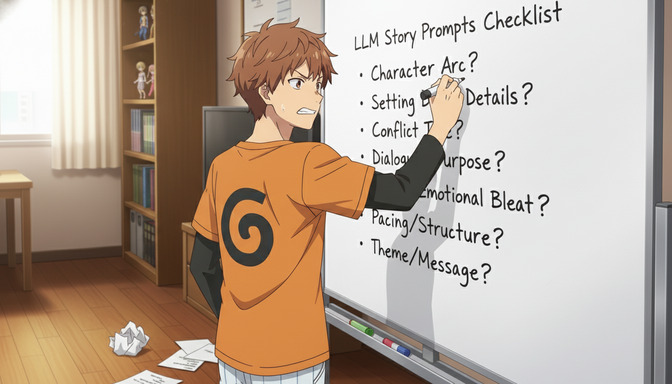
1. Vague prompts
"A cool anime fight scene" is a category, not a scene. Fix: replace every generic descriptor. Not "dark forest" but pine forest at midnight, knee-level mist, single shaft of moonlight through the canopy.
2. Inconsistent character descriptions
Models have no memory between clips. Shortening a description in clip three changes the character. Fix: paste the same character anchor verbatim every time, or save the character in AutoWeeb's library.
3. Poor motion direction
"She raises her sword" is not the same as describing timing, weight, and rhythm. Fix: use anime motion language: held at peak tension for two beats before the strike, dramatic speed lines on the forward lunge.
4. Missing style references
Without a named style, output defaults to generic anime. Fix: name one style per prompt, or name specific visual properties instead of blending two style names.
5. Camera confusion
No camera direction yields static medium shots. Too many directions compete. Fix: exactly one camera instruction per clip: slow push-in toward her face, low angle looking up, static wide shot.
6. Ignoring lighting
Neutral ambient light keeps scenes visible but emotionally flat. Fix: pair a light source with color temperature: warm amber lantern light casting soft shadows upward, cold blue moonlight.
7. Overloading one clip
A four-to-eight second clip holds one primary beat. Entrance, confrontation, reaction, and exit in one prompt produces a rushed blur. Fix: if you connect two events with "and then," you have two clips. Plan them separately in a storyboard.
Pre-submit checklist
- Is every noun specific enough to describe only one thing?
- Is the character description identical across clips?
- Does the prompt describe how the character moves, not just what they do?
- Is a named art style included?
- Is there exactly one camera direction?
- Is there a light source with a color temperature?
- Does the prompt describe one primary beat?
TikTok Hooks, Pacing, and Short-Form Prompt Structure
TikTok does not reward the same things that make a cinematic anime video great. Short-form AI anime prompts need immediate visual impact, clean pacing beats, and at least one frame strong enough to stop a scroll. The first frame has to pay off before most viewers consciously decide whether to stay.
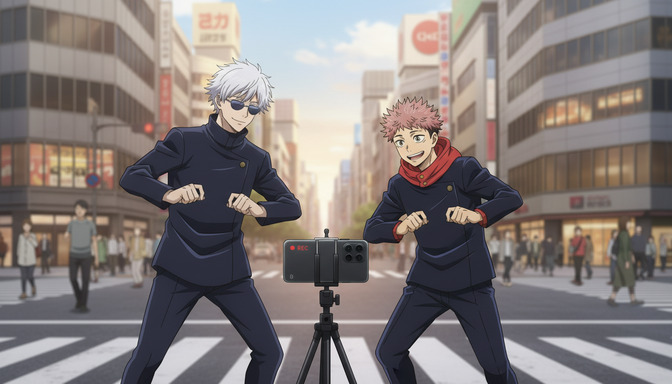
Hook prompts: start inside the action
Weak hook: an anime boy walking through a city street. Strong hook: a teenage boy with black windswept hair and gold eyes, already mid-sprint, coat snapping hard to the left, low angle from ground level looking up as he passes over the camera, bold outlines and high-contrast shadows, city street at midnight with neon reflections on wet asphalt, cold desperate urgency in his expression.
Camera angles that stop the scroll
Low angle looking up, Dutch tilt, extreme close-up on the eyes, over-the-shoulder with a dramatic background reveal. Neutral eye-level medium shots do not create that reaction. Commit to one dramatic camera angle per hook clip.
Three-beat pacing structure
- Beat 1 (0-3s) hook: maximum visual impact, character mid-motion, dramatic angle, high-contrast lighting. End on an unresolved frame.
- Beat 2 (3-12s) escalation: answer the question the hook asked without fully resolving it. Can afford a push-in or reveal pan.
- Beat 3 (12-20s) payoff: land the emotional or visual beat. One clip per beat gives you control over pacing and transitions.
For inspiration from creators already publishing AI anime on the platform, follow @autoweeb_ on TikTok or read our guide to the best AI anime page on TikTok.
Explore Anime Video Creation
Guides, genres, and tools for making anime videos with AI.
Image to Video
Turn anime stills into animated clips with consistent characters.
Seedance 2 Anime
Animate scenes with Seedance 2 tuned for anime motion.
Gemini Omni Flash Anime
Google's multimodal video model for scene cuts, sports motion, and flexible image tagging.
Fighting Videos
Sword fights, action beats, and cinematic combat clips.
Mecha Anime
Military pilots, mech character sheets, and cockpit-to-combat action sequences.
Basketball Videos
Court drama, training montages, and game-winning shots.
Sports Videos
Hockey, soccer, tennis, and full sports anime series.
Magic Videos
Spell charges, fantasy effects, and atmospheric magic scenes.
Romance Videos
Emotional beats, confessions, and slice-of-life romance.
Anime Shorts
Turn a premise into a complete short in minutes.
Anime Episodes
Plan, storyboard, and animate a full episode.
Make an Anime
The full studio workflow from character to final video.
Anime Series
Build recurring characters and a season arc.
YouTube Videos
Shorts beats, episode backlogs, and long-form chapter compiles.
Isekai World Building
Design fantasy worlds, reusable locations, and cinematic isekai scenes.
AI Anime Prompt Agent
Turn rough ideas into cinematic Seedance 2 video prompts with the AI Director.
Donghua with AI
Pick Link Click-style art, design character sheets, and animate modern Chinese animation scenes.
Extend Video
Lengthen any saved clip with Seedance 2.0 Mini. Describe what happens next and stitch the extension to your original.
AI Anime Video Generator
Create anime videos with AI. Explore genres, tools, and production guides.
Anime Video Prompting FAQ
Common questions about writing prompts that produce cinematic AI anime video.
What should every AI anime video prompt include?
At minimum: a character description, a specific action, camera direction, lighting conditions, and a named art style. Add environment detail, emotional state, and an end state for stronger results. A five-layer prompt consistently outperforms a one-sentence description because each layer answers a question the model would otherwise guess.
How are video prompts different from image prompts?
Image prompts describe a state. Video prompts describe a change — who moves, how fast, in what direction, and where the scene lands. Video also needs motion language and often an end state. Treating a video prompt like an image prompt produces static poses with random ambient motion, which is the most common reason generations feel wrong.
What is the 7-part AI anime video prompt formula?
Character, Action, Environment, Camera, Style, Emotion, and Lighting. Each layer answers one question the model would otherwise interpolate. A complete prompt names who is in frame, what they are doing, where it happens, how the lens moves, which visual language applies, what they are feeling, and what the light source is doing.
How do I write AI anime video prompts for TikTok?
Start inside the action, not before it. Use a dramatic camera angle — low angle, extreme close-up, or Dutch tilt — and high-contrast lighting in the first frame. Structure content in three beats across separate clips: a hook (0–3s), escalation (3–12s), and payoff (12–20s). One clip per beat gives you control over pacing and transitions.
How do I avoid wasting credits on bad generations?
Write the five components before generating: subject and starting state, one clear action, camera instruction, active environment, and end state. Cut quality-keyword stacking — words like "cinematic" and "4K" take space that should hold motion instructions. Fix prompts before generating rather than re-running weak ones. AutoWeeb's prompt analysis flags missing or vague layers before you spend a credit.
How long should an AI anime video prompt be?
Forty to eighty words is the practical range for a single clip. Long enough to cover subject, action, camera, environment, and end state; short enough to describe one beat. Prompts under forty words usually lack camera or environment. Prompts over one hundred words often contain redundant adjectives or too many events for one clip.
Ready to Write Better Anime Video Prompts?
Use AutoWeeb's AI Director to build structured prompts automatically, or apply the formula yourself for full control.
Start Creating Anime VideosNo credit card required • Free to try