
AutoWeeb vs Gemini: The Better AI Platform for Anime Images, Characters, and Videos
Gemini generates impressive images across many styles. AutoWeeb is built to produce the same anime character, consistently, across every image, storyboard panel, and animated video clip you need.
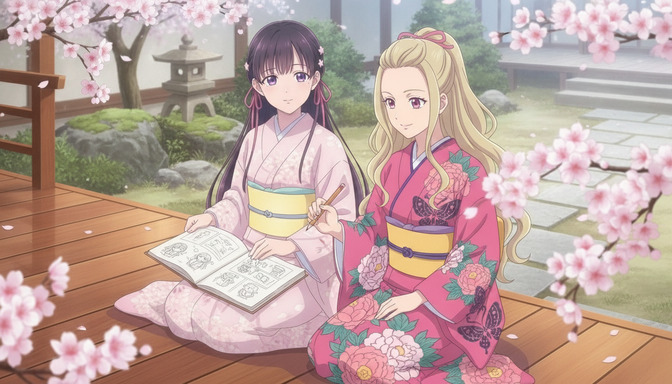
Gemini is a genuinely capable AI platform. Its image generation, powered by Google's Imagen models, handles a wide range of visual styles with high output quality. It integrates with Google Search, Docs, Gmail, and dozens of other tools, and for a creator who wants a capable AI assistant that can also produce anime-styled images on request, it performs those requests well. None of that is in dispute.
The problem appears when the creative goal shifts from a single image to a production. Anime storytelling is not a single-image problem. It requires a specific character to look identical across a twelve-panel storyboard, across different emotional registers, across a rain scene and a rooftop confrontation and a quiet breakfast scene the morning after. The hair texture, the eye color, the particular weight of the school jacket, the scar detail that defines the character's backstory: these details need to survive every generation session without drifting. Gemini was not designed to solve that problem. AutoWeeb was designed to solve nothing else.
What Gemini Is Built For
Gemini is Google's AI assistant, designed to handle text, image, code, and multimodal tasks across a broad surface area. Its image generation via Imagen 3 produces high-resolution outputs with strong compositional quality across illustration, photography, and stylized art including anime. Gemini's integration with Google Workspace makes it genuinely useful for creators who use Docs or Slides as part of their production workflow. For exploratory image requests, research, or one-off anime illustrations, it is a polished and capable tool.
Its structural limitation for anime creators is the same limitation shared by every general-purpose AI assistant: there is no character sheet system, no storyboard workspace, no style library organized around anime's specific visual genres, and no image-to-video pipeline. Every generation session starts fresh. The character you defined in the morning will need to be reconstructed from scratch that afternoon. For a creator building a project with recurring characters across multiple scenes, that means managing consistency manually, through careful prompt writing and reference image uploads, rather than through infrastructure that holds it automatically.
What AutoWeeb Is Built For
AutoWeeb is an anime creation platform built around the specific infrastructure that anime production requires. The workflow begins with a character sheet: a structured definition that captures every visual property of a character, from cobalt-blue hair length and texture to the exact amber tone of the eyes, a crescent birthmark on the left collarbone, the specific wear pattern on a pair of track shoes worn since middle school. That definition is saved in the platform and reused automatically in every scene that tags the character. Consistency is not maintained by prompt repetition. It is enforced by the architecture.
On top of character sheets, AutoWeeb provides a storyboard workspace for scene planning and shot composition, a curated anime style library organized by genre, a prompt improvement system that translates natural creative language into generation-ready descriptions, and an image-to-video pipeline that animates approved frames into anime clips with the character's visual identity intact throughout the motion. The platform is designed for one creative goal: taking an original anime character from concept through storyboard through video, consistently, without switching tools.
Feature-by-Feature Comparison
Anime image generation
Gemini's Imagen model produces anime-styled images with strong visual quality. Linework is clean, character expressions are readable, and for individual generations, output quality is high enough for casual creative use and polished fan art. What it lacks is any specialization: no genre tuning, no curated anime style library, no mechanism for defining what "anime" means aesthetically for a specific project. Request the same character in the same setting twice in two separate sessions, and the color temperature, line weight, and proportional treatment may shift in ways that make the images feel like different characters in a related visual universe rather than the same person.
AutoWeeb's generation is organized around a style library that maps to distinct anime genres: Shonen action, Slice-of-Life warmth, dark fantasy atmosphere, Mecha industrial design, and more. Selecting a style applies the full visual grammar of that genre across every generation in the project. The style defines the visual world; the character sheet defines the person who inhabits it. Both are held constant across sessions automatically, which is the difference between production infrastructure and a capable image generator.
Character sheets and consistency
AutoWeeb's character sheet system is the core structural advantage for any creator building an original anime project. Define a character once: indigo hair in a loose plait that falls over the left shoulder, olive-green eyes with a broken ring in the left iris, a thin diagonal scar across the chin, a school blazer worn with the collar undone and the left cuff rolled twice. Save that definition. Every scene that tags this character sheet inherits those visual properties automatically, whether she is running through a festival crowd, arguing in a classroom, or standing at the edge of a cliff in the third act. The character holds together because the reference is structural, not reconstructed from memory each time.
Gemini has no character sheet mechanism. Producing a consistent character across multiple generations requires uploading reference images, writing detailed visual descriptions in every prompt, and carefully managing continuity across sessions. The technique can produce reasonable results for a single character in a short project. Over a longer project with multiple recurring characters, complex outfit details, and distinctive visual features that need to survive different lighting conditions and emotional states, the work of managing consistency manually becomes the dominant creative activity rather than the story itself.
AutoWeeb's AI Agent adds another layer: structured conversation that helps creators develop a character's personality, backstory, and visual description before any image is generated. The guide on how AutoWeeb's AI Agent helps you create better original anime characters explains the full process.
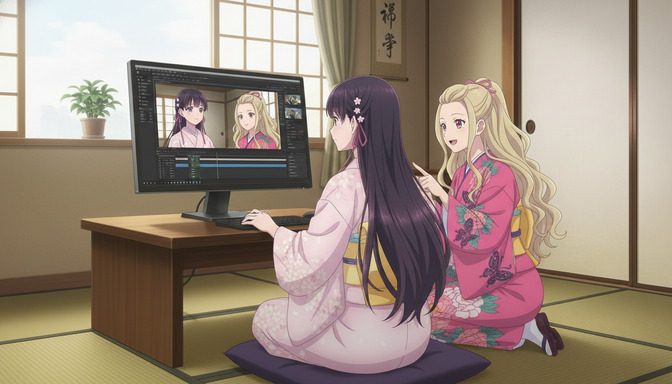
Image-to-video workflows
AutoWeeb's video pipeline is a two-stage workflow integrated into the storyboard workspace. Generate and approve a scene image first, with character positioning, expression, lighting, and composition locked. Then convert that approved frame to an animated video clip inside the same production environment. Because the character's visual identity is embedded in the source image before animation begins, the resulting clip preserves the protagonist's features throughout the motion. The full pipeline, from character sheet through storyboard panel through finished video, runs without leaving the platform or switching tools.
Gemini does not include a native video generation feature. Animating a Gemini-generated image requires exporting to a separate video platform, rebuilding context in a new interface, and managing continuity across disconnected tools. For anime storytelling that needs to move from character design through storyboard through finished animated clips, that means reassembling workflow context by hand at each step.
Prompt assistance and storyboarding
Most anime creators do not want to become prompt engineers. They have a scene in mind: the protagonist standing in the school doorway in the first autumn rain, uniform slightly damp, expression between relief and something harder to name. Translating that image into generation-ready prompt language requires understanding how the model interprets lighting descriptors, character positioning, emotional register, and style cues. Gemini handles the prompt directly. If the output misses the tone, the creator adjusts the prompt by trial and error.
AutoWeeb's Improve Prompt feature translates natural creative descriptions into anime-aware generation prompts automatically. A description like Saya standing in the school doorway in the first autumn rain, uniform slightly damp, holding her bag with both hands, expression caught between relief and something unresolved, late afternoon light diffusing through gray clouds becomes a generation-ready prompt that captures the visual register of that specific emotional moment without requiring the creator to master prompt syntax. For creators who want to spend their energy on the story rather than on prompt technique, this matters considerably.
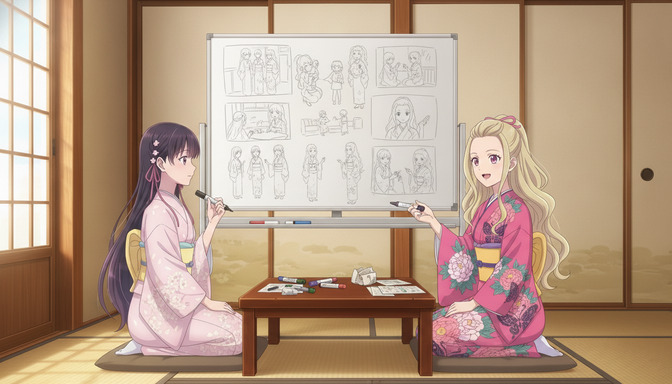
AutoWeeb's storyboard workspace is designed for multi-scene anime production. Each scene holds dedicated fields for location, time of day, emotional tone, character assignments, and narrative purpose. Shots are organized as sub-panels with camera angle and character positioning planned before generation begins. Characters are tagged into scenes from the saved library using AutoWeeb's @ tagging system, rather than described from scratch each time. The storyboard holds the full project context across sessions: scene notes, arc structure, and character assignments persisting between sittings. For more on how the tagging system connects character identity to narrative architecture, see why @ tagging characters in AutoWeeb makes AI storyboarding faster and more consistent.
Creating original anime stories
Building an original anime story requires managing at least three layers simultaneously: character visual consistency, narrative structure, and scene-by-scene production continuity. Gemini can contribute to any of these as a conversational assistant, generating character backstory ideas, helping develop plot structure, or producing individual scene images on request. What it cannot do is hold all three layers in a structured workspace that connects them automatically. The storyboard lives in the creator's head or in a separate document. The character description lives in a prompt that must be retyped. The images live in a conversation history that is not organized as a production document.
AutoWeeb is designed to hold all three layers in one place. Characters are defined structurally. Scenes are organized in a storyboard that references those characters by tag. The style selection applies a consistent visual grammar across the entire story. A creator building a six-episode anime series can work across sessions without losing the visual thread, because the infrastructure holds it automatically rather than depending on the creator's memory and prompt discipline to reconstruct it each time.
Full Feature Comparison
| Feature | AutoWeeb | Gemini |
|---|---|---|
| Anime-specific art styles | Yes — curated library organized by anime genre | Via prompt description only |
| Character sheet system | Yes — save and reuse across all scenes automatically | No — manual reference management per session |
| Character consistency across scenes | Yes — structurally enforced by the workflow | Requires careful prompt and image management |
| Storyboard and scene planning tool | Yes — anime-native scene and shot planning workspace | No |
| Image-to-video pipeline | Yes — integrated two-stage anime animation workflow | No — image generation only |
| Prompt improvement system | Yes — anime-aware prompt refinement built in | Manual prompt writing required |
| AI Agent for character development | Yes — structured character building from description to sheet | Via conversational prompting only |
| @ tagging characters into scenes | Yes — tag multiple characters per panel directly | No |
| Persistent project workspace | Yes — full story context saved across sessions | Conversation history only |
| Photo-to-anime conversion | Yes — dedicated workflow with style matching | Via style transfer prompt |
| Multi-character scene support | Yes — @ tag multiple characters per panel | Yes, with careful prompting |
| Google Workspace integration | No | Yes — Gemini's core ecosystem advantage |
| Real-time information and web browsing | No | Yes — broad general-purpose AI capability |
| Starting price | $9.99/month — full anime pipeline included | Free tier available; Gemini Advanced ~$19.99/month |
Buying Guide: Which Platform Is Right for You
Choose Gemini if you need
Gemini is the right choice for creators who want a capable AI assistant that handles image generation as one capability among many. If your creative goal is exploratory, if you want quick one-off anime illustrations without a dedicated production workflow, or if you are already using Gemini across Google Workspace and want image generation integrated into that same environment, it handles those requests with high quality. It is also the better tool for creators who need real-time information, web browsing, or the ability to combine anime image generation with research, writing, and document work in a single interface.
Choose AutoWeeb if you need
AutoWeeb is built for creators with a specific anime creative goal: an original character they are developing, a story they are building, a storyboard they are planning, or an animated clip they are producing. The platform solves the structural problems that every multi-scene anime creator encounters: character drift across sessions, narrative context lost between sittings, the friction of rebuilding character descriptions for every new panel, and the disconnected tool-switching between image generation and video animation.
If your creative project involves characters that need to look recognizably identical across more than a handful of images, if you want to produce anime video without assembling a separate tool pipeline, or if you want to create anime content without mastering prompt engineering techniques, AutoWeeb's infrastructure is designed to remove those obstacles. The platform is accessible to anime fans who have never used an AI image generator before, and scales to support creators building full original series with multi-character casts. The guide on how to upgrade your existing character sheets with AutoWeeb explains how to turn any character you have already designed into a consistent, storyboard-ready asset.
What a Practical Anime Creation Workflow Looks Like in AutoWeeb
A creator building an original character might start with the AI Agent and a short description: a second-year university student who works late shifts at a ramen shop, trying to fund an independent animation project her professors dismiss. Warm amber eyes that look skeptical by default, dark brown hair worn in a practical high bun with loose strands that escape by the end of every shift, perpetually ink-stained fingers, a worn olive canvas jacket covered in small animation reference stickers.
The AI Agent develops that description into a full visual character sheet, covering hair texture and how it frames the face by hour three of a shift, the exact shade of amber in different lighting conditions, the jacket's visible wear points, her posture at the ramen counter versus in her apartment at 2am editing footage. That sheet is saved. Every subsequent generation that tags her character sheet produces her in that register, whether the scene is the ramen counter at midnight, an argument outside the animation building, or the moment she finally finishes the project.
The storyboard panel for the final scene might read: Hana standing in front of a projected screen showing the last frame of her finished animation, lamp light from behind, expression exhausted and finally certain, ink stains still visible on the fingers holding the remote, high bun half-collapsed, jacket on a chair behind her. That description, run through Improve Prompt, produces a generation that places her exactly as the character sheet defines her, in the precise emotional and visual register the scene requires. That image then becomes the source frame for the final animated clip, with Hana's hair detail, expression, and jacket texture preserved through the motion.
Frequently Asked Questions
Can Gemini generate consistent anime characters across multiple images?
Gemini can produce individual anime images with high quality. Maintaining a specific character's appearance across multiple separate generations requires uploading reference images, repeating detailed visual descriptions in each prompt, and carefully managing continuity across sessions. For a single character in a short project, the results can be reasonable with skilled prompt management. Over longer projects with complex character designs and multiple scenes, visual consistency depends entirely on how precisely that work is reconstructed each time, and the effort of managing it compounds as the project grows. AutoWeeb's character sheet system replaces that manual work with structural consistency enforced by the workflow.
Does Gemini support anime video generation?
Gemini does not include a native image-to-video pipeline. Animating a Gemini-generated anime image requires exporting the image to a separate video platform and managing the translation between tools manually. AutoWeeb's image-to-video workflow is integrated into the storyboard workspace: generate and approve the scene as a static image, then animate it inside the same production environment, with the character's visual identity preserved throughout the motion.
Is AutoWeeb harder to use than Gemini for anime image generation?
The starting experience is different rather than harder. Gemini produces a first anime image with minimal setup: describe what you want and receive a result. AutoWeeb asks you to create a character sheet and storyboard structure before generating, which takes more initial work. That setup is what makes every session afterward faster and more consistent. Creators building an original anime project typically find the initial investment pays for itself within a few scenes, because the character definitions and narrative context are already in the workspace rather than being rebuilt each time. AutoWeeb is also designed to be usable without prompt engineering experience, which makes it accessible to anime fans who are new to AI generation tools.
Can I use Gemini for storyboarding anime scenes?
Gemini can assist with story planning through conversational prompting: helping develop scene ideas, generating images for individual panels, and discussing narrative structure. What it does not provide is a dedicated storyboard workspace where characters are tagged into scenes from a saved library, shot compositions are planned with production fields, and narrative context is held across sessions in a structured document. AutoWeeb's storyboard is designed as a production environment, not a conversation thread.
What anime styles does AutoWeeb offer that Gemini does not?
AutoWeeb maintains a curated library of anime-specific art styles organized by visual genre: Shonen action energy, Slice-of-Life warmth and subdued color palettes, dark fantasy atmosphere, Mecha industrial design precision, and more. Applying a style adjusts the full visual grammar of every generation in the project, from linework weight to color grading conventions specific to that genre. Gemini handles style requests through prompt language, which can produce recognizable results on individual images but requires careful prompt management to hold style consistency across a long project.
Is AutoWeeb worth the cost compared to Gemini's free tier?
Gemini's free tier and the free Gemini access included with Google accounts make individual anime image generation accessible without a paid subscription. For a creator who wants to generate one-off anime illustrations without a dedicated production workflow, that access is genuinely useful. AutoWeeb at $9.99/month includes the full character sheet system, storyboard workspace, anime style library, prompt improvement feature, and image-to-video pipeline: the complete infrastructure for producing original anime content with consistent characters and integrated animation. For creators whose goal extends beyond a single image into an actual project, the infrastructure value is what the subscription covers.
Can I bring a character I made with Gemini into AutoWeeb?
Yes. Export the best image of your Gemini-generated character as a reference and upload it as the visual anchor for a new AutoWeeb character sheet. Add a written description of the character's appearance, then use AutoWeeb's Improve Prompt feature to sharpen the visual description for consistent generation across scenes. The character sheet becomes the persistent structural reference for all future generations, which is more reliable than re-uploading the reference image each session and hoping the model interprets it consistently.
If you are ready to move beyond single images into a project with real production continuity, see AutoWeeb vs ChatGPT Image: Which AI Tool Is Better for Creating Consistent Anime Characters and Stories for a comparison with another capable general-purpose image generator. For a deeper look at how the AI Agent turns a rough character idea into a generation-ready visual definition, the guide on how AutoWeeb's AI Agent helps you create better original anime characters walks through the full process from concept to character sheet.
Related Blog Posts
Why @ Tagging Characters in AutoWeeb Makes AI Storyboarding Faster and More Consistent
Every time you retype a character description from scratch, you're wasting time and introducing drift. AutoWeeb's @ tagging system solves both problems at once.
Learn how AutoWeeb's @ tagging system speeds up AI storyboarding and keeps characters consistent across every scene. Tutorial with before/after examples.
How AutoWeeb's AI Agent Helps You Create Better Original Anime Characters
Most original anime characters fail before they're ever drawn. AutoWeeb's AI Agent and Improve Prompt feature fix the structural problems that generic characters share.
Learn how AutoWeeb's AI Agent helps you create original anime characters with real personality, visual identity, and story purpose. Step-by-step guide with prompt examples.
AutoWeeb vs Artlist: Which AI Tool Is Better for Creating Anime Stories and Videos?
Artlist is a media asset platform with AI video tools. AutoWeeb is the platform built for creators designing anime characters, planning stories, and generating consistent anime video from scratch.
AutoWeeb vs Artlist for anime story creation in 2026. Compare character creation, storyboarding, image generation, video workflow, character consistency, pricing, and which platform wins for anime creators.
How to Import Character Sheets from Other AI Platforms into AutoWeeb
Built your character in Midjourney, ChatGPT, or Leonardo AI? Here's how to bring them into AutoWeeb and turn them into a complete reusable storytelling asset.
Learn how to import character sheets from Midjourney, ChatGPT, Leonardo AI, Stable Diffusion, Ideogram, and Flux into AutoWeeb for consistent anime storytelling.
Explore AutoWeeb
Jump into the tool that fits your creative step.
AI Anime Video Generator
Animate storyboard shots into cinematic clips with Seedance 2 and consistent characters.
Anime Character Creator
Design original characters with consistent sheets across every scene.
AI Anime Image Generator
Generate cinematic anime stills anchored to your character library.
Turn Photo Into Anime
Upload any photo and watch AI turn it into stunning anime art in seconds.
AI Anime Location Generator
Create a location set once, then generate reference images from every angle.
AI Anime Storyboarding
Describe your idea, pick your characters, and let AI draft the script and scenes.
AI Anime Prompt Agent
Turn a rough idea into a cinematic Seedance 2 prompt with the AI Director.