
Looking for a Grok Alternative for Anime Creation? Why Creators Choose AutoWeeb
Grok can generate an anime image. AutoWeeb can build an entire anime world — characters, storyboards, scenes, and video — and keep them consistent from the first panel to the last.
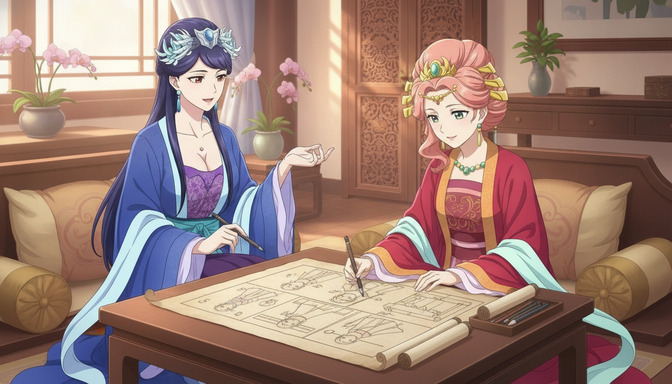
Grok is a capable AI assistant. It generates images, answers questions, writes code, and holds a conversation. Its image generation quality has improved steadily, and for a creator who wants a quick anime-styled illustration, it can produce one. That much is accurate and fair to say about it.
But anime creation is not a single-image problem. It is a production problem: a specific character needs to look identical across a six-panel storyboard, across a twelve-scene story arc, across static images and animated video clips. The hair, the eye color, the scar above the right brow, the exact weight of the collar on the school uniform: these details have to survive every generation session, every new scene, every lighting change. Grok was built to be a general-purpose AI assistant with image generation as one capability among many. AutoWeeb was built to solve exactly that production problem, and nothing else.
What Grok Is (and What It Is Not)
Grok is xAI's AI assistant, integrated into the X platform and available as a standalone product. Its image generation is powered by Aurora, xAI's in-house model, which handles a wide range of visual styles including anime, illustration, and photorealism. Grok's strength is breadth: it combines web browsing, real-time information, long-form conversation, code generation, and image creation in a single interface. For users who want a general-purpose AI assistant that can also produce anime-styled images on request, it is a reasonable tool.
The limitation is structural. Grok has no mechanism for saving a character definition and reusing it across generations. There is no character sheet system, no storyboard workspace, no style library tuned to anime's specific visual genres, and no image-to-video pipeline. Every new image generation starts from a fresh prompt. That is fine for casual one-off requests. For a creator building an original series with recurring characters, it is a fundamental gap that careful prompting cannot fully close.
What AutoWeeb Is
AutoWeeb is an anime creation platform built around the specific infrastructure that anime storytelling requires. The core workflow starts with a character sheet: a structured definition that captures every visual property of a character, from hair texture and exact color description to eye shape, distinguishing marks, and outfit details. That definition is saved and reused automatically in every scene that references the character. Consistency is not managed by hand through prompt repetition; it is enforced by the workflow.
On top of character sheets, AutoWeeb provides a storyboard workspace for planning scenes and shot compositions before generation begins, a curated library of anime-specific art styles, a prompt improvement system that translates natural creative descriptions into generation-ready prompts, and an image-to-video pipeline that animates approved frames into anime clips with character identity preserved throughout. The platform is designed for one thing: taking an original anime character from first concept through finished storyboard and video, consistently.
Feature-by-Feature Comparison
Image quality and anime specialization
Grok's Aurora model produces anime-styled images that are visually competent on individual generations. Linework is clean, character expressions are readable, and the output quality is high enough for casual creative use. What it lacks is any specialization beyond that: no genre tuning, no style library, no mechanism for defining what "anime" means for a specific project's aesthetic register. Ask Grok for a "slice of life anime scene" and it produces a plausible interpretation. Ask it for the same scene twenty panels later and the interpretation may have shifted noticeably in color temperature, line weight, and character proportions.
AutoWeeb's image generation is tuned specifically for anime output and organized around a style library that maps to distinct anime genres: Shonen action, Slice-of-Life warmth, dark fantasy, Mecha industrial design, and more. Selecting a style applies the full visual treatment of that genre, from linework weight to color grading conventions, across every generation in the project. The character's visual identity is defined by the character sheet; the style defines the world that character inhabits. Both are held constant across sessions automatically.
Character creation and consistency
AutoWeeb's character sheet system is the clearest structural difference between the two tools. Define a character once: cobalt-blue hair falling to the waist, amber eyes with a distinctive double-highlight, a crescent-shaped birthmark on the left collarbone, a school uniform with a torn left sleeve. Save that definition. Every scene generation that tags the character draws from that saved definition automatically. The character looks identical in the rain-soaked rooftop scene and the cherry blossom festival scene and the final confrontation because the reference is locked and persistent, not reconstructed from memory each time.
Grok has no character sheet system. Producing a consistent character across multiple generations requires uploading reference images, rewriting detailed prompt descriptions, and carefully managing the session. Results improve with skilled prompting, but the consistency depends on how precisely that work is done each time, and it degrades across sessions without a structural anchor. For a single character in a short project, the limitation is manageable. For an original series with four recurring characters, it compounds quickly into a production problem.
AutoWeeb's AI Agent takes character creation a step further, helping creators develop the personality, backstory, and visual description of a character through structured conversation before any image is generated. The guide on how AutoWeeb's AI Agent helps you create better original anime characters covers the full process.
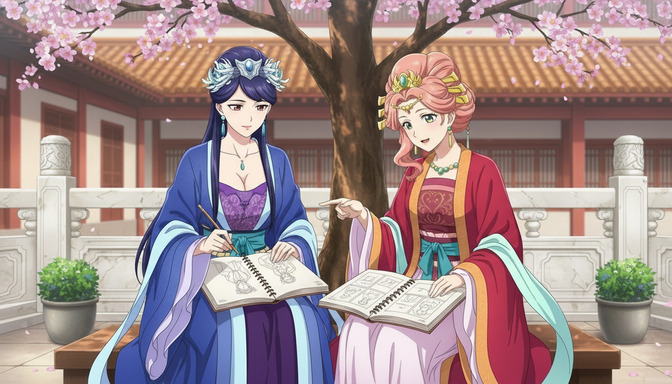
Storyboard workflows
AutoWeeb's storyboard is a production workspace designed for anime. Each scene has dedicated fields for location, time of day, emotional tone, character assignments, and narrative purpose. Shots are organized as sub-panels with camera angle and character positioning planned before generation begins. Characters are tagged into scenes from the saved library using AutoWeeb's @ tagging system, rather than described from scratch each time. The storyboard holds the full project context across sessions: scene notes, arc structure, panel descriptions, and character assignments. It is a planning document that connects character identity to narrative architecture before any image is generated.
Grok has no storyboard tool. There is no scene planning interface, no shot organization, and no persistent project workspace. Sequences of related images live in conversation history, which is not structured as a production document. For creators planning multi-scene stories, narrative context exists in memory rather than in a workspace built to hold it between sessions.
AI video generation
AutoWeeb's image-to-video workflow is a deliberate two-stage pipeline. Generate and approve a scene as a static image first: character positioning, facial expression, lighting, and composition all locked before animation begins. Then convert the approved image to video inside the storyboard workspace. Because the character's visual identity is embedded in the source image before animation starts, the resulting clip preserves the protagonist's features throughout the motion. The process runs within a single production environment, from character sheet through storyboard panel through finished video clip, without switching tools.
Grok does not include a native video generation feature. It is a text and image tool. Creators who want to animate Grok output need to export the image and bring it into a separate video platform, breaking the production pipeline into disconnected steps across multiple tools with separate interfaces and pricing. For anime storytelling that needs to move from character design to finished animated clips, this means rebuilding workflow continuity by hand.
Ease of use for anime fans
Grok's interface is familiar to anyone who has used a chat-based AI assistant. The barrier to a first image is low: describe what you want, receive an image. For casual exploration or one-off requests, that simplicity is genuine. The friction appears when the creative goal becomes specific and sustained: building an original character with defined visual properties and placing that character consistently across multiple scenes requires techniques and workarounds that are not built into the interface.
AutoWeeb's interface requires more setup upfront: creating a character sheet, building a storyboard structure, selecting a style. That initial investment is real. The return on it is that every generation session afterward is faster and more consistent, because the character definition and narrative context already exist in the workspace. For creators who care about the outcome of a specific creative project rather than exploratory image generation, the structure pays for itself quickly.
Full Feature Comparison
| Feature | AutoWeeb | Grok |
|---|---|---|
| Anime-specific art styles | Yes — curated anime style library by genre | Via prompt description |
| Character sheet system | Yes — save and reuse across all scenes | No — manual reference management |
| Character consistency across scenes | Yes — structurally enforced by workflow | Requires careful prompt and image management |
| Storyboard and scene planning tool | Yes — anime-native scene and shot planning | No |
| Image-to-video pipeline | Yes — integrated two-stage anime workflow | No — image generation only |
| AI Agent for character development | Yes — structured character building from scratch | Via conversational prompting |
| Prompt improvement system | Yes — anime-aware prompt refinement | No — manual prompt writing |
| Persistent project workspace | Yes — full story context saved across sessions | Conversation history only |
| Photo-to-anime conversion | Yes — dedicated workflow | Via style transfer prompt |
| Multi-character scene support | Yes — @ tag multiple characters per panel | Yes, with careful prompting |
| Real-time information and web browsing | No | Yes — Grok's core strength |
| General-purpose AI assistant | Anime-focused only | Yes — broad capability range |
| Starting price | $9.99/month — full anime pipeline included | Included with X Premium (~$8/month) |
Who Should Use Each Tool
Choose Grok if you need
Grok is the right choice for creators who want an AI assistant that can also generate anime-styled images on request, without needing a dedicated anime production workflow. If your creative process is exploratory, if you want quick one-off illustrations without a specific project structure, or if you are already using Grok for other tasks and want image generation as part of that same interface, it handles casual anime image requests competently. It is also the better tool for creators who need real-time information, web browsing, or general-purpose AI assistance alongside their image generation work.
Choose AutoWeeb if you need
AutoWeeb is built for creators with a specific anime creative goal: an original character they are developing, a story they are building, a storyboard they are planning, or a video they are producing. The platform solves the structural problems that every multi-scene anime creator encounters: character drift across sessions, narrative context lost between sittings, the friction of rebuilding prompts from scratch for every new panel, the disconnected tool-switching between image generation and video animation. If your creative goal involves characters that need to look recognizably identical across more than a handful of images, AutoWeeb's infrastructure is what makes that possible without spending the majority of your creative time managing consistency rather than telling the story.
Anime storytellers building original series, hobbyists developing original characters, webtoon creators who need consistent cast members across dozens of panels, and fan creators producing animated clips from their own character designs will find AutoWeeb's workflow purpose-built for the actual creative problems they face. The guide on why @ tagging characters makes AI storyboarding faster and more consistent shows how that character-to-storyboard connection works in practice.
What It Looks Like to Build a Character in AutoWeeb
A creator building an original character in AutoWeeb might start with the AI Agent and a brief description: a third-year high school student who works part-time at her family's traditional tea ceremony school, conflicted between inheriting the business and pursuing a career in competitive archery. Steel-gray eyes, dark auburn hair worn in a loose side braid, a permanent ink stain on the right index finger from calligraphy practice.
The AI Agent builds out the visual description from that brief: specific hair length, texture, and how it frames the face; the exact shade of gray in the eyes; clothing details for both the keikogi she wears for archery practice and the kimono she wears during tea ceremony lessons; the posture she holds in each context. That description becomes the character sheet. Every scene generation that tags her character sheet produces a version of that character that matches those visual specifications, whether she is drawing a bow in morning practice, serving tea to a difficult customer, or standing in the rain after a competition loss.
The storyboard panel for the rain scene might read: Yuki standing at the school gate, wet keikogi, side braid partially undone, bow case on her back, looking down at a missed-call notification on her phone, face in three-quarter view, expression resolute rather than sad, evening light from a single streetlamp. That prompt, fed through AutoWeeb's Improve Prompt feature, produces a generation that places Yuki exactly as defined in her character sheet, in the specific emotional and visual register the scene requires.
That image then becomes the source frame for an animated clip, preserving Yuki's hair detail, expression, and the keikogi's texture through the motion animation. The full pipeline, from character concept through storyboard through video, runs inside a single workspace. For more on how to build this kind of original character from the ground up, see the guide on how AutoWeeb's AI Agent helps you create better original anime characters.
Frequently Asked Questions
Can Grok generate consistent anime characters if I describe them the same way every time?
Consistent prompt descriptions improve consistency, and for short projects with a single main character, results can be reasonable across a few sessions. The limitation becomes visible over longer projects with multiple characters, complex outfit details, or distinctive visual features that need to survive different poses, lighting conditions, and emotional states. Grok has no mechanism for saving and locking a character definition structurally. Each generation session depends on how precisely the prompt reconstructs the character from scratch, and visual drift accumulates across sessions. AutoWeeb's character sheet system addresses this structurally rather than depending on prompt repetition.
Is AutoWeeb significantly harder to use than Grok for anime image generation?
The starting experience is different rather than harder. Grok's interface requires very little setup to produce a first image: describe what you want and receive a result. AutoWeeb requires creating a character sheet and storyboard before generating, which takes more initial work. That setup is what makes every subsequent session faster and more consistent. Creators building an original anime story generally find the upfront investment pays for itself within a few scenes, because the character definitions and narrative context already exist in the workspace instead of being rebuilt each time.
Can I bring a character I designed with Grok into AutoWeeb?
Yes. Export the best image of your Grok-generated character as a reference and upload it as the visual anchor for a new AutoWeeb character sheet. Add the written description of the character's appearance, personality, and story role, then use AutoWeeb's Improve Prompt feature to sharpen the visual description for consistent generation across scenes. The character sheet then becomes the persistent reference that anchors all future generations, rather than the exported image needing to be re-uploaded each session.
Does AutoWeeb support video generation from anime images?
Yes. AutoWeeb's image-to-video workflow is integrated into the storyboard workspace. After generating and approving a scene image, the animation step runs inside the same production environment. Because the character's visual identity is defined in the source image before animation begins, the resulting video clip preserves the character's appearance throughout the motion. Grok does not include a native video generation feature; animating Grok output requires exporting the image to a separate video platform.
What anime styles does AutoWeeb support that Grok does not?
AutoWeeb maintains a curated library of anime-specific art styles tuned to distinct visual genres: Shonen action, Slice-of-Life, dark fantasy atmosphere, Mecha industrial design, classic 90s shoujo, and more. Applying a style adjusts the full visual treatment of a generation, from linework weight and color grading to scene composition conventions specific to that genre. Grok handles anime style requests through prompt language, which can produce recognizable stylistic results on individual images but requires careful prompt management to maintain style consistency across a long project.
Is AutoWeeb the right tool for a hobbyist who just wants to draw their OC in anime style?
AutoWeeb is a strong fit for hobbyists developing original characters, even without a full storytelling project in mind. The character sheet system is valuable even for a single character: define the visual details once, and every image you generate from that point forward draws from that definition. The AI Agent is particularly useful for hobbyists who have a character concept but need help developing the visual specifics that make the design distinctive and generation-ready. The platform is designed to be usable without prior prompt engineering experience, which makes it accessible for anime fans who want to bring their original characters to life without a steep technical learning curve.
Which platform produces better individual anime images?
On single images, both platforms are capable of producing high-quality anime art, and the results depend significantly on how well-crafted the prompt is. The more meaningful comparison is across a sequence of images: a six-panel storyboard, a twelve-scene story arc, a character in twenty different situations. At that scale, AutoWeeb's character consistency system produces results that hold together as a story, while Grok's results depend on how carefully consistency is managed through prompt and reference image work across every session.
If you are ready to build something beyond a single image, the guide on upgrading your existing character sheets with AutoWeeb explains how to turn any character you have already designed into a consistent, storyboard-ready asset. For a comparison with another capable general-purpose AI image tool, see AutoWeeb vs ChatGPT Image: Which AI Tool Is Better for Creating Consistent Anime Characters and Stories.
Related Blog Posts
Why @ Tagging Characters in AutoWeeb Makes AI Storyboarding Faster and More Consistent
Every time you retype a character description from scratch, you're wasting time and introducing drift. AutoWeeb's @ tagging system solves both problems at once.
Learn how AutoWeeb's @ tagging system speeds up AI storyboarding and keeps characters consistent across every scene. Tutorial with before/after examples.
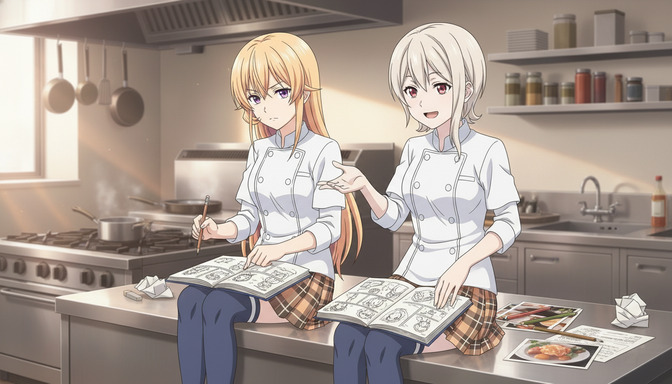
How AutoWeeb's AI Agent Helps You Create Better Original Anime Characters
Most original anime characters fail before they're ever drawn. AutoWeeb's AI Agent and Improve Prompt feature fix the structural problems that generic characters share.
Learn how AutoWeeb's AI Agent helps you create original anime characters with real personality, visual identity, and story purpose. Step-by-step guide with prompt examples.
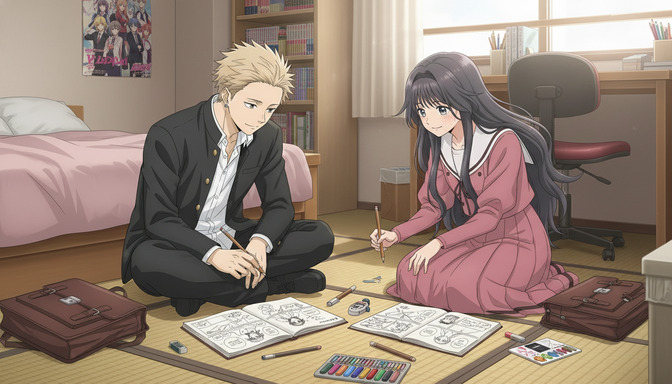
AutoWeeb vs Artlist: Which AI Tool Is Better for Creating Anime Stories and Videos?
Artlist is a media asset platform with AI video tools. AutoWeeb is the platform built for creators designing anime characters, planning stories, and generating consistent anime video from scratch.
AutoWeeb vs Artlist for anime story creation in 2026. Compare character creation, storyboarding, image generation, video workflow, character consistency, pricing, and which platform wins for anime creators.
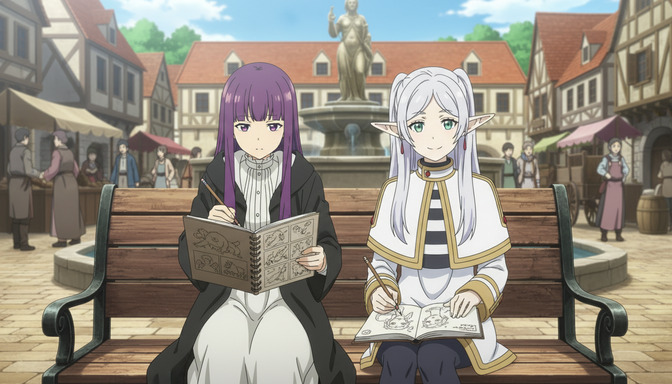
How to Import Character Sheets from Other AI Platforms into AutoWeeb
Built your character in Midjourney, ChatGPT, or Leonardo AI? Here's how to bring them into AutoWeeb and turn them into a complete reusable storytelling asset.
Learn how to import character sheets from Midjourney, ChatGPT, Leonardo AI, Stable Diffusion, Ideogram, and Flux into AutoWeeb for consistent anime storytelling.
Explore AutoWeeb
Jump into the tool that fits your creative step.
AI Anime Video Generator
Animate storyboard shots into cinematic clips with Seedance 2 and consistent characters.
Anime Character Creator
Design original characters with consistent sheets across every scene.
AI Anime Image Generator
Generate cinematic anime stills anchored to your character library.
Turn Photo Into Anime
Upload any photo and watch AI turn it into stunning anime art in seconds.
AI Anime Location Generator
Create a location set once, then generate reference images from every angle.
AI Anime Storyboarding
Describe your idea, pick your characters, and let AI draft the script and scenes.
AI Anime Prompt Agent
Turn a rough idea into a cinematic Seedance 2 prompt with the AI Director.