
5 Signs Your AI Anime Image Is Ready to Turn Into Video
Not every image that looks good as a still will animate cleanly. Here is what to check before you run it through your image-to-video model.
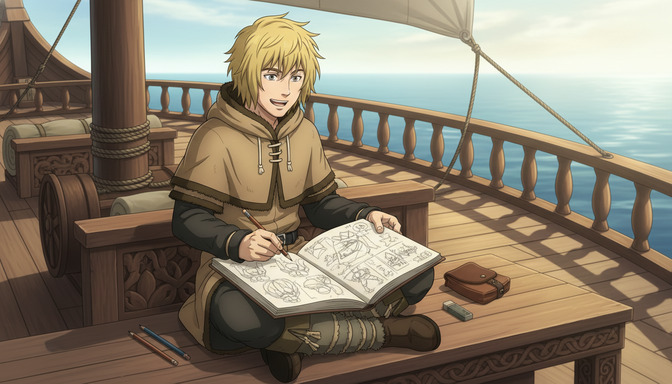
The moment you send an AI anime image to a video generator, every flaw in that image becomes a motion problem. A slightly off hand becomes a hand that morphs and contorts for five seconds. A soft, ambiguous expression becomes a face that shifts and blurs through the whole clip. An artifact-ridden background becomes a background that breathes and warps like it is alive. The image-to-video model is not fixing your image. It is animating exactly what is there, including the parts that were not quite right.
This guide covers the five things to check before you commit a still to video generation. Each one is a signal that the image will animate cleanly, or a warning that it will not.
Sign 1: The character reads as one coherent person from edge to edge.
Character consistency in a still image means the same person exists in every part of the frame: the same hair color on the left as on the right, the same eye shape in both eyes, clothing that reads as a single continuous outfit rather than a collection of overlapping pieces. In a static image, a small inconsistency is easy to overlook. The eye skips past it. In a five-second video, it is impossible to miss because the model has to decide which version of the inconsistent detail to animate, and usually produces something between the two.
What to look for: zoom in on both eyes separately and confirm they are the same shape, color, and size. Check the hair at the hairline, the tips, and anywhere it layers over clothing. Look at the ears. AI models regularly produce mismatched or displaced ears, and a misplaced ear becomes a drifting ear once motion is added. If the character has accessories, chains, buttons, or collar seams, confirm they are symmetrical where symmetry is expected and continuous where they should be unbroken.
Images that animate well on this measure: a character with clear, distinctly-colored hair, both eyes sharply rendered and matching, and a simple outfit with clean seams. Images that animate poorly: characters where the hair shifts tone between the crown and the ends, eyes that differ in size by more than a small amount, or collar and neckline edges that do not meet cleanly.
The strongest signal of good character consistency is being able to describe the character verbally from the image alone, with confidence. If you can say "blond mid-length hair, slightly wavy, light brown eyes, dark hooded tunic with a drawstring" and confirm each element matches across the full frame, the model has enough coherent information to animate a consistent person.
Sign 2: The anatomy holds together at every edge of the frame, especially the hands.
Clean anatomy means every visible body part is the right size relative to every other visible body part, joints bend in the directions joints actually bend, and nothing appears fused, floating, or extra. This matters more for video than for stills for a simple reason: the model animates based on what it understands about how bodies move. When the body in the image is anatomically coherent, the model has a clear physical logic to follow. When the image shows a twisted shoulder, a finger bent backward, or a wrist at an impossible angle, the model has to animate movement around a shape it does not fully understand, and the result is usually a limb that warps or flickers.
Hands are the most common failure point. AI image models struggle with hands reliably and the signs are consistent: fused fingers that read as a webbed mass, extra fingers adding a sixth or seventh digit, a hand that does not connect cleanly to the wrist, or fingers that point in multiple directions as if each one belongs to a different pose. Any of these in the source image will animate badly. A hand that is 70% correct in a still becomes something unsettling once motion is applied to it.
The practical check: look at every hand visible in the frame and count the fingers. Five is correct. Four suggests the fifth is hidden, which is fine as long as the visible four look natural. Six or more is a generation error. Then look at how the hand connects to the wrist: the connection should be clean and the wrist width should match the lower palm width. Check finger length relative to each other: the middle finger should be longest, the pinky shortest.
For images destined for video, there is an argument for preferring poses where the hands are naturally not the focus: a character with one hand holding a pencil and the other resting flat on a surface is easier to animate than a character with both hands raised and fingers spread. The motion model has to do less interpretive work when the hand is in a grounded, low-complexity position.
Sign 3: The face has one clear, readable thing to say.
A face that is visually ambiguous in a still image becomes a face that drifts in video. The image-to-video model interprets the expression as a starting point and generates motion around it: subtle micro-movements of the eyes, a breath that shifts the shoulders, hair that moves with the wind. When the expression is clear and grounded, those micro-movements reinforce it. When the expression is vague or inconsistent between the eyes and the mouth, the model has to average across conflicting signals, and the result is a face that seems to shift emotions without meaning to.
What makes an expression readable for video: the eyes and the mouth agree. If the eyes are focused and forward, the mouth should be in a matching state: closed, slightly open, or set with purpose. If the eyes are soft and the mouth is curved into a small smile, both elements support the same emotional read. The problem arises when the eyes carry one expression and the mouth carries another, a common AI image generation issue where the model produces "neutral eyes, slight smile" because it blended two different training examples.
Expressions that animate cleanly: a forward gaze with a closed, neutral mouth (the model treats this as a calm, watchful moment and generates subtle breathing and eye movement); a soft downward gaze with a relaxed, slightly parted mouth (reads as thoughtful, animates with gentle head drift); an open-mouthed expression with wide, upturned eyes (clearly readable as surprise or excitement, animates with larger facial movement that looks intentional rather than glitchy).
Expressions that animate poorly: a smile where the left corner of the mouth is higher than the right by a visible margin; eyes that are pointing in slightly different directions; a mouth that appears half-open because the model was uncertain between open and closed. These ambiguities produce faces that appear to twitch or shift expression without narrative reason.
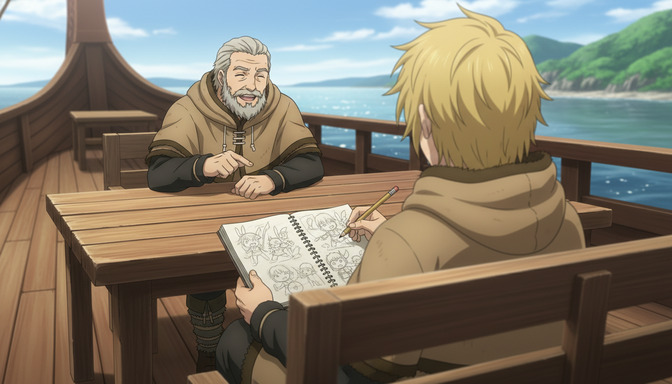
Sign 4: The frame has a clear subject, clear depth, and deliberate framing.
Image-to-video models use the composition of the source frame to determine what to move and how much. A well-composed image with a defined subject, a clear foreground-to-background separation, and intentional framing gives the model enough information to produce organized, coherent motion. A poorly composed image, one where the subject is cut off at an awkward point, where the depth is flat and everything appears to be on the same plane, or where the frame feels like it was cropped arbitrarily, produces video where it is unclear what should move and how far.
Camera framing for video follows the same principles as camera framing for film. A bust shot (shoulders and head) gives the model a tight focus: face and hair move, nothing complex at the edges. A medium shot (waist up) introduces arm movement but keeps the lower frame clean. A full-body shot requires the feet to be grounded on something, a floor, a deck, a rock, with no floating or fading at the bottom of the frame.
The worst framing for video generation is the accidental crop: a character whose hands were cut off at the wrist because the image generator decided the composition ended there, a head partially intersecting with the top edge of the frame, or a character standing in front of a background element that obscures one side of their body without any visual logic for the occlusion. These compositions produce video where the edges of the frame appear to tear or interpolate incorrectly.
Depth cues are the other composition element that matters specifically for video. An image where the character is clearly in the foreground and the background is at a different visual distance, whether through blur, atmospheric haze, or scale difference, gives the model permission to animate the foreground and background at different rates. This is what produces the parallax and depth feel in good image-to-video outputs. A flat image where character and background appear to be on the same plane often produces video where everything moves as one rigid layer, which reads as unnatural.
Sign 5: The background serves the character without generation artifacts.
The background is half of what the video model has to animate. An image with a clean, internally consistent background produces video where the background supports the scene. An image with a background full of generation artifacts produces video where those artifacts breathe, pulse, repeat, and in some cases appear to migrate across the frame as the model tries to maintain temporal consistency through something it cannot fully interpret.
Generation artifacts in backgrounds take several predictable forms. Repeated textures with visible tiling seams: the model produces a wooden wall, but the grain pattern repeats at an obvious interval and the seams are visible as faint lines. Impossible geometry: a staircase that could not exist in physical space, a window that is reflected in a surface where the reflection angle is wrong, beams of light that originate from a direction inconsistent with the visible light source. Text that has been synthesized to look like text but is not legible: signs, labels, books, and screens in AI-generated backgrounds often contain letterforms that are visually convincing but nonsensical, and these letterforms tend to shift and rearrange in video.
Backgrounds that animate reliably: a defocused outdoor setting where the background elements are identifiable but soft (ocean, forest, city skyline), an interior with clean architectural geometry and a limited number of props, a gradient sky with simple cloud shapes. These backgrounds give the model enough to animate without asking it to maintain consistency across complex synthetic details.
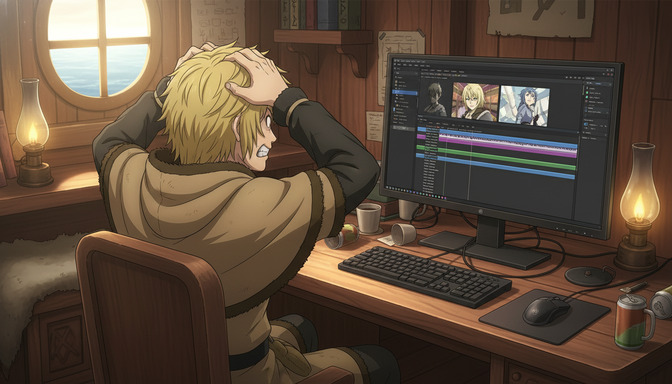
The practical artifact check: look at the background edges where surfaces meet, walls meeting floors, furniture meeting walls, sky meeting horizon. These intersection lines are where AI generation errors concentrate. If they are clean and follow physical logic, the background is likely to animate predictably. If they are blurry, doubled, or geometrically inconsistent, the video model will struggle with them.
Also check for any text or watch faces in the image. These are two categories where generation artifacts are nearly universal in AI images and nearly always disqualifying for video. A clock face with incorrect numerals in a still image becomes a clock face that morphs and shifts in video. Generating a clean background that avoids both of these elements removes two of the most common sources of video instability.
For a deeper look at how to write prompts that produce cleaner images from the start, the guide on writing better AI anime image prompts for consistent results covers every element of the image prompt that maps directly to video quality. If you are working on the video prompt side, the guide on writing better AI anime video prompts without wasting credits covers the motion, camera, and environment instructions that shape what the model does with your image once it starts animating.
Frequently asked questions about evaluating AI anime images for video.
Can I fix a bad image in the video prompt instead of regenerating the still?
In limited cases, yes. A video prompt can guide the model toward specific motion behaviors and away from areas of the frame that are problematic. But the video model does not repair the source image. It animates it. If the source image has a malformed hand, the video prompt cannot instruct the model to correct the anatomy. It can only describe what movement should happen, and the malformed hand will be included in whatever motion is generated. The practical answer is: if the image has a structural problem in the character or background, regenerate the still before running video.
What image resolution and aspect ratio works best for image-to-video generation?
Most image-to-video models perform best with images at or near the resolution and aspect ratio they were trained on, which is typically 16:9 landscape at 1280x720 or higher. Square images can be used but often produce video with added borders or cropping artifacts. Portrait-orientation images (9:16) work well for mobile-format content and are increasingly supported natively by current models. Avoid upscaled images that are visually soft, because the model will attempt to animate the soft edges and the result is often a shimmering border effect around the character.
Do subtle or complex backgrounds always cause video problems?
Not always. A complex background with clean internal logic, consistent geometry, and no generation artifacts can animate well. The issue is not complexity itself but inconsistency. A detailed interior with clean window frames, consistent furniture scale, and no repeated textures will animate more reliably than a simple background with blurry collision points and scale errors. Evaluate the background by its internal consistency, not by how many elements it contains.
How do I know if a facial expression is too subtle for video?
A reliable test: look at the image for two seconds and look away. If you can recall a specific emotional state with confidence, the expression is readable enough for video. If you find yourself uncertain, whether the character is tired or sad or thinking or just calm, the expression is likely too ambiguous. The model will have the same uncertainty, and it will resolve it by averaging across multiple possible states, which produces a face that appears to shift or flatten during the clip.
Should both hands always be visible in the image for best video results?
Not necessarily. One hand well-rendered is better than two hands where one is malformed. If a pose naturally places one hand out of frame or behind the character's back, that is a valid compositional choice and the model will handle it correctly. The issue arises when a hand is partially in frame in an ambiguous state: a hand that is half-visible behind a hip, a hand that fades out at the wrist, or a hand that is implied but not shown where the model might try to animate the implied portion. Either show the hand fully or keep it fully out of frame.
Does the art style affect how well an image animates?
Yes, noticeably. Art styles with clean, well-defined linework, distinct color blocking, and high contrast between character and background tend to animate better than styles with heavy texture, painterly blending, or soft edges throughout. The model uses the linework and color boundaries to determine what is foreground, what is background, and what is the character. Clean linework gives it clear signals. Heavy texture and soft blending throughout the image make those boundaries harder to read, which can produce video where the character and background appear to merge during motion.
How many times should I regenerate a still before accepting it for video?
Until it passes all five checks. One generation that is mostly right but has a malformed hand, an artifact-ridden background, or an ambiguous expression will likely produce a video that has those same problems amplified. The generation cost of producing a clean still is small compared to the credit cost of running an unsatisfactory video generation. Spend time on the image. The video is then a much more predictable outcome.
Related Blog Posts
Generate Story Ideas With AI Before Building Your Anime Storyboard
The storyboard cannot tell a story the idea never finished building. Start with inspiration, not panels.
Learn how to generate AI story ideas before you storyboard. Genre-first, character-first, world-first methods with examples for romance, action, horror, and more.
How to Create a Character Arc Before Storyboarding Your Anime Story
The character arc is not something you add after the storyboard. It is the decision that makes every panel in the storyboard necessary.
Learn how to create a character arc before storyboarding your anime story. Covers positive, negative, and flat arcs, internal vs external conflict, and character wants vs needs.
How to Pick Anime Story Tropes That Make Your Storyboard More Engaging
The story tropes that do not just decorate your script — they dictate every panel order, shot distance, and emotional beat on the storyboard.
Learn how to pick anime story tropes that strengthen your storyboard. A step-by-step framework covering character tropes, writing tropes, and story ideas with AutoWeeb.
How to Write a Script With AutoWeeb's AI Story Agent
The script is not a step you skip on the way to the storyboard. It is the map that makes every panel in the storyboard necessary.
Learn how to write a script with AutoWeeb's AI story agent. Complete workflow: story idea, genre, tropes, characters, script generation, scene refinement, and storyboard panels.
Explore AutoWeeb
Jump into the tool that fits your creative step.
AI Anime Video Generator
Animate storyboard shots into cinematic clips with Seedance 2 and consistent characters.
Anime Character Creator
Design original characters with consistent sheets across every scene.
AI Anime Image Generator
Generate cinematic anime stills anchored to your character library.
Turn Photo Into Anime
Upload any photo and watch AI turn it into stunning anime art in seconds.
AI Anime Location Generator
Create a location set once, then generate reference images from every angle.
AI Anime Storyboarding
Describe your idea, pick your characters, and let AI draft the script and scenes.
AI Anime Prompt Agent
Turn a rough idea into a cinematic Seedance 2 prompt with the AI Director.