
AutoWeeb vs LTX Studio: The Better AI Storyboarding Platform for Anime Creators
LTX Studio is a capable film production tool. AutoWeeb is the platform that was actually built for anime storytelling.
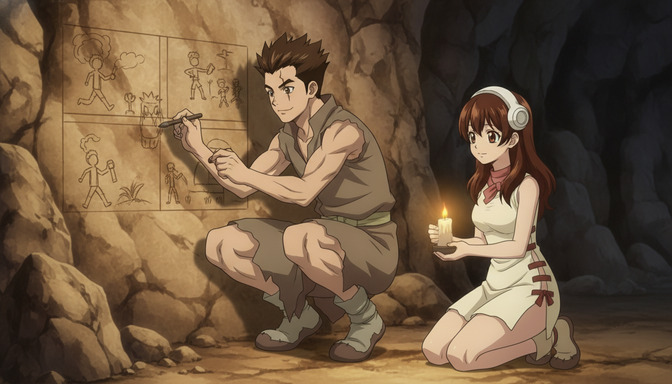
Both AutoWeeb and LTX Studio offer storyboarding. That is where the overlap ends. LTX Studio was designed for live-action-style film production: script to shot list to cinematic video, built for directors, brand studios, and content teams who think in terms of camera rigs and shot types. AutoWeeb was designed for anime creators building original stories with recurring characters, multi-scene narratives, and anime-specific visual systems.
If you are an anime creator trying to figure out which platform actually fits what you want to build, this comparison will give you a direct answer. LTX Studio has real strengths in its lane. For anime storytelling with consistent characters and a workflow that thinks the way anime production actually works, AutoWeeb is the better platform by a significant margin.
What LTX Studio Does
LTX Studio is an AI film production platform built by Lightricks. Its core promise is taking a script or concept and translating it into a storyboarded shot list with generated video clips — a production pipeline for directors who want to move from idea to footage without a full crew. The interface is designed around cinematic thinking: scene structure, shot types, camera movement, and character placement within a frame. For filmmakers who work in live-action conventions, it is a genuinely useful tool for rapid pre-visualization and content generation.
LTX Studio also introduced character consistency features that let you define a subject and attempt to carry their appearance across multiple generated clips. The platform supports text-to-video generation, reference image uploads, and scene-level planning that gives it more structure than a raw prompt-to-video tool.
LTX Studio's Strengths for Filmmakers
The platform excels at cinematic pre-visualization. Filmmakers can take a script, break it into scenes, assign shot types, and generate rough video passes that communicate visual intent to a collaborator or client. LTX Studio's scene planning interface is intuitive for people who already think in terms of coverage: wide shot, medium, close-up, over-the-shoulder. The video generation quality for cinematic, realistic subjects is solid, and the ability to plan multiple shots within a scene before generating anything is genuinely useful for production planning.
For brand studios, advertising teams, and independent filmmakers working in a live-action aesthetic, LTX Studio addresses a real workflow problem: how to visualize and communicate a production concept before committing to a shoot. In that specific lane, it is a capable tool.
Where LTX Studio Falls Short for Anime Creators
The anime aesthetic problem
LTX Studio's generation models are trained for cinematic realism. Anime is not realistic. The expressive linework, flat color fills, stylized proportions, and specific visual shorthand of anime aesthetics — the way a character's eyes communicate emotion in a single frame, the exaggerated motion blur on a fast punch, the deliberate flatness of a Slice-of-Life palette — are not what LTX Studio was optimized to produce. Getting consistently anime-looking output requires aggressive prompting that pushes against the model's defaults, and the results are unpredictable.
More importantly, there is no anime style library. You cannot select "Shonen," "Seinen," or "Ghibli-inspired" as a foundation and build from there. Every generation starts from a cinematic realism baseline, which means anime creators spend significant effort fighting the model's defaults rather than directing their story.
Character consistency issues across anime projects
LTX Studio's character consistency features are built around real human subjects. You upload a reference photo of a person — a real face with realistic proportions, natural skin tones, and photographic detail — and the model attempts to maintain that likeness across multiple clips. Anime original characters work differently. The precise shade of a protagonist's cobalt-blue hair, the exact shape of her wide eyes, the silhouette of her school uniform, the small scar above her left eyebrow: these are the visual anchors that make an anime character recognizable, and they are not the kind of details LTX Studio's consistency system was trained to preserve.
In practice, anime characters generated through LTX Studio drift quickly across multi-scene projects. A character who looks right in scene two looks like a different person in scene five. For a one-off clip, that may be acceptable. For an anime story with a protagonist who appears across ten or twenty scenes, it is a structural problem with no platform-level solution.
Why storyboards matter differently for anime animation
Film storyboarding and anime storyboarding share the basic logic of sequential visual planning, but they solve different problems. A live-action storyboard communicates shooting intent to a crew. An anime storyboard is a production document that determines the visual identity of every scene: character positioning, emotional beat, background atmosphere, and the specific visual information that will carry through to generation. In anime, the storyboard is not a rough approximation of a scene you will capture later. It is the precise plan for what will be generated.
LTX Studio's storyboard system is designed around the first kind of thinking. It maps well to live-action shot planning. It does not support the character-anchoring, scene-level emotional tagging, and sequential visual continuity that anime storyboarding requires. When you move from storyboard to generation in LTX Studio, the connection between your planned scene and your characters is a manual process that you rebuild from scratch for every clip.
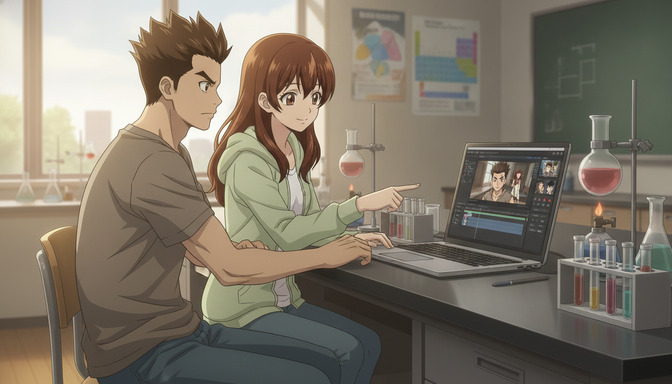
AutoWeeb's Anime-Focused Storyboard System
AI-assisted script generation
AutoWeeb's story pipeline begins before the storyboard. The AI script generation tool lets you input a story concept — genre, protagonist, central conflict, tone — and generates a structured script with scene breaks, character beats, and narrative arc built in. For an anime creator who has a strong visual sense but finds scriptwriting difficult, this eliminates the blank-page problem. You start with a working narrative document rather than an empty storyboard.
The script generation is designed around anime story structures: the setup episode, the tension arc, the character revelation scene. It understands that a slow-burn rivalry has different scene requirements than a tournament bracket, and it generates accordingly. The guide on creating your first AI anime story step-by-step covers the full script-to-storyboard-to-generation pipeline.
Scene and shot organization
Inside AutoWeeb's storyboard tool, scenes are first-class objects. Each scene has its own panel in the storyboard interface, with fields for the location, time of day, emotional tone, and the specific action that takes place. Shots within a scene can be planned as sub-panels with camera angle and character placement specified before any generation happens. The storyboard is a production plan, not a mood board. When you move to generation, you are executing that plan rather than reconstructing it from memory.
This matters for anime specifically because anime episodes are built from dozens of discrete shots that have to feel cohesive. The storyboard system forces you to think through the visual logic of each scene before spending credits on generation — and it saves that logic inside the project so you can return to it, adjust it, and regenerate specific panels without losing the surrounding context.
Character tagging workflows
AutoWeeb's storyboard panels connect directly to the character library. When you add a character to a scene, you tag them from your saved character sheets rather than redescribing them from scratch. The storyboard knows who is in each panel, which means when you generate, the model draws from the saved character reference automatically. You do not rewrite your protagonist's hair color and eye shape in every prompt. The tagging system carries that information throughout the production.
This is the mechanism that makes character consistency across a long project achievable. The guide on creating multi-character anime scenes using character sheets covers how to set up and tag multiple characters so they stay consistent across every scene.
Image and video generation inside storyboards
Generation in AutoWeeb happens inside the storyboard, not in a separate tool. You plan a panel, tag your characters, specify the shot, and generate the image directly in context. If the result is close but not quite right, you adjust the panel description and regenerate — you never lose track of where that panel sits in the overall story sequence.
Once the image is approved, it becomes the source for video generation. AutoWeeb's two-stage pipeline — image first, video second — produces more consistent anime animation than direct text-to-video prompting because the composition, character positioning, and lighting are already locked in the image. The video stage adds motion to a frame that is already correct. For the technical details on getting strong results from this pipeline, the guide on turning an anime image into a video with AI covers every stage.
Workflow Comparison
The fundamental difference between these platforms is where their workflows begin and end. LTX Studio starts with a script and works toward cinematic video. AutoWeeb starts with an anime character and works toward an anime story. The intermediate steps in each platform reflect those different starting points.
In LTX Studio, the workflow is: script a scene, plan shots as a filmmaker, generate video clips, and then attempt to maintain character consistency across them — a step that is bolted onto a system that was not originally designed for it. In AutoWeeb, the workflow is: create a character and save their reference, write a story with AI assistance, build a storyboard that tags characters into scenes, generate images from storyboard panels, and convert those images to video. Character consistency is not an afterthought. It is built into every step.
For a creator who wants to make a single impressive clip for social media, that difference may not matter. For a creator building a story with a protagonist who grows across ten scenes, it is the difference between a production that holds together and one that keeps breaking down.
Feature Comparison
| Feature | AutoWeeb | LTX Studio |
|---|---|---|
| Anime-specific art styles | Yes — curated anime style library | No — optimized for cinematic realism |
| Character sheet system | Yes — save and reuse across all scenes | No dedicated character sheet workflow |
| Character consistency for anime OCs | Yes — reference anchoring built into every generation | Partial — designed for realistic human subjects |
| Storyboard tool | Yes — anime-native scene and shot planning | Yes — designed for live-action filmmaking |
| Character tagging in storyboard panels | Yes — tag saved characters into any panel | No |
| AI script generation | Yes — anime story structures supported | Basic scene description support |
| Image-to-video pipeline | Yes — structured two-stage anime workflow | Yes — designed for cinematic live-action |
| Generation inside the storyboard | Yes — generate images and video in context | Partial — clip generation tied to scene planning |
| Photo-to-anime conversion | Yes — dedicated workflow | No |
| Multi-character scene support | Yes — tag multiple characters per panel | Limited |
| Cinematic live-action video | No | Yes — core strength |
| Starting price | $9.99/month | ~$32/month (Creator plan) |
Pricing Breakdown
LTX Studio's Creator plan starts at approximately $32 per month, with higher tiers for teams and professional studios. The pricing reflects its positioning as a professional film production tool — it is priced for brand studios and production companies rather than individual anime creators working on original projects.
AutoWeeb's paid plans start at $9.99 per month with a free trial that includes access to core features: character creation, storyboarding, image generation, and video generation within a single workspace. For individual anime creators and small teams, AutoWeeb's pricing is significantly more accessible. More importantly, every feature at each tier is directly relevant to anime storytelling. You are not paying for cinematic live-action video capabilities you will never use.
For a solo creator building an original anime series, the pricing difference over a year is meaningful — and the workflow difference is even more so.
Which Creators Should Use Each Platform
Choose AutoWeeb if you are:
- Building an anime story with recurring characters who appear across multiple scenes
- Creating an original anime series, short film, or episodic content with a defined cast
- Prioritizing character consistency — your protagonist needs to look recognizably the same from scene one through scene fifteen
- Working through a complete story pipeline: character, script, storyboard, image, video — all in one platform
- Wanting a curated anime art style library instead of fighting a cinematic realism model
- Converting real photos into storable anime character references for your cast
- A solo creator who needs a complete anime production workflow at an accessible price
Choose LTX Studio if you are:
- A filmmaker or brand studio producing cinematic, photorealistic video content
- Pre-visualizing a live-action shoot and need shot-planning tools that map to real camera workflows
- Creating advertising or commercial content where realism is the requirement, not anime aesthetics
- Making one-off cinematic clips rather than multi-scene anime narratives with recurring characters
Final Verdict
LTX Studio is a well-built tool for what it was designed to do. Cinematic pre-visualization, live-action-style video production, brand content — it handles those workflows with real capability. If that is your work, it deserves serious consideration.
If your goal is anime storytelling, LTX Studio was not built for you. The character consistency system cannot reliably maintain an anime original character across a multi-scene story. The storyboard tool thinks in live-action shot types, not anime scene logic. There are no anime art styles in the library. The pricing is calibrated for professional production studios, not individual anime creators. Every one of these gaps is a structural limitation rooted in the fact that the platform was designed for a different medium and a different audience.
AutoWeeb was built for anime from the ground up. The character sheet system anchors visual identity across an entire production. The storyboard connects planning to generation inside a single workspace. The AI script generation understands anime story structures. The character tagging system means you never have to redescribe your protagonist's appearance from scratch. The image-to-video pipeline produces anime animation that is consistent because it was designed as a two-stage system, not a one-prompt gamble.
For anime creators who want to build stories, scenes, and videos in one platform — with recurring characters and a workflow that holds together from concept to final clip — AutoWeeb is the better platform. It is not a close comparison.
Frequently Asked Questions
Can LTX Studio generate anime-style content?
LTX Studio can produce stylized video, but its generation models are optimized for cinematic realism, not anime aesthetics. Getting anime-looking output requires significant prompt engineering that pushes against the model's defaults, and the results are inconsistent — especially for original anime character designs with stylized proportions and non-realistic color palettes. There is no dedicated anime style library or anime-trained generation model in the platform.
Does LTX Studio have character consistency for anime original characters?
LTX Studio offers character consistency features, but they are built around photorealistic human subjects — a real person's face and likeness captured in a reference photo. Anime original characters have different visual anchors: a specific hair color, eye shape, outfit silhouette, and stylized features that the model was not trained to preserve. In practice, anime OCs generated through LTX Studio drift noticeably across multi-scene projects, with hair colors shifting, eye shapes changing, and outfit details wandering between clips.
What is the difference between AutoWeeb and LTX Studio?
AutoWeeb is an anime storytelling platform. LTX Studio is a cinematic film production tool. AutoWeeb is built around anime character sheets, an anime-native storyboard system, AI script generation tuned for anime story structures, and an image-to-video pipeline designed for anime consistency. LTX Studio is built around live-action shot planning, cinematic video generation, and pre-visualization for real-world film and brand production. The two platforms are solving different problems for different audiences.
Which platform is better for storyboarding an anime series?
AutoWeeb. Its storyboard system is designed specifically for anime production: you plan scenes with tagged characters from your saved character library, specify emotional beats and shot compositions, generate images directly from storyboard panels, and convert those images to video — all within the same workspace. LTX Studio's storyboard is designed for live-action filmmaking conventions, which means the tools and mental models it uses are not aligned with how anime storytelling actually works.
Can AutoWeeb generate video inside the storyboard?
Yes. AutoWeeb's generation happens in context, not in a separate tool. You build a storyboard panel, tag your characters, specify the scene and shot, generate the image, review it, and then convert that approved image to video — all without leaving the storyboard workspace. The panel remembers its place in the story sequence, and your character references carry through the generation automatically.
Is AutoWeeb cheaper than LTX Studio?
Yes. AutoWeeb's paid plans start at $9.99 per month with a free trial. LTX Studio's Creator plan starts at approximately $32 per month. For individual anime creators, AutoWeeb is significantly more accessible — and every feature at each tier is directly relevant to anime storytelling rather than general-purpose film production. The guide on writing better AI anime prompts and stopping wasted credits will help you get the most out of every generation credit.
What makes AutoWeeb's storyboard better for anime creators than LTX Studio's?
Three things. First, AutoWeeb's storyboard tags your characters from a saved library, so every panel knows who is in it and draws from the correct character reference automatically. Second, the storyboard connects directly to image and video generation inside the same workspace, so you are never rebuilding context when you move from planning to production. Third, the storyboard is designed around anime scene logic — emotional beats, character-driven moments, sequential visual continuity — rather than the shot-type conventions of live-action filmmaking.
Can I use AutoWeeb if I have never written an anime script before?
Yes. AutoWeeb's AI script generation tool handles the structural work of building a story from a concept. You input your genre, protagonist, central conflict, and tone. The tool generates a working script with scene breaks and character beats. From there, the storyboard and character tagging system guide you through what to plan and generate at each step. You do not need screenwriting experience to produce a coherent anime story.
For a complete walkthrough of the AutoWeeb story pipeline from character creation to finished animated scene, the guide on creating your first AI anime story step-by-step covers every stage. For maintaining character consistency through the video generation stage specifically, the guide on maintaining character consistency in Seedance 2.0 videos has the techniques you need.
Related Blog Posts

How to Create Cinematic AI Anime Videos That Look Professional (Not Cheap AI Animation)
The gap between amateur AI animation and cinematic anime video is not the tool. It is every decision made before you press generate.
Learn how to create cinematic AI anime videos that look professional. Covers source images, character consistency, camera movement, shot composition, lighting, and storyboarding.

How to Turn an Anime Image Into a Video With AI in 2026
The quality of your anime video is decided before you generate a single frame. It is decided when you create your image.
Learn how to turn an anime image into a video with AI in 2026. Step-by-step guide covering image creation, prompt writing, camera movement, character actions, and building complete anime sequences.
From Character to Storyboard: Create Your First AI Anime Story Step-by-Step
Most people want to make an anime story but don't know where to start. Start here.
Create your first AI anime story from scratch. Step-by-step guide covering character design, story concept, script writing, storyboarding, image generation, and video generation with AutoWeeb.

How to Maintain Character Consistency in Seedance 2.0 Videos
The character who looks perfect in scene one should look exactly the same in scene seven. That does not happen by accident.
Learn how to maintain character consistency in Seedance 2.0 videos. Character sheets, reference images, prompt techniques, and storyboarding for multi-scene anime projects.
Explore AutoWeeb
Jump into the tool that fits your creative step.
AI Anime Video Generator
Animate storyboard shots into cinematic clips with Seedance 2 and consistent characters.
Anime Character Creator
Design original characters with consistent sheets across every scene.
AI Anime Image Generator
Generate cinematic anime stills anchored to your character library.
Turn Photo Into Anime
Upload any photo and watch AI turn it into stunning anime art in seconds.
AI Anime Location Generator
Create a location set once, then generate reference images from every angle.
AI Anime Storyboarding
Describe your idea, pick your characters, and let AI draft the script and scenes.
AI Anime Prompt Agent
Turn a rough idea into a cinematic Seedance 2 prompt with the AI Director.