
AutoWeeb vs PixVerse: Which AI Video Generator Is Better for Anime Storytelling?
PixVerse generates fast, fun anime-adjacent clips. AutoWeeb is the platform built for creators making actual anime stories with recurring characters.
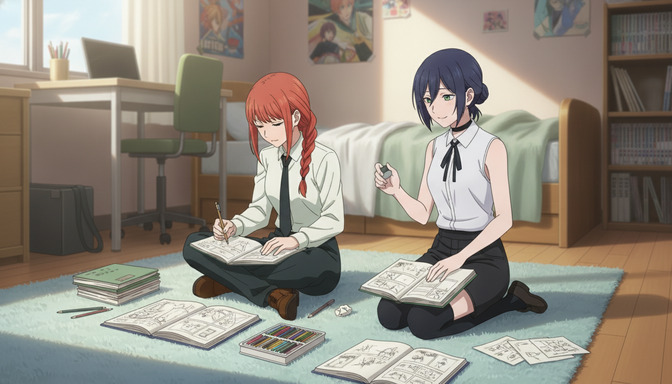
PixVerse has built a real following. Its video generation is fast, its interface is accessible, and for users who want to produce short-form anime-adjacent clips without much setup, it delivers. A stylized character in motion, a quick transformation effect, a brief atmospheric scene — PixVerse can produce those in seconds, and the results are polished enough to share. That is a genuine capability.
But the moment you try to use it for anime storytelling — a protagonist who needs to look identical across fifteen scenes, a cast of recurring characters, a storyboard connecting an emotional arc from the cold open to the finale — the limitations of a clip generator become impossible to ignore. Anime is not a highlight reel of unrelated moments. It is a story, told through characters whose visual identity the audience tracks from the first frame to the last. Building that kind of story requires a platform designed for it. PixVerse was not designed for it.
What PixVerse Is
PixVerse is an AI video generation platform developed by PixVerse AI, focused on fast text-to-video and image-to-video generation with a strong emphasis on accessibility and speed. It gained attention for its clean web interface, quick generation times, and output quality that landed well in short-form social media contexts — particularly for stylized or animated content. PixVerse supports a range of visual styles, including anime-adjacent outputs, and added character consistency features intended to let users carry a subject's appearance across multiple clips.
The platform is built around a simple content creation loop: write a prompt or upload a reference image, select a style, generate a clip, share or download. The friction is deliberately low. For users who want to produce content quickly without learning a complex workflow, PixVerse keeps the path from idea to video as short as possible. It operates as a standalone video generation tool — there is no script system, no storyboard, no project workspace, and no mechanism for organizing multi-scene creative work.
PixVerse's Strengths for Video Generation
Speed is PixVerse's most notable advantage. Generation times are fast relative to many competitors, which makes iteration practical when you are trying to find the right motion or refine a specific visual beat. For a platform optimized for short-form content where the feedback loop needs to be tight, that speed is a real differentiator.
The platform's anime-adjacent style outputs are another genuine strength. PixVerse has invested in stylized generation modes that produce outputs closer to anime aesthetics than most general-purpose video generators, without requiring significant prompt engineering to get there. For creators who need a clip that reads as anime without needing to define and preserve a specific art style across a project, PixVerse's defaults are a reasonable starting point.
The image-to-video pipeline is also capable for isolated use cases. Upload a finished image, describe the motion you want, and PixVerse will animate it into a short clip with reasonable fidelity to the source composition. For single-shot social content — a character reacting, a scene transitioning, an effect playing out — it is a fast and accessible tool.
Where PixVerse Falls Short for Anime Storytelling
No infrastructure for long-form stories
PixVerse has no story architecture. There is no script tool, no storyboard interface, no scene organization system, and no multi-scene project workspace. Every clip is generated independently. When you finish one clip and begin the next, you are starting from a blank slate — no context, no character memory, no connection to what came before. For a single viral video or a social post, this is fine. For an anime story with an emotional arc, a defined cast, and scenes that need to build on each other, it is not a workflow. It is a series of isolated generation tasks you are manually trying to stitch into coherence.
The absence of story infrastructure also means there is nowhere to store your creative work as a project. Scene notes, character descriptions, shot order, narrative context — none of it exists inside PixVerse. Each generation session begins with no memory of the sessions before it, which means every time you return to a multi-scene project, you are reconstructing it from scratch.
Character consistency challenges for anime original characters
PixVerse offers a character consistency feature, but it was designed primarily around photorealistic human subjects. The system extracts a visual signature from a reference image and attempts to carry the subject's appearance across clips. For real people in realistic styles, this works reasonably well. For anime original characters, the results drift.
Anime OCs are defined by specific invented visual properties that a photorealism-adjacent consistency model was not trained to preserve: a precise shade of violet-silver hair that signals the character's supernatural lineage, the steel-gray eyes that read as cold in one scene and mournful in another, the fitted navy uniform with a specific collar that marks her faction in the story. These are not variations on a real person's appearance. They are the deliberate visual vocabulary of an original character, and they need to be preserved exactly, not approximately, across every scene where the character appears.
In practice, anime OCs generated through PixVerse's consistency system drift noticeably between clips. Hair color shifts. Eye shape changes. Outfit details wander. The model is making its best approximation from tools designed for a different problem. A single clip in isolation looks acceptable. A twelve-scene anime story where the protagonist looks slightly different in each scene looks like twelve different characters wearing similar clothes.
Why anime creators need something different
Visual consistency in anime is not an aesthetic preference. It is the mechanism by which the audience tracks the story. When a character's design drifts between scenes, viewers stop following the narrative and start questioning whether they are watching the same character. That cognitive friction breaks emotional investment, which is the entire foundation of why anime storytelling works.
Traditional anime production solves this with pre-production documents: character sheets that define every visual property of every character in the series, which every animator references throughout production to ensure the protagonist looks identical in episode one and episode twenty-four. An AI platform that cannot replicate this function is not a story-building tool. It is a clip generator. Both are useful. Only one is built for anime.
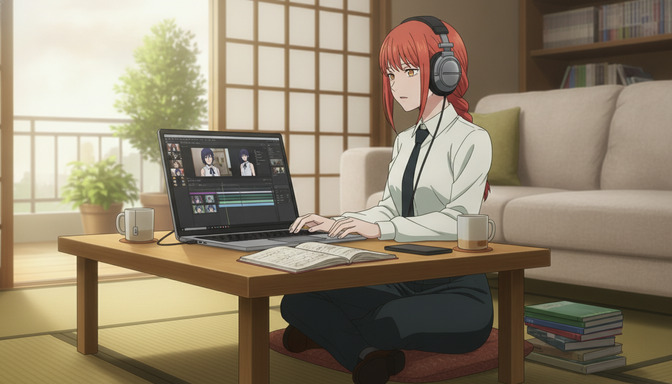
AutoWeeb's Anime-First Approach
AutoWeeb character sheets: building persistent visual identity
AutoWeeb's workflow begins with the character sheet, a dedicated system for defining and saving the complete visual identity of an anime character. Hair color with specific tonal description, eye shape and color, outfit details, distinguishing marks, body type, and the aesthetic register that places the character in their genre. Once saved, the character sheet becomes a persistent reference that every subsequent generation draws from automatically. You define your protagonist once. The platform uses that definition every time she appears, across every scene in every session.
This is the structural difference that makes multi-scene anime production possible. When you move from scene three to scene eleven, your character's visual identity is not re-derived from a prompt you hope is precise enough. It is loaded from the saved reference. The guide on creating your first AI anime story step-by-step covers the full character sheet setup process and how it connects to the rest of the production pipeline.
Storyboards and scene planning built for anime production
AutoWeeb's storyboard is not a mood board or a rough sketch tool. It is a production document. Each scene has dedicated fields for location, time of day, emotional tone, and the specific action being depicted. Shots within a scene are organized as sub-panels with camera angle and character positioning planned before any generation happens. Characters are tagged from the saved character library rather than described from scratch in each panel. The storyboard knows who is in each shot, which means the generation system knows who is in each shot.
The storyboard also functions as the project's memory. Scene notes, shot descriptions, character tags, narrative context: all of it persists inside the workspace. Return to a project after a week and the context is still there, exactly as you left it. Nothing needs to be rebuilt from memory. For creators working on projects that span multiple sessions, that continuity is the difference between a project that holds together and one that loses coherence every time you come back to it.
Image-to-video workflow designed for anime
AutoWeeb's image-to-video pipeline is a deliberate two-stage system. First, generate and approve the composition as an image: character positioning, lighting, emotional expression, scene framing — all locked in before any video generation begins. Then convert the approved image to video inside the storyboard workspace. Because the composition is already correct when the video generation starts, the resulting animation begins from a frame that is already right rather than hoping a direct text-to-video prompt produces the intended result on the first attempt.
The two-stage approach also integrates with the character sheet system. When the image stage draws from a saved character reference, the character's visual identity is locked into the composition before the video generation begins. The full explanation of why this matters for anime consistency is in the guide on turning an anime image into a video with AI in 2026.
Building complete anime stories
AutoWeeb's generation system is built for anime, not adapted from a general-purpose video model. The platform includes a curated anime art style library: Shonen action styles with the high-contrast linework and kinetic energy of a tournament arc; Slice-of-Life palettes with the soft ambient light and quiet warmth of an after-school scene; Seinen aesthetics with the dense environmental detail and restrained color temperature of a psychological thriller. You select a style as a foundation and build from there, rather than fighting a cinematic realism model into producing anime-looking output.
The AI script generation tool understands anime story structures. Three-act arcs, cold opens, reveal scenes, emotional climaxes placed on the correct beat: the script tool generates story scaffolding that reflects how anime is actually written, not how a generic story generator thinks stories work. From character sheet to completed animated scene, every stage of the pipeline exists inside a single workspace designed around the specific creative problems anime storytelling presents.
Feature Comparison
| Feature | AutoWeeb | PixVerse |
|---|---|---|
| Anime-specific art styles | Yes — curated anime style library | Partial — anime-adjacent defaults, not a dedicated library |
| Character sheet system | Yes — save and reuse across all scenes | No |
| Character consistency for anime OCs | Yes — reference anchoring across every scene | Partial — designed for photorealistic subjects, drifts on anime OCs |
| Storyboard tool | Yes — anime-native scene and shot planning | No |
| Character tagging in storyboard | Yes — tag saved characters into any panel | No |
| AI script generation | Yes — anime story structures supported | No |
| Image-to-video pipeline | Yes — two-stage anime workflow | Yes — fast and accessible |
| Generation speed | Good | Very fast — a genuine strength |
| Multi-scene project workspace | Yes — full project context saved | No |
| Photo-to-anime conversion | Yes — dedicated workflow | No |
| Multi-character scene support | Yes — tag multiple characters per panel | Limited |
| Starting price | $9.99/month | Free tier available; paid plans from ~$8–$20/month |
Pricing Comparison
PixVerse offers a free tier with limited generation credits and paid plans starting around $8–$10 per month, scaling to higher tiers for more volume. The credit system means heavy users — particularly those iterating through multiple versions of the same clip — can exhaust monthly allocations quickly. The tool you are paying for is video generation: fast, accessible, standalone. There is no story infrastructure included at any tier because the platform was not designed to provide it.
AutoWeeb's paid plans start at $9.99 per month, with a free trial that includes the full workflow: character creation, storyboarding, scene planning, image generation, and video generation inside a single workspace. At a comparable price point, you are getting the complete anime story production toolkit, not video generation alone. For anime creators who need to manage characters, plan scenes, generate images, and produce video as part of a connected project, AutoWeeb's pricing reflects a substantially different scope of capability than PixVerse's entry tier.
For tips on getting more out of every generation credit across any platform, the guide on writing better AI anime prompts and stopping wasted credits covers the core discipline that separates efficient anime creators from ones who burn credits on avoidable iteration.
Creator Recommendations: Which Platform Fits Your Goals
Choose AutoWeeb if you are:
- Building an anime story with recurring characters who must look consistent across multiple scenes
- Creating an original anime series, short film, or episodic content with a defined cast
- Working through a complete production pipeline: character design, script, storyboard, image, video — all in one platform
- Converting real photos into storable anime character references for your cast
- Wanting a curated anime art style library as a generation foundation rather than a general-purpose model
- A solo creator who needs the full anime production workflow at an accessible price point
- Planning a multi-scene project that needs to hold together across multiple sessions
Choose PixVerse if you are:
- Creating standalone short-form anime-adjacent clips for social media or portfolio posts
- Looking for fast generation with minimal workflow setup for one-off content
- Producing content where approximate anime aesthetics are sufficient and character-level consistency across scenes is not required
- Experimenting with AI video generation and want a low-friction entry point before committing to a full production pipeline
Pros and Cons
AutoWeeb
Pros:
- Character sheet system anchors visual identity across every scene in a project
- Anime-native storyboard connects planning to generation inside a single workspace
- Curated anime art style library — no prompt engineering required to achieve anime aesthetics
- Complete story pipeline: character, script, storyboard, image, video, all in one platform
- Character tagging means characters never need to be redescribed from scratch
- Photo-to-anime conversion for building a cast from real references
- Project context persists across sessions — no rebuilding lost context
- Accessible pricing with the full workflow at the entry tier
Cons:
- Not optimized for photorealistic or cinematic video outside the anime aesthetic
- The full workflow has more steps than a direct text-to-video tool — by design, but worth knowing going in
PixVerse
Pros:
- Fast generation times — a genuine advantage for iterating on standalone clips
- Low-friction interface accessible to users without production experience
- Anime-adjacent style outputs that require minimal prompt engineering for casual use
- Free tier available for experimentation
Cons:
- No story infrastructure: no storyboard, no scene planning, no script tool, no project workspace
- Character consistency system drifts on anime OCs — designed for photorealistic subjects
- No character sheet system — every clip requires describing your character from scratch
- No multi-scene project workspace — each clip is generated in isolation with no memory of previous sessions
- No dedicated anime art style library — anime-adjacent defaults are not the same as anime-native generation
- No photo-to-anime conversion for building a storable character reference from real images
Final Verdict
PixVerse is a capable tool for what it was designed to do. Fast generation, low friction, accessible for short-form social content — if your creative goal is a striking standalone clip or a quick anime-adjacent video for a post, PixVerse can get you there without much setup. That is a legitimate use case, and PixVerse serves it well.
But if your goal is anime storytelling, the limitations are structural and not fixable by prompting harder. PixVerse has no storyboard. No character sheets. No anime style library. No project workspace. Its character consistency system was built for photorealistic subjects and drifts on anime OCs. There is no mechanism for carrying a story across multiple scenes, because the platform was not built for that problem. These are not gaps you can work around. They are architectural realities of a product designed for short-form clip generation.
AutoWeeb was built for anime storytelling from the ground up. The character sheet system preserves visual identity across every scene in a project. The storyboard connects planning to generation inside a workspace that holds context across sessions. The AI script generation understands anime story structures. The anime art style library gives you a generation foundation that knows what Shonen action looks like and what a Slice-of-Life palette does to the mood of a scene. The two-stage image-to-video pipeline produces consistent anime animation because composition and character identity are locked in before video generation begins.
For anime creators building stories with recurring characters — not just generating clips — AutoWeeb is the better platform. The comparison is not close.
Frequently Asked Questions
Can PixVerse generate anime-style video?
PixVerse can produce anime-adjacent video output, and its default style modes are closer to anime aesthetics than most general-purpose video generators. For standalone clips where approximate anime style is sufficient, it is a reasonable option. However, PixVerse does not have a dedicated anime art style library, and the outputs vary inconsistently across generations. Achieving specific anime genre aesthetics — the high-contrast linework of a Shonen action scene versus the muted warmth of a Slice-of-Life scene — requires significant prompt engineering that PixVerse was not designed to simplify.
Does PixVerse support character consistency for anime original characters?
PixVerse offers character consistency features, but they were designed around photorealistic human subjects. The system extracts a visual signature from a reference image and carries it across clips, which works reasonably well for realistic people. Anime original characters have different visual anchors — a specific invented hair color, stylized eye shape, non-realistic proportions, a costume with faction-specific details — that the system was not trained to preserve. In practice, anime OCs drift across multi-clip projects: hair color shifts, eye shape changes, outfit details wander. For a standalone clip the drift is tolerable. For an anime story with recurring characters, it is a structural problem.
What is the difference between AutoWeeb and PixVerse?
AutoWeeb is an anime storytelling platform. PixVerse is a video generation tool. AutoWeeb includes character sheets, an anime-native storyboard, AI script generation, scene planning, and a complete story production pipeline designed around the specific creative problems anime storytelling presents. PixVerse is focused on generating short video clips quickly from text or image prompts, with no story infrastructure around that generation capability. AutoWeeb is for creators building anime stories with recurring characters across multiple scenes. PixVerse is for creators producing standalone clips for short-form content.
Is AutoWeeb better than PixVerse for anime?
For anime storytelling with recurring characters, yes — by a significant margin. AutoWeeb's character sheet system, storyboard, anime style library, and complete story pipeline are all specifically designed for the problems anime creators face. PixVerse is a fast and accessible video generator, but it has none of the story infrastructure that makes multi-scene anime production possible. For casual short-form clips, PixVerse is a usable tool. For building an anime story with a defined cast and an emotional arc across scenes, AutoWeeb is the platform designed for that work.
How does AutoWeeb maintain character consistency across anime scenes?
AutoWeeb's character sheet system saves the complete visual definition of an anime character — hair color, eye shape, outfit details, distinguishing marks, aesthetic register — as a persistent reference inside the platform. When you tag that character into a storyboard panel, the generation system draws from the saved reference automatically. You do not redescribe your protagonist in every prompt. The character's visual identity is anchored at the platform level and carried through every scene where they appear. The guide on maintaining character consistency in Seedance 2.0 videos covers the technical side of the video generation stage in detail.
Does AutoWeeb have a storyboard tool?
Yes. AutoWeeb's storyboard is a production document designed specifically for anime: each scene has fields for location, time of day, emotional tone, and the specific action in the shot. Characters are tagged from your saved character library rather than described from scratch in each panel. Shots within scenes are organized as sub-panels with camera angle and positioning planned before generation. Image and video generation happen directly inside the storyboard — you never leave the workspace to produce a clip, and the panel carries its place in the story sequence throughout the entire process.
How does AutoWeeb's pricing compare to PixVerse?
AutoWeeb's paid plans start at $9.99 per month, including the full workflow: character creation, storyboarding, scene planning, image generation, and video generation. PixVerse offers a free tier with limited credits and paid plans starting around $8–$10 per month, scaling up for higher generation volume. At a comparable price point, AutoWeeb provides the complete anime story production toolkit. PixVerse provides video generation alone. For anime creators who need more than a clip generator, AutoWeeb's pricing includes substantially more of what the creative process actually requires.
Can I use PixVerse to make a full anime episode?
Technically you can generate a series of PixVerse clips and edit them together into something episode-length — but PixVerse provides no tools to help you do that. There is no storyboard, no script, no scene organization, no character memory across clips. Each clip is generated in isolation, which means character consistency degrades across the episode, narrative context is carried entirely in your own head, and there is no production workspace holding the project together. For a full anime episode with a consistent cast and a coherent story arc, you need a platform that was built for that work. PixVerse was not.
For a complete walkthrough of the AutoWeeb production pipeline from character creation through finished animated scenes, the guide on creating your first AI anime story step-by-step covers every stage in the workflow. For anime creators comparing platforms across the wider competitive landscape, the comparison with AutoWeeb vs Kling AI addresses the same set of storytelling questions for another prominent video generation platform.
Related Blog Posts
How to Create Cinematic AI Anime Videos That Look Professional (Not Cheap AI Animation)
The gap between amateur AI animation and cinematic anime video is not the tool. It is every decision made before you press generate.
Learn how to create cinematic AI anime videos that look professional. Covers source images, character consistency, camera movement, shot composition, lighting, and storyboarding.
How to Turn an Anime Image Into a Video With AI in 2026
The quality of your anime video is decided before you generate a single frame. It is decided when you create your image.
Learn how to turn an anime image into a video with AI in 2026. Step-by-step guide covering image creation, prompt writing, camera movement, character actions, and building complete anime sequences.
From Character to Storyboard: Create Your First AI Anime Story Step-by-Step
Most people want to make an anime story but don't know where to start. Start here.
Create your first AI anime story from scratch. Step-by-step guide covering character design, story concept, script writing, storyboarding, image generation, and video generation with AutoWeeb.
How to Maintain Character Consistency in Seedance 2.0 Videos
The character who looks perfect in scene one should look exactly the same in scene seven. That does not happen by accident.
Learn how to maintain character consistency in Seedance 2.0 videos. Character sheets, reference images, prompt techniques, and storyboarding for multi-scene anime projects.
Explore AutoWeeb
Jump into the tool that fits your creative step.
AI Anime Video Generator
Animate storyboard shots into cinematic clips with Seedance 2 and consistent characters.
Anime Character Creator
Design original characters with consistent sheets across every scene.
AI Anime Image Generator
Generate cinematic anime stills anchored to your character library.
Turn Photo Into Anime
Upload any photo and watch AI turn it into stunning anime art in seconds.
AI Anime Location Generator
Create a location set once, then generate reference images from every angle.
AI Anime Storyboarding
Describe your idea, pick your characters, and let AI draft the script and scenes.
AI Anime Prompt Agent
Turn a rough idea into a cinematic Seedance 2 prompt with the AI Director.