
How to Turn Your Dark Fantasy Character Into Anime Art
Upload a screenshot, miniature, sketch, or fantasy avatar. AutoWeeb turns your dark fantasy OC or RPG character into polished anime art that keeps horns, armor, and cursed details recognizable.
Your dark fantasy character already has a silhouette people recognize across a campaign map or a long-running OC thread. Maybe she is a vampire duchess with silver hair and a blood-red collar. Maybe he is a cursed knight whose armor still carries the sigil of a fallen order. Maybe your necromancer wears a feathered mantle and keeps potion vials on a belt you described in session zero. The question is not whether that design would look striking as anime art. The question is how to get there without the AI smoothing away the horns, the pallor, or the weapon that defines them.
That is what a dark fantasy character generator workflow solves when you start from something you already built. Upload a screenshot, miniature photo, character creator render, or hand-drawn sketch and let AutoWeeb read the design: skin tone, ear shape, hair color, armor layers, tattoos, magical glow, and the gothic accessories that make the character feel cursed rather than generic. The photo-to-anime converter treats your upload as a character reference, not a stock photo to beautify. Lock the result in a character sheet and you have a reusable dark fantasy anime version of a character your table or audience already knows.
👉 Upload Your Dark Fantasy Character on AutoWeebDark fantasy archetypes that convert well
Dark fantasy covers a wide range of moods, from court intrigue to battlefield ruin. Most archetypes share the same conversion challenge: the AI must preserve unnatural traits and ornate gear without flattening them into a generic fantasy hero. These are the types players and OC creators convert most often.
Dark elves and underworld nobility
Pointed ears, ashen or violet skin, silver or white hair, and layered black armor with filigree. Dark elves often carry crown motifs, facial markings, and jewelry that signal rank. A dark fantasy OC built around underworld politics should keep ear length, skin tone, and metal ornament shapes consistent across every portrait.
Vampires and gothic royalty
Pale skin, crimson accents, high collars, capes, and eyes that read predatory even at rest. Vampire designs lean on contrast: bone-white faces against black velvet, gold signet rings against cold stone halls. Preserve fang visibility, collar shape, and the specific red you chose for accents.
Necromancers and warlocks
Hooded silhouettes, staffs topped with glowing orbs, feathered mantles, and potion belts. Magical color is identity here: magenta necrotic energy, green witchlight, or red soul gems. The staff shape and vial placement matter as much as the face under the hood.
Cursed knights and fallen paladins
Tarnished plate, cracked helms, tabards of ruined orders, and weapons wrapped in blue or black flame. These characters read through damage and weight: cape tears, soot on pauldrons, sigils half-scratched away. Call out the sigil and blade type explicitly in your character description.
Demons, assassins, and shadow agents
Horns, tails, daggers, hoods, and minimal palettes that still carry a signature color. Assassins need visible gear without clutter: twin blades, wrist guards, mask shape. Demons need horn curve and tail length locked so action scenes stay on-model.
Why darker anime rendering preserves identity
Random fantasy generation invents a new brooding hero every time. Character conversion keeps the one you already play or draw. Darker anime rendering helps because it respects the mood your design already carries: heavy shadows, cool palettes, ornate metal, and magical glow that reads against black backgrounds.
AutoWeeb reads horns, pointed ears, pauldron shape, tattoo placement, and weapon silhouette as features to preserve, not noise to simplify. A gothic queen should still have the same crown filigree and horn curve in portrait and full-body outputs. A cursed knight should keep the same glowing blade color in a tavern scene and a battlefield wide shot. Lock those traits in a character sheet and every new dark fantasy character art output stays recognizable, whether you need a Discord PFP or a cinematic campaign still.
Example anime outputs by scene type
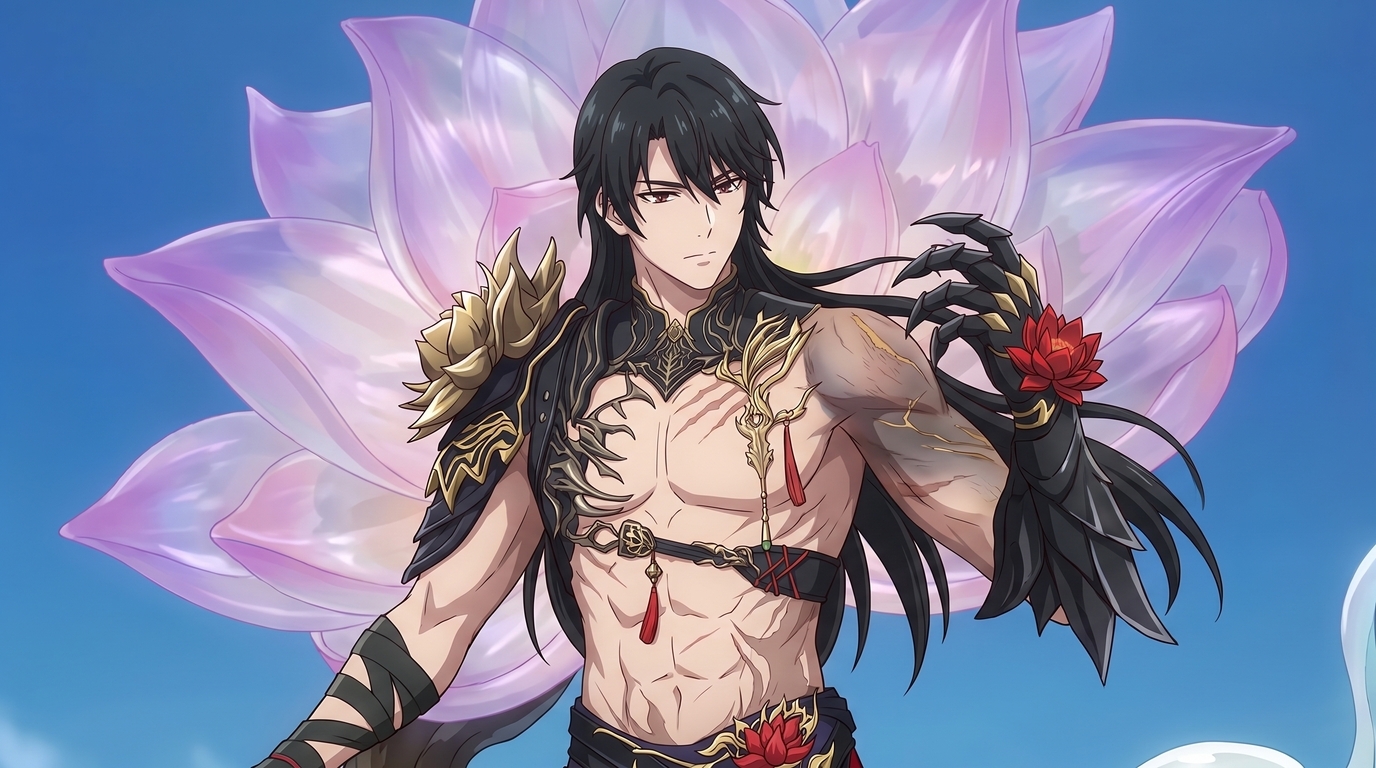
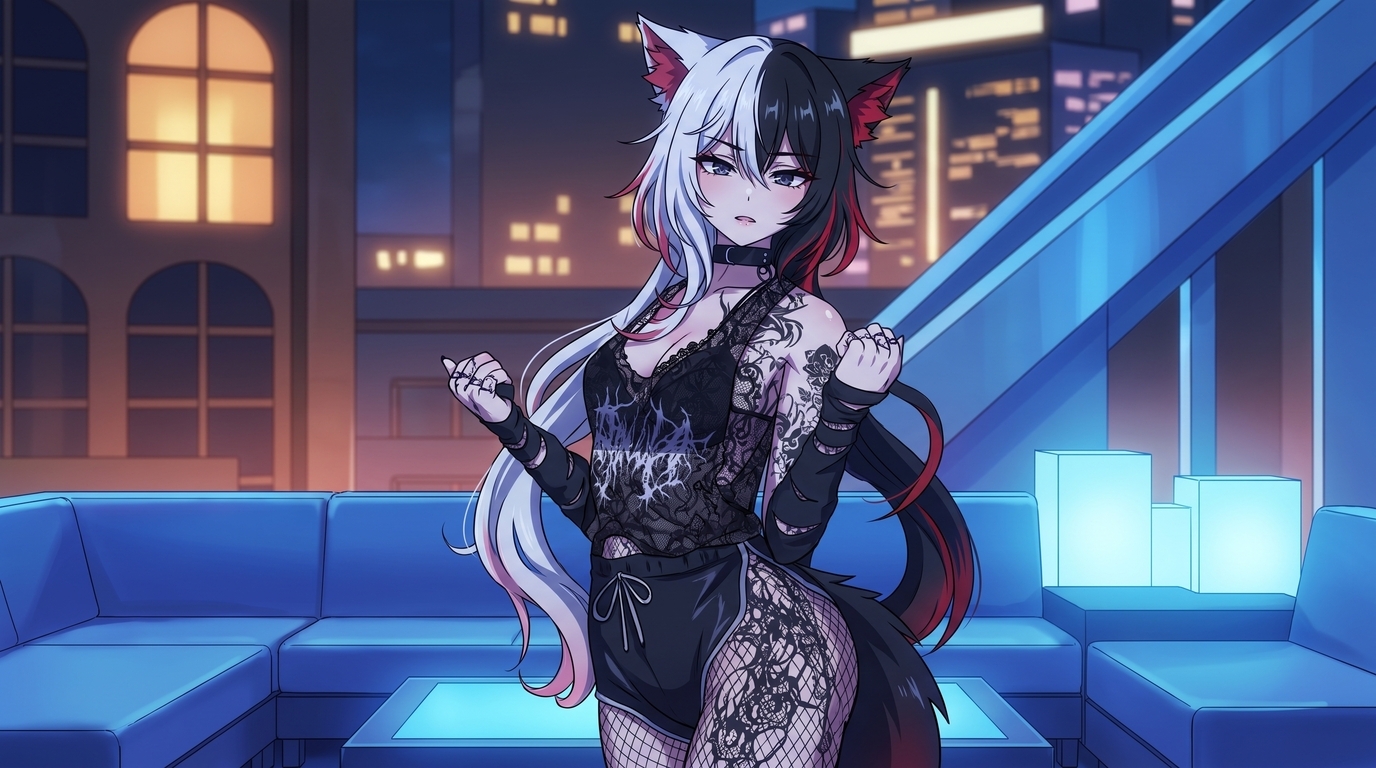
Each image below is a finished example of what AutoWeeb produces from dark fantasy character references. They are different characters and different output types, not stages of the same conversion. What they share is preserved identity carried through into polished 2D art.
Portrait and close-up character art
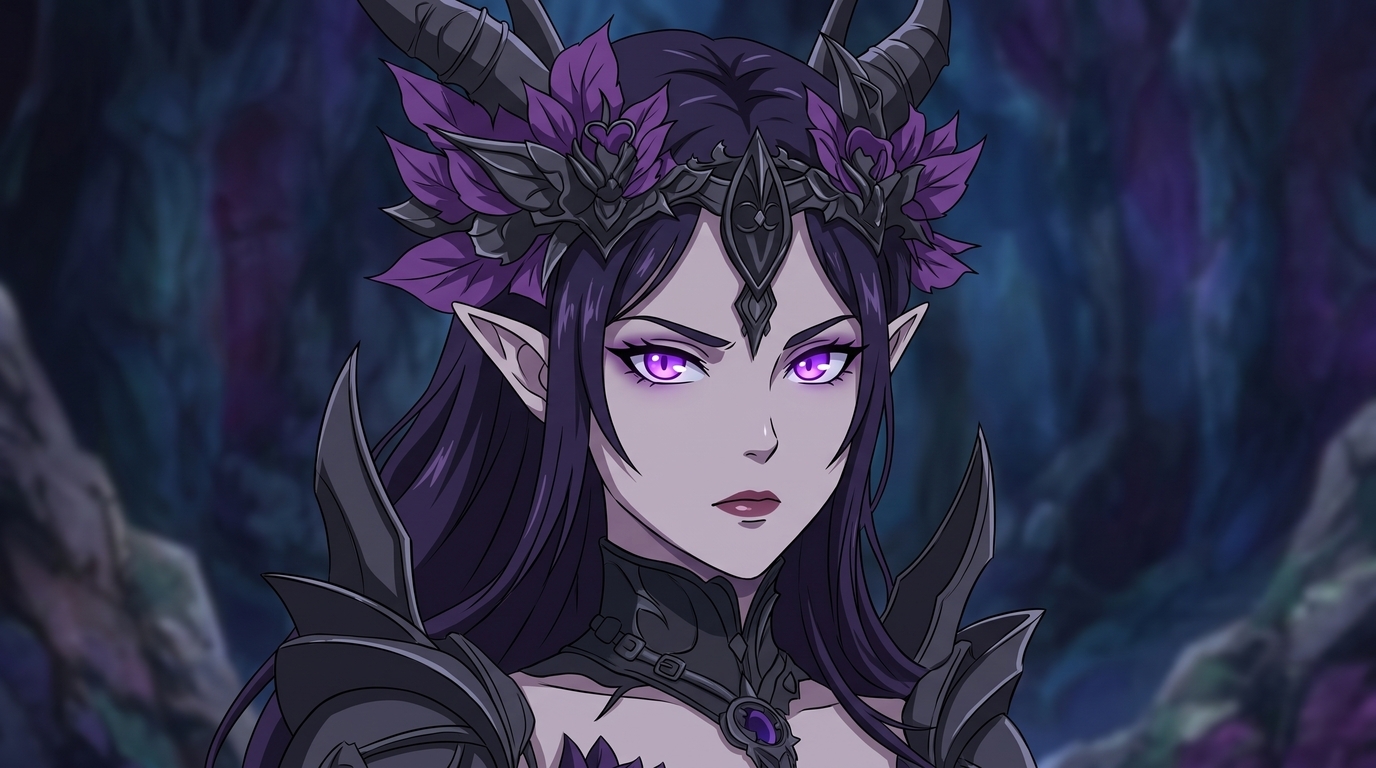
Tight crops for profile pictures, VTT tokens, and character introductions. Hair, ear tips, crown details, and eye glow stay sharp at close range. Prompt with anime portrait, dark elf gothic queen, pale skin, glowing purple eyes, pointed ears, ornate black crown, horn details, dark fantasy style.
Full-body and combat scenes
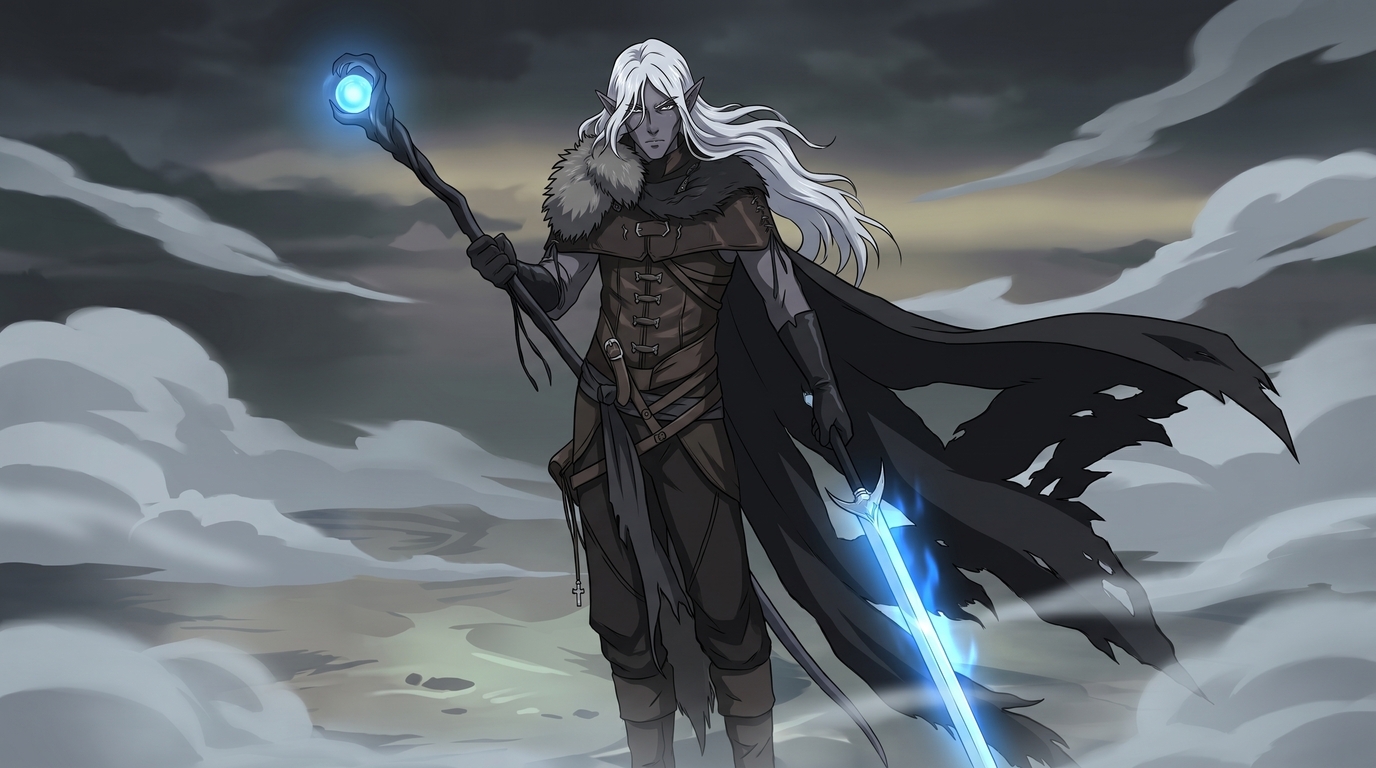
Standing poses, spellcasting stances, and weapon-ready compositions that show cape length, boot style, and armor layers. A dark elf warrior with white hair and a fur collar should keep those traits when the frame widens. Prompt with full body dark fantasy anime, dark elf warrior, white hair, pointed ears, fur collar, glowing blue sword and staff, misty battlefield, cinematic lighting.
Gothic environments and cinematic scenes
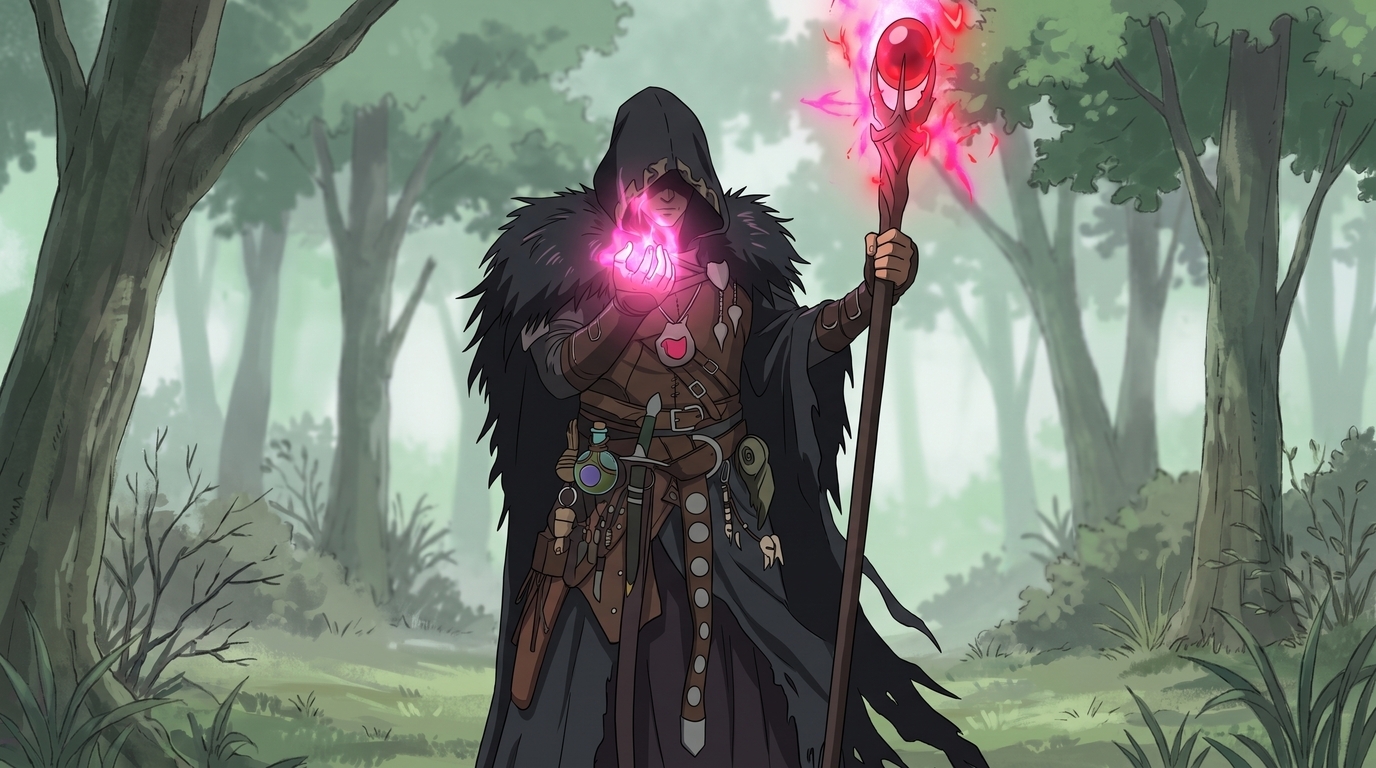
Forest ruins, misty clearings, throne rooms, and lantern alleys that match the character's tone without washing out magical accents. Necromancers and warlocks especially benefit from environments that let glow colors read clearly. Prompt with dark fantasy anime scene, hooded necromancer, feathered mantle, glowing staff orb, pink magical energy, misty forest, potion vials on belt.
Step 1: Upload your character reference
Open AutoWeeb's photo-to-anime tool and upload your best reference. Character creator screenshots, painted minis, VTT portraits, game avatars, and OC sketches all work when the defining details are visible. Use the highest resolution file you have. Frame the character so ears, horns, face, torso armor, and major weapons are not clipped.
For dark palettes, avoid harsh colored lighting that turns black armor navy or purple skin gray. Neutral or cool ambient light helps the AI read true values. You can always push the scene darker after the character identity locks.
Step 2: Choose a dark fantasy anime style
Open the style selector and try two or three art styles on the same reference before you commit. Gothic OCs often suit dark fantasy rendering with heavy linework and muted backgrounds. Bright shonen styles can flatten pale skin and horn detail if you are not careful.
Prompts that help steer the conversion:
- dark fantasy anime portrait, vampire duchess, silver hair, crimson collar, pale skin, candlelit throne room, clean linework
- anime illustration, cursed knight, tarnished plate armor, glowing blue greatsword, ruined banner, battlefield mist
- full body dark fantasy anime, demon assassin, curved horns, twin daggers, hooded cloak, moonlit rooftop
Step 3: Lock a reusable character sheet
When you have a conversion you like, take it into AutoWeeb's Character Creator and write out defining features in plain language: species, skin tone, hair color, eye color and glow, ear and horn shape, armor layers, weapon types, tattoo locations, and magical aura colors. The more specific the description, the more consistent your outputs stay across portraits, combat art, and gothic scenes.
Step 4: Branch into new scenes and formats
Once the design is locked, generate the formats your project needs: PFP crops, full-body standing art, battle compositions, throne room scenes, and wide cinematic stills. Drop locked characters into photo packs for fantasy towns and dungeon interiors, or prompt custom gothic environments that match your story.
👉 Turn Your Dark Fantasy Character Into Anime Art on AutoWeebTips for the strongest results
- Name unnatural traits explicitly. Horn curve, ear length, skin tone, fang visibility, and glow color should appear in your character description.
- Keep weapons specific. "Glowing blue longsword" beats "magic sword" when you need the same blade in every scene.
- Run the same reference through multiple styles. Some OCs read better in cinematic dark fantasy than in brighter adventure illustration.
- Respect creator rights. Your custom OC is yours. Licensed game characters and commissioned art may have usage limits. Keep conversions personal unless you have permission.
For a focused guide on dark elf RPG characters, read Dark Elf Anime Character Generator: Turn Your RPG Character Into Anime. For the broader upload workflow across character types, start with how to turn any character into anime with AI.
Related Blog Posts
10 Types of Art Every VTuber Can Create From One Character
Profile images, banners, thumbnails, chibis, and more. One locked VTuber reference can fuel an entire channel art library without a new commission every week.
Discover 10 types of VTuber art you can create from one character reference: PFP, banner, thumbnail, chibi, reaction image, illustration, seasonal art, outfit variation, dramatic scene, and wallpaper.
Create Your Own Romance Fantasy Character With AI
Crown princes, villainesses, knights, and academy students. Build a romance fantasy character from a photo or transform your OC into polished manhwa-style art.
Create a romance fantasy character with AI using AutoWeeb. Generate otome isekai protagonists, villainess designs, manhwa-style love interests, and fantasy archetypes from a photo or existing OC.
How to Make Anime Art of Your VTuber Character
You already have the design. Upload a model screenshot or reference image and generate PFPs, thumbnails, social posts, and illustrations without rebuilding your character from scratch.
Learn how to make anime art of your VTuber character. Upload screenshots or reference images to create on-model PFPs, thumbnails, chibis, wallpapers, and seasonal art with AutoWeeb.
How to Turn Your VRChat Avatar Into an Anime Character
You spent hours on that look. A clean screenshot and AutoWeeb can turn it into polished 2D anime art that keeps every detail you care about.
Learn how to turn your VRChat avatar into anime art. Screenshot tips, example outputs, and a step-by-step workflow for PFPs, illustrations, and character sheets with AutoWeeb.
Explore AutoWeeb
Jump into the tool that fits your creative step.
AI Anime Video Generator
Animate storyboard shots into cinematic clips with Seedance 2 and consistent characters.
Anime Character Creator
Design original characters with consistent sheets across every scene.
AI Anime Image Generator
Generate cinematic anime stills anchored to your character library.
Anime Filters
Upload any photo and apply AI anime filters to turn it into stunning anime art in seconds.
AI Anime Location Generator
Create a location set once, then generate reference images from every angle.
AI Anime Storyboarding
Describe your idea, pick your characters, and let AI draft the script and scenes.
AI Anime Prompt Agent
Turn a rough idea into a cinematic Seedance 2 prompt with the AI Director.