
AutoWeeb vs Runway: Which AI Video Generator Is Best for Anime Creators?
Runway is the gold standard for AI filmmaking. AutoWeeb is the platform actually built for anime storytelling with recurring characters.
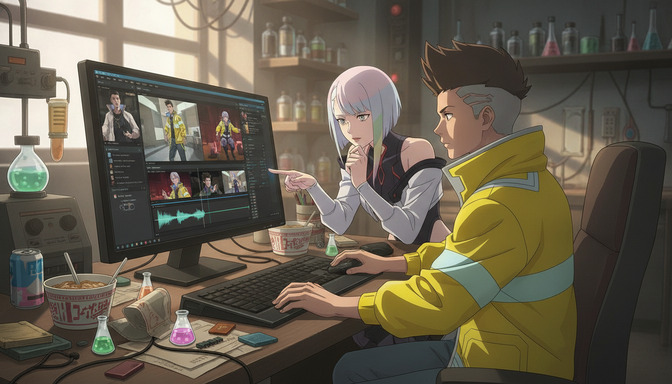
Runway is the most technically impressive general-purpose AI video generator available. That is not a small claim, and it is accurate. Gen-4 produces cinematic output that outpaces most of the field on raw video quality, motion coherence, and camera control. If you want to generate a dramatic short film or a polished commercial, Runway is a serious contender.
Anime storytelling is a different discipline. It requires a consistent cast of original characters across multiple scenes, anime-specific visual systems, a workflow that connects character design to storyboard to video, and tools that understand the difference between a tournament arc and a slice-of-life episode. Runway was not built for any of that. AutoWeeb was. This comparison covers both platforms directly so you can pick the right one for what you are actually trying to make.
What Runway Is and What Gen-4 Does
Runway is an AI media company that has been at the forefront of generative video since its earliest public releases. Gen-4, its current flagship model, is a genuine leap forward for AI video production. Text-to-video prompts produce smooth, 10-second clips with coherent motion, accurate subject following, and a cinematic quality that earlier models could not approach. Image-to-video generation animates a source image with impressive fidelity to the original composition. The motion quality, especially for human subjects walking, running, or interacting in natural settings, is state-of-the-art.
Gen-4 also introduced Characters, a feature that lets you define a person or subject from a reference image and carry their appearance across multiple generated clips. This was a meaningful step for anyone trying to build longer-form content where the same subject appears in more than one shot. Runway also offers Act One, a motion transfer tool that applies human performance capture to a generated subject, and multi-scene export options that help content teams produce polished assets at scale.
Where Runway genuinely excels
For cinematic, photorealistic content, Runway Gen-4 is the benchmark. Brand studios producing commercial video, filmmakers pre-visualizing live-action scenes, content teams generating social media clips for real-world products, and creators building documentary-style or narrative shorts with human subjects — these audiences get a tool that delivers production-quality results with a relatively shallow learning curve. The interface is polished, the generation speed is fast, and the output quality is high enough for real professional use cases.
Runway's broader ecosystem also matters. It integrates with existing post-production workflows, supports team collaboration, and has the kind of product maturity that comes from years of use in professional media production. If your work lives in a cinematic, realistic visual register, Runway is well-positioned to support it.
Where Runway Falls Short for Anime Creators
The anime aesthetic does not transfer
Runway Gen-4 is trained on cinematic video. Anime is not cinematic video. The expressive proportions, flat color fills, stylized linework, and specific emotional shorthand of anime visuals — a half-lidded stare during a tense conversation, the saturated palette of a magical girl transformation, the exaggerated motion blur on a shonen punch — are not in Runway's visual vocabulary. Getting even roughly anime-looking output requires aggressive prompting ("anime style, 2D animation, cel-shaded, thick outlines") that fights against the model's defaults, and the results are inconsistent even then. One generation might lean anime-adjacent. The next looks like a live-action film with a filter applied.
There is no anime style library. There is no "shonen," "seinen," "Ghibli-inspired," or "cyberpunk anime" baseline to build from. Every generation starts from a photorealistic, cinematic foundation, which means anime creators spend significant generation credits fighting the model rather than directing their story.
Character consistency breaks down for anime original characters
Runway's Characters feature is built around real human subjects. You upload a reference photo of a person — a real face with photographic skin tones, natural proportions, and the kind of visual detail a camera captures — and the model attempts to carry that likeness across clips. That works reasonably well for realistic subjects because the model was trained on exactly this kind of reference.
Anime original characters present a completely different challenge. The visual anchors that make an anime character recognizable are not photographic: the exact shade of silver-streaked hair, the distinctive shape of wide teal eyes, the silhouette of a white coat over a dark turtleneck, the small scar above the left cheekbone. These are stylized, constructed details that exist outside photographic space. Runway's consistency system was not trained to preserve them, and in practice it does not. A character who looks intentional and specific in the first clip drifts into a generic anime-adjacent person by the third or fourth generation. For a single clip, that might be acceptable. For an anime story with a protagonist who needs to be recognizable across a dozen scenes, it is a structural problem with no platform-level solution.
Episodes versus individual clips
Runway's workflow is optimized for the single clip. You generate a scene, evaluate it, export it, and move on. The platform has no native concept of a story: no character library that persists across sessions, no storyboard system that sequences your scenes and carries character context between them, no production document that holds the visual logic of an episode together. For a creator trying to build a connected story across ten scenes or a multi-episode series with a defined cast, Runway offers no infrastructure for that work. Every scene is a cold start. Every clip requires you to reconstruct your character's description and visual identity from scratch, or upload a reference image and hope the consistency system preserves enough of what matters.
Anime production is a continuity problem. The same characters need to look right in the training arc and the flashback episode and the confrontation scene and the quiet moment by the window. Runway was not designed to solve that problem.
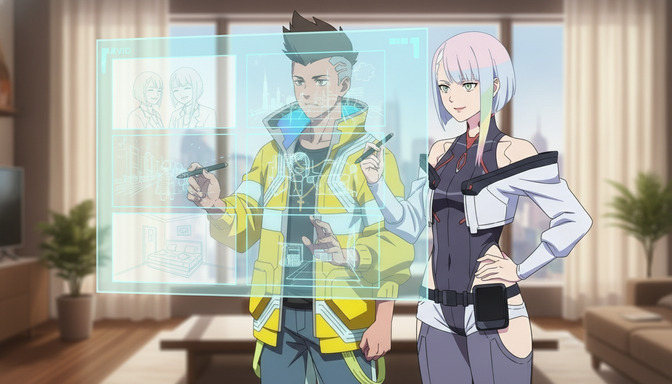
AutoWeeb's Anime-Specific Toolset
Character creation and the character sheet system
AutoWeeb's foundation is character creation. The character builder lets you design an original anime character with precise visual specifications: hair color and style, eye shape and color, facial features, clothing, and the defining details that make a character distinctive. Once you are satisfied with the design, AutoWeeb generates a character sheet that captures the character's appearance from multiple angles. That character sheet is saved to your library as a persistent reference.
From that point on, every generation in AutoWeeb draws from the saved character sheet automatically. You do not redescribe your protagonist in every prompt. You do not upload a new reference image for every scene. The character is in the library, tagged and ready. This is the mechanism that makes character consistency across an episode or a series actually achievable rather than a best-effort approximation.
Storyboards built for anime production
AutoWeeb's storyboard system was designed for anime, not live-action filmmaking. Each scene in the storyboard is a first-class object with its own location, time of day, emotional tone, and action. You tag characters into each panel from your saved library, which means the storyboard knows who is in every scene and carries the correct character reference into generation automatically. Shot-level planning lets you specify camera angle and character positioning before generating anything.
The storyboard is connected to generation, not separate from it. You build the panel, review the plan, generate the image in context, and then convert that image to video, all within the same workspace. When you return to the project, all of that context is preserved. The guide on creating your first AI anime story step-by-step walks through the complete pipeline from first character design to finished animated scene.
AI anime image generation with style control
AutoWeeb offers a curated library of anime art styles: shonen action, slice-of-life, cyberpunk, Ghibli-inspired, and others, each with its own visual baseline. When you generate an image, you select a style as the foundation rather than fighting a cinematic realism model with increasingly specific prompts. The difference in output quality and consistency is significant. Instead of "anime style, 2D, cel-shaded, please not realistic," you select "Cyberpunk Anime" and generate. The model already knows what that means.
Image generation in AutoWeeb also benefits from character tagging. When a character is tagged into a panel, their visual identity reinforces the generation. The cobalt-blue hair and teal eyes in the character sheet carry forward without you having to enumerate them in every prompt. For advice on getting the most out of every generation, the guide on writing better AI anime prompts covers the techniques that matter most.
Image-to-video workflow for anime consistency
AutoWeeb's video generation uses a two-stage pipeline: generate the image first, review it, then convert it to video. This approach produces more consistent anime animation than direct text-to-video because the composition, character positioning, lighting, and visual identity are already locked in the image before any motion is added. The video stage adds movement to a frame that is already correct, rather than attempting to resolve all of that simultaneously in a single prompt. For technical detail on this workflow, the guide on turning an anime image into a video with AI covers every stage of the pipeline.
Feature Comparison
| Feature | AutoWeeb | Runway Gen-4 |
|---|---|---|
| Anime-specific art styles | Yes — curated anime style library | No — optimized for cinematic realism |
| Anime character sheet builder | Yes — full character design and sheet system | No |
| Persistent character library | Yes — saved characters reused across all scenes | Partial — reference image per session via Characters |
| Character consistency for anime OCs | Yes — anchored to saved character sheet | Partial — built for photorealistic human subjects |
| Storyboard system | Yes — anime-native scene and shot planning | No dedicated storyboard tool |
| Character tagging in storyboard panels | Yes — tag saved characters into any panel | No |
| AI script generation for anime stories | Yes — anime story structures supported | No |
| Image-to-video pipeline | Yes — two-stage anime workflow | Yes — strong image-to-video support |
| Cinematic live-action video quality | Not the focus | Yes — industry-leading |
| Motion capture / performance transfer | No | Yes — Act One |
| Multi-scene episode workflow | Yes — story, storyboard, and characters linked | No — clip-by-clip with no native continuity |
| Photo-to-anime conversion | Yes — dedicated workflow | No |
| Generation inside storyboard | Yes — images and video generated in context | No — separate generation tool |
Pricing Comparison
| Plan | AutoWeeb | Runway |
|---|---|---|
| Free trial | Yes — includes character creation, storyboarding, image generation, video generation | Yes — limited credits |
| Entry paid plan | $9.99/month | ~$15/month (Standard) |
| Mid-tier plan | Access to full anime toolset at entry price | ~$35/month (Pro) |
| Unlimited plan | Available — anime-native features at every tier | ~$95/month (Unlimited) |
| Pricing angle | Built for individual anime creators | Built for professional film and content teams |
Runway's pricing reflects its positioning as a professional media production tool. The Standard plan at approximately $15 per month offers limited credits that drain quickly when generating 10-second video clips. Serious output requires the Pro plan at roughly $35 per month or higher. For individual anime creators who want a complete story workflow, character library, and video generation pipeline, that pricing buys access to a tool that was not designed for their use case.
AutoWeeb's entry plan at $9.99 per month includes the full anime-native feature set: character creation, character sheets, storyboard, AI script generation, image generation, and video generation, all in a single workspace. Every dollar spent is relevant to anime storytelling. You are not paying for motion capture tools, live-action camera controls, or commercial brand content features that will never appear in your workflow.
Pros and Cons
AutoWeeb
- Built entirely around anime storytelling, not adapted from a general-purpose video tool
- Persistent character library with saved character sheets that carry through every generation
- Anime-native storyboard system with character tagging and in-context generation
- Curated anime art style library — no fighting cinematic realism defaults
- Two-stage image-to-video pipeline designed for anime consistency
- AI script generation that understands anime story structures and narrative arcs
- Photo-to-anime conversion for building character references from real photos
- Accessible pricing at $9.99/month with a free trial
- Does not produce cinematic, photorealistic live-action video — that is not what it is for
- No motion capture or performance transfer feature
Runway Gen-4
- Industry-leading video quality for cinematic, photorealistic content
- Fast generation with polished, professional-grade output
- Act One motion capture for performance-driven animation
- Characters feature for maintaining a subject across multiple clips
- Broad integration with professional post-production workflows
- No dedicated anime character builder or style library
- Character consistency designed for photorealistic subjects, not stylized anime OCs
- No storyboard system, no persistent character library, no story-level workflow
- Anime aesthetic requires heavy prompt engineering with inconsistent results
- Higher pricing calibrated for professional production teams, not individual creators
Who Should Use Each Platform
Choose AutoWeeb if you are:
- Building an original anime story with recurring characters who appear across multiple scenes
- Creating an episodic anime series, short film, or multi-scene narrative with a defined cast
- Prioritizing character consistency — your protagonist needs to look exactly the same in scene one and scene twelve
- Working in a specific anime aesthetic and want style control without prompt-hacking a cinematic model
- Converting real photos into stored anime character references for your cast
- Working through a complete story pipeline from character design to storyboard to video, all in one workspace
- A solo creator or small team who needs professional anime production tools at an accessible price
- Learning anime production workflow and want a guided system rather than an open-ended prompt tool
Choose Runway if you are:
- A filmmaker, brand studio, or content team producing cinematic, photorealistic video
- Pre-visualizing a live-action shoot and need professional-grade camera and motion controls
- Creating advertising, commercial, or documentary content where realistic output is the requirement
- Using motion capture to transfer performance onto a generated subject
- Generating isolated, high-quality video clips without the need for multi-scene story continuity
- Integrating AI video generation into a professional post-production pipeline
Final Verdict
Runway is excellent at what it was built to do. If your goal is cinematic, photorealistic video production at professional quality, the Gen-4 model is genuinely impressive and the platform infrastructure is mature enough for serious commercial use. For that specific use case, Runway is among the best tools available.
The problem is that anime storytelling is not that use case. It is not a variation on cinematic filmmaking that a general-purpose video generator can handle with some extra prompting. Anime has its own visual systems, its own character design conventions, its own production logic, and its own narrative structures. A character who needs to appear consistent across twelve scenes requires a tool where character identity is a persistent, managed object, not a description you rewrite or a photo you re-upload for every generation. An episode-length story requires a storyboard that actually connects to your characters and your generation pipeline. An anime aesthetic requires a model trained on anime, not one being pushed toward it.
AutoWeeb was built for all of that from the ground up. The character sheet system is the core of every production. The storyboard is connected to your characters and your generation, not a separate planning document that you manually reconcile with your output. The anime style library starts you in the right visual register instead of making you fight your way there. The two-stage image-to-video pipeline produces consistency because it was designed as a system, not assembled from independent tools. And the pricing reflects the intended audience: individual anime creators building original stories, not professional film studios running high-volume commercial production.
For anime creators who want to build stories, scenes, and videos in a single platform with characters that hold together across every scene, AutoWeeb is the better choice. It is not a close comparison.
Frequently Asked Questions
Can Runway Gen-4 generate anime-style video?
Runway Gen-4 can generate stylized video, but its model is trained for cinematic realism, not anime aesthetics. Getting anime-looking output requires heavy prompt engineering that works against the model's defaults — terms like "2D anime, cel-shaded, thick outlines, flat color fills" — and the results are inconsistent between generations. There is no anime style library, no anime-trained baseline, and no dedicated character builder for anime OCs. For creators who want reliable, anime-native output, Runway is the wrong starting point.
Does Runway's character consistency feature work for anime original characters?
Runway's Characters feature is designed for photorealistic human subjects — a real person's face captured in a reference photo. Anime original characters have stylized, constructed visual anchors (specific hair colors, stylized eye shapes, distinctive outfit silhouettes) that fall outside the photographic space the model was trained on. In practice, anime OCs generated through Runway's consistency system drift across multiple clips: hair colors shift, eye shapes change, and character-defining details wander. For a recurring anime protagonist across a full episode or series, this is a structural limitation without a platform-level solution.
What is the main difference between AutoWeeb and Runway for anime creators?
AutoWeeb is an anime storytelling platform. Runway is a cinematic video generator. AutoWeeb is built around a persistent character library with saved character sheets, an anime-native storyboard system that connects characters to every scene, an anime art style library, and a two-stage image-to-video pipeline designed for anime consistency. Runway is built around high-quality cinematic video generation, motion capture, and live-action film production. They solve different problems for different audiences. Anime creators need AutoWeeb's toolset.
Is AutoWeeb cheaper than Runway?
Yes. AutoWeeb's paid plans start at $9.99 per month, with a free trial that includes core features: character creation, storyboarding, image generation, and video generation. Runway's Standard plan starts at approximately $15 per month, with the Pro plan at roughly $35 per month required for serious generation volume. Beyond the price difference, every AutoWeeb feature at every tier is directly relevant to anime storytelling. Runway's pricing reflects a professional film production tool designed for brand studios and content teams, not individual anime creators.
How does AutoWeeb maintain character consistency across multiple scenes?
AutoWeeb's character sheet system is the mechanism. When you design a character, AutoWeeb generates a character sheet that captures their appearance from multiple angles. That sheet is saved to your character library and tagged into storyboard panels directly. When you generate an image or video, AutoWeeb draws from the saved character reference automatically — you do not redescribe hair color, eye shape, or outfit details in every prompt. The character identity is a persistent, managed object in the system, not a prompt variable you manage manually. For the full technical details, the guide on maintaining character consistency in Seedance 2.0 videos covers every technique.
Can I build a multi-episode anime series on AutoWeeb?
Yes. AutoWeeb's project system is designed for multi-scene and multi-episode work. Your character library persists across every scene and session. The storyboard carries scene-level context — location, emotional tone, character placement, shot type — so you can plan a full episode before generating anything. When you return to a project, all of that context is preserved. The AI script generation tool supports longer narrative arcs with setup, escalation, and resolution structure. The guide on creating your first AI anime story step-by-step walks through the full pipeline.
Does Runway have a storyboard tool for planning anime scenes?
Runway does not have a dedicated storyboard system. It is a generation-first platform: you prompt a scene, generate a clip, and move on. There is no native concept of a story, no character library that persists across sessions, and no system for planning a sequence of connected scenes with a consistent cast. For a creator building an episode or a series, this means every scene is a fresh start with no platform-level continuity.
Which AI video generator is best for anime creators in 2026?
AutoWeeb. For anime creators who want to build original stories with recurring characters, episodic content with a defined cast, or any multi-scene narrative where character consistency matters, AutoWeeb's toolset is purpose-built for that work. Runway is the better choice for cinematic, photorealistic film and commercial content where anime aesthetics and character-based storytelling are not the goal. The two platforms are not direct competitors — they serve different creative needs. If your creative need is anime, AutoWeeb is the answer.
For a deeper look at how AutoWeeb compares to other general-purpose AI video tools, the comparison with Higgsfield and LTX Studio covers the same core questions from different angles.
Related Blog Posts
How to Create Cinematic AI Anime Videos That Look Professional (Not Cheap AI Animation)
The gap between amateur AI animation and cinematic anime video is not the tool. It is every decision made before you press generate.
Learn how to create cinematic AI anime videos that look professional. Covers source images, character consistency, camera movement, shot composition, lighting, and storyboarding.

How to Turn an Anime Image Into a Video With AI in 2026
The quality of your anime video is decided before you generate a single frame. It is decided when you create your image.
Learn how to turn an anime image into a video with AI in 2026. Step-by-step guide covering image creation, prompt writing, camera movement, character actions, and building complete anime sequences.
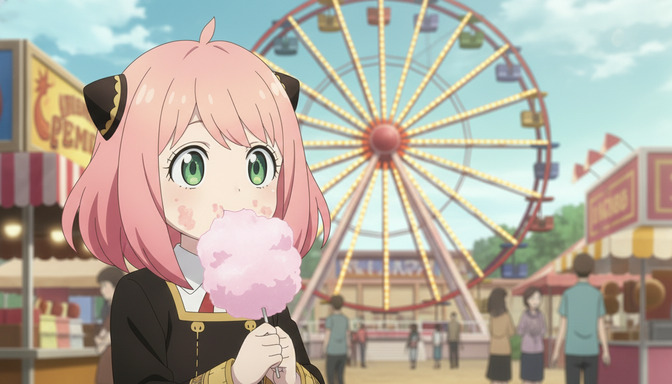
From Character to Storyboard: Create Your First AI Anime Story Step-by-Step
Most people want to make an anime story but don't know where to start. Start here.
Create your first AI anime story from scratch. Step-by-step guide covering character design, story concept, script writing, storyboarding, image generation, and video generation with AutoWeeb.
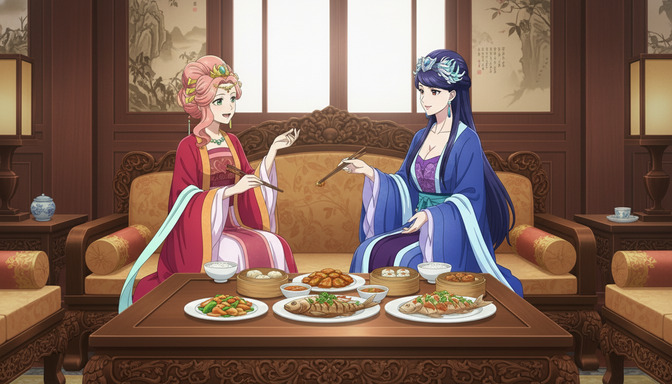
How to Maintain Character Consistency in Seedance 2.0 Videos
The character who looks perfect in scene one should look exactly the same in scene seven. That does not happen by accident.
Learn how to maintain character consistency in Seedance 2.0 videos. Character sheets, reference images, prompt techniques, and storyboarding for multi-scene anime projects.
Explore AutoWeeb
Jump into the tool that fits your creative step.
AI Anime Video Generator
Animate storyboard shots into cinematic clips with Seedance 2 and consistent characters.
Anime Character Creator
Design original characters with consistent sheets across every scene.
AI Anime Image Generator
Generate cinematic anime stills anchored to your character library.
Turn Photo Into Anime
Upload any photo and watch AI turn it into stunning anime art in seconds.
AI Anime Location Generator
Create a location set once, then generate reference images from every angle.
AI Anime Storyboarding
Describe your idea, pick your characters, and let AI draft the script and scenes.
AI Anime Prompt Agent
Turn a rough idea into a cinematic Seedance 2 prompt with the AI Director.