
Turn Manga Panels Into an AI Anime Storyboard in Minutes
Converting manga storytelling into animation-ready sequences requires rethinking pacing, camera movement, and scene structure. Here's how to do it in AutoWeeb.
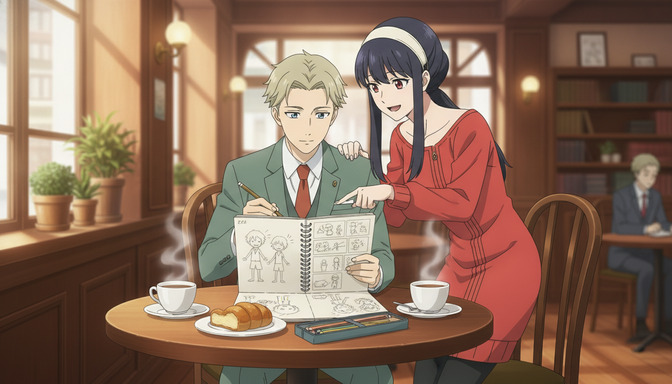
A manga panel is a frozen decision. The mangaka chose a specific moment, a specific angle, a specific amount of space between the last beat and this one. Readers bring their own timing to it. They linger or they race, and the story accommodates either. Animation removes that accommodation entirely. Once a scene starts moving, the director owns the pacing, and every choice, from the duration of a held expression to the speed of a camera push, is a creative act with emotional consequences.
Converting a manga storyboard into an AI anime storyboard is not a matter of transferring panels one-to-one. It is a translation between two fundamentally different storytelling systems. This tutorial walks through exactly how to do that in AutoWeeb: reading your source material the right way, remapping panels into shots, building your characters, and generating a production-ready storyboard that preserves the emotional core of the original while giving it the structural language of animation.
Manga Storytelling vs. Anime Storytelling: What Actually Changes
The differences are not cosmetic. They run through the entire structure of how a story is told.
Pacing
In manga, the gutter between panels does the heavy lifting. Two characters are mid-conversation, then a full-page spread shows the city burning, and the reader understands that time has passed and something catastrophic has occurred. The reader's mind fills in the gap. In anime, that same ellipsis requires either a cut with a sound cue to signal the jump, or a transitional sequence that earns the skip narratively. There is no gutter in animation. Every moment of the story occupies real screen time, and transitions have to be constructed rather than implied.
Camera movement
Manga panels have composition but no camera movement. The page is fixed. When a mangaka draws a wide establishing shot followed by a tight close-up, the reader experiences a conceptual zoom, but nothing actually moves. In anime, that same beat can be executed as a literal camera push, a cut, a match cut, or a whip pan. Each option carries a different emotional register. A slow push into a character's face communicates dread in a way a hard cut to a close-up does not. This is one of the most significant creative decisions in the manga-to-anime translation process.
Transitions and scene structure
Manga chapters naturally divide at chapter breaks. Anime episodes divide by act structure and episode runtime. A manga chapter that ends on a cliffhanger might correspond to the second act break of an anime episode, or it might be the cold open of the next one. When storyboarding a manga adaptation, it helps to think in terms of anime scene units: establishing shot, action or dialogue sequence, scene-ending beat, transition to the next location. That structure does not always align with the chapter structure of the source material.
What carries over directly
Character expressions, costume design, key poses, and the emotional logic of a scene translate directly. A manga panel that nails the expression of a character receiving devastating news contains everything an animator needs to understand how that face should look in the anime version. The composition and lighting of a standout manga spread often translates directly into a storyboard panel. The source material is not a problem to work around. It is a reference document full of creative decisions that have already been validated.
Step 1: Read the Source Material as a Director, Not a Reader
Before opening AutoWeeb, go through the manga panels you intend to adapt with a specific lens. You are not reading for story comprehension. You are reading for scene boundaries, emotional beats, and translation problems.
Mark every location change. Mark every significant time jump. Mark the panels where a character's emotional state shifts. Mark the action beats that will need to be expanded in animation because a single manga panel of a punch can only suggest what an animated sequence needs to show explicitly. Mark the dialogue scenes and count how many characters are speaking, because staging a conversation in animation requires more spatial thinking than a two-character exchange across facing manga panels.
The result of this read-through should be a rough scene list: not individual panels, but coherent scene units with a clear emotional purpose and a start and end state. For a 20-page manga chapter, this might produce 8 to 12 distinct scenes. Each of those scenes will become a section in your AutoWeeb storyboard.
Step 2: Map Manga Panels to Anime Shots
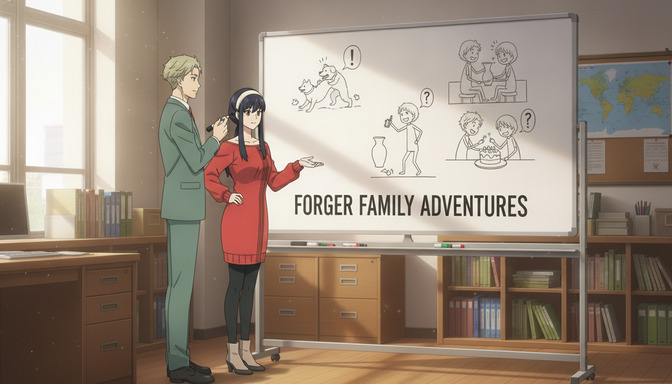
The relationship between manga panels and anime shots is not one-to-one. Some manga panels become a single shot. Some become three or four. Some panels from three different pages combine into a single sustained shot. The mapping depends on what the scene needs to communicate.
Action scenes
A six-panel manga fight sequence, key pose, impact, reaction, key pose, impact, reaction, typically becomes 15 to 20 shots in animation. The storyboard needs to supply the in-between: the wind-up before the first strike, the follow-through after impact, the cutaway to a bystander's reaction before returning to the fighters, the slow-motion hold on a decisive moment. In AutoWeeb, each of these becomes a separate storyboard panel with a specific camera angle description. An action scene that fits on two manga pages might fill a 20-panel storyboard section.
For an AutoWeeb storyboard panel in an action sequence, a prompt like "Ren mid-air, right leg extended for a spinning kick, enemy below in a defensive crouch, extreme low angle looking up, motion blur on the kick, harsh directional lighting from a warehouse skylight above" communicates both the composition and the kinetic intent of the shot.
Dialogue scenes
A manga conversation across 10 panels typically compresses into three to five anime shots rather than expanding. The classic anime dialogue structure is over-the-shoulder two-shot to establish the space, then alternating singles for the emotional parts of the exchange, with insert shots of meaningful objects or reactions when the dialogue calls for them. A manga panel showing two characters in a full shot saying a single line becomes two separate storyboard frames: one for each character's close-up during their line.
An example prompt for a dialogue single: "Yuki facing the camera, slight three-quarter angle, eyes downcast with visible tension around the mouth, soft overcast window light from the left, cluttered school classroom background slightly out of focus, mid-shot framing just below the shoulders".
Emotional moments
Manga handles emotional revelations through panel size and silence: a double-page spread of a character's face, or a small isolated panel in an otherwise sparse page layout. Animation handles them through duration and sound design. In a storyboard, an emotional hold is represented by a panel where nothing moves except possibly a very slow push, marked in the storyboard notes as a sustained shot with ambient audio or score. The storyboard panel itself might be a close-up framing with a specific expression: "Hana in extreme close-up, eyes filling with tears she won't shed, jaw set, looking slightly off-camera left, still afternoon light, no background focus, held for 3 seconds before cut".
Step 3: Build Your Characters in AutoWeeb
Before generating a single storyboard image, define every character who appears in your adaptation as a saved character sheet in AutoWeeb. Character consistency is the foundational requirement for a storyboard to function as a production document. If the protagonist looks different between panel 4 and panel 22, the storyboard communicates nothing useful to an animator.
Pull your reference directly from the manga. For each main character, identify the specific details that define them visually: hair length and style, eye shape and color, clothing construction and any distinctive wear, proportions, and the expression that is uniquely theirs in a neutral moment versus a heightened one. Enter all of that into AutoWeeb's character sheet builder.
For a character like a brooding male lead with close-cropped dark hair, pale gray irises with slightly heavy lids, a worn olive-green military-style jacket with a missing top button, and a resting expression that reads as watchful rather than cold, AutoWeeb stores that definition as a persistent reference. Every storyboard panel that tags this character generates him to that specification without requiring the prompt to repeat his full description each time. The guide on how AutoWeeb's AI Agent helps you build original anime characters covers the character sheet workflow in detail.
Step 4: Assemble the Storyboard Panel by Panel in AutoWeeb
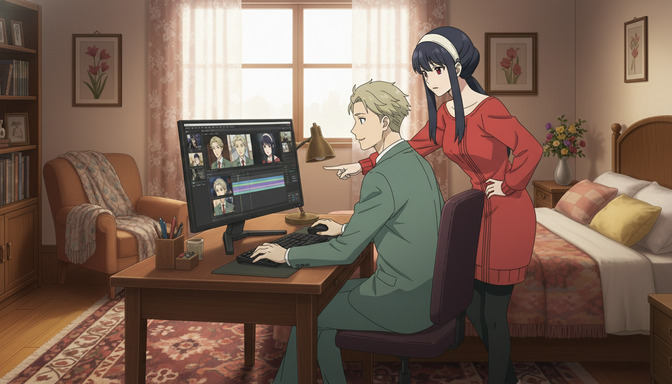
With your scene list, shot map, and character sheets ready, the storyboard builds quickly. For each panel, you are specifying four things: which characters appear, what the location is, what the camera is doing, and what the emotional or narrative purpose of the shot is.
Work through your scene list in order. For each scene, start with an establishing shot that orients the viewer spatially, then add the action or dialogue shots in sequence, then add the scene-ending beat. Use AutoWeeb's Improve Prompt feature to convert your scene notes into generation-ready prompts. A note like "Kai confronts Sena on the rooftop, she's terrified but trying not to show it" becomes a structured prompt with framing specifics, lighting direction, and expression detail that the generator can render precisely.
Tag characters from your saved library for each panel rather than re-describing them. Add location notes to ensure background consistency across a scene. Include camera angle descriptions in the panel notes: wide establishing shot, tight over-the-shoulder, low-angle power shot, high-angle vulnerability shot, dutch tilt for psychological unease. These notes become part of the production record even if they don't visually render in the generated image.
The character tagging workflow in AutoWeeb is worth understanding before you start, because it is the single mechanism that holds visual consistency across a long storyboard. A 60-panel storyboard for a short episode is entirely manageable once character tagging is working correctly.
Step 5: Preserving Emotional Impact Through the Translation
The biggest risk in any manga adaptation is that the emotional logic of the original gets flattened by the process of converting it into animation. A manga creator built something that works. The job of the storyboard is to build something that works in a different medium, not to replicate the surface of the original in a new format.
A few principles that hold across scene types. First: manga's version of emphasis is size. A large panel of a face means this expression matters. Animation's version of emphasis is duration and close-up combination. When adapting a standout manga panel, ask what made it resonate, and then ask what animation technique recreates that same effect. Second: manga silences are white space. Animation silences are held frames with ambient audio. When you see a manga page with very little dialogue and wide empty panels, that is a cue to build storyboard panels that communicate stillness: low-movement compositions, soft ambient light, minimal action. Third: the emotional arc of a scene is more important to preserve than any individual panel. If a scene's function is to break the viewer's trust in a character they loved, every shot in that scene should serve that function, regardless of whether the corresponding manga panels do the same work.
Step 6: Prepare Your Storyboard for AI Video Generation
A storyboard built in AutoWeeb is already structured for video generation. Once panels are approved, they can be sent to AutoWeeb's image-to-video pipeline to produce animated clips for key scenes. A few practices at the storyboard stage make video generation significantly more successful.
Keep key action contained within the frame. Motion generation works best when the action that matters stays visible throughout the shot rather than entering or exiting the frame. For fight scenes, frame the combatants so that both are visible during impact beats. For dialogue scenes, frame singles so the character has room to shift expression without going out of frame.
Note camera movement intent in panel descriptions. A storyboard panel marked as "slow push into character's face, starting at mid-shot, ending at close-up" gives the video generator context for what kind of motion should be generated from that frame. Static images without movement notes will be animated with ambient motion, which works for atmospheric shots but not for action sequences.
Approve panels scene by scene before moving to video generation. A consistent visual pass across an entire scene, where lighting, character framing, and background style are coherent, produces much cleaner animated output than a patchwork of individually approved panels from different generation sessions.
For a full overview of the AutoWeeb pre-production pipeline, from script to storyboard to video, the post on why AutoWeeb is the best AI anime pre-production studio covers each stage in detail.
Frequently Asked Questions
Can I upload my own manga panels directly into AutoWeeb?
Yes. You can upload reference images, including scanned or photographed manga panels, to inform character creation and scene planning. Uploaded manga panels can serve as visual reference for building character sheets and for communicating the composition intent of a storyboard panel to the generator.
How many storyboard panels should a typical manga scene translate to?
It varies by scene type. A dialogue scene from 8 manga panels typically becomes 4 to 6 storyboard shots. An action sequence from 6 manga panels typically expands to 12 to 20. An emotional moment that occupies a single manga spread might become 3 to 5 storyboard panels representing the hold, a slow push, and the reaction cut. The underlying principle is that every storyboard panel should serve a clear narrative or emotional function in the animated sequence.
How do I keep my characters consistent across 50 or more storyboard panels?
Build each character as a saved character sheet in AutoWeeb before starting the storyboard, then tag those saved characters in each panel rather than re-describing them from scratch. The character library stores the visual specification once and applies it consistently across every generation. This is the core mechanism for maintaining character consistency at scale.
What's the best way to handle manga panels that have no direct anime equivalent?
Some manga techniques, like inner monologue panels presented as fragmented text over abstract imagery, or sound effect panels with no visual content, have no direct animation equivalent. For inner monologue, consider a sustained close-up with voiceover annotation in the storyboard notes. For transition-only panels, build a dedicated establishing or transitional shot that serves the same narrative function. The goal is to identify what the panel is doing for the story, not what it looks like, and then find the animation technique that does the same thing.
Can I use AutoWeeb's storyboard as a direct input for AI video generation?
Yes. Approved storyboard panels in AutoWeeb can be sent directly to the image-to-video pipeline to generate animated clips. Including camera movement notes in your panel descriptions improves the quality of the generated motion. A panel described as "slow camera push into character's face during a silent hold" produces more intentional motion than a static image without context.
Do I need to know the technical terms for camera angles to write good storyboard prompts?
You don't need fluency in cinematography terminology, but a few core terms help significantly: wide shot, mid-shot, close-up, extreme close-up, over-the-shoulder, low angle, high angle, dutch tilt, and tracking shot. AutoWeeb's Improve Prompt feature can translate natural descriptions like "looking up at the character to make them seem imposing" into the technical framing that generates the intended composition.
How does the manga-to-anime storyboard process differ from starting a storyboard from scratch?
When working from manga, most of the creative decisions, character design, key poses, emotional beats, scene content, have already been made. The storyboard work is translation: identifying what each panel does narratively, deciding how to represent that function in animation, and then building the shots that execute on that intent. Starting from scratch requires more generative work but also more freedom. Manga adaptation is more constrained and more directed, which many creators find makes the storyboard process faster once the initial mapping is done.
For more on building consistent characters before starting a storyboard adaptation, the guide on upgrading existing character sheets with AutoWeeb walks through how to bring manga-sourced character designs into AutoWeeb's persistent character system.
Related Blog Posts
AutoWeeb vs ChatGPT Image: Which AI Tool Is Better for Creating Consistent Anime Characters and Stories?
ChatGPT Image generates impressive one-off anime art. AutoWeeb is built for anime creators who need the same character to look right across every scene, storyboard panel, and video clip.
AutoWeeb vs ChatGPT Image for anime creation in 2026. Compare character consistency, storyboarding, anime styles, video generation, and which platform is right for your creative workflow.
AutoWeeb vs Gemini: The Better AI Platform for Anime Images, Characters, and Videos
Gemini generates impressive images across many styles. AutoWeeb is built to produce the same anime character, consistently, across every image, storyboard panel, and animated video clip you need.
AutoWeeb vs Gemini for anime creation: compare image generation, character sheets, storyboarding, and video. Find out which AI platform is better for anime creators in 2026.
AutoWeeb vs Midjourney: Which AI Tool Is Better for Anime Storytelling and Character Consistency?
Midjourney generates some of the most visually stunning AI images available. AutoWeeb is built to take a specific anime character through an entire story, consistently, without rebuilding them from scratch every session.
AutoWeeb vs Midjourney for anime storytelling: compare character consistency, storyboards, image-to-video, and anime-specific workflows. Find the best AI tool for anime creators in 2026.
AutoWeeb vs Niji Journey: Which Anime AI Generator Is Best for Building Characters and Stories?
Niji Journey produces genuinely impressive anime artwork. AutoWeeb is built to take that character through an entire story, scene by scene, with the same face and outfit every time.
AutoWeeb vs Niji Journey for anime character creation and storytelling: compare consistency, storyboarding, image-to-video, and full creative workflows. Best anime AI generator in 2026.
Explore AutoWeeb
Jump into the tool that fits your creative step.
AI Anime Video Generator
Animate storyboard shots into cinematic clips with Seedance 2 and consistent characters.
Anime Character Creator
Design original characters with consistent sheets across every scene.
AI Anime Image Generator
Generate cinematic anime stills anchored to your character library.
Turn Photo Into Anime
Upload any photo and watch AI turn it into stunning anime art in seconds.
AI Anime Location Generator
Create a location set once, then generate reference images from every angle.
AI Anime Storyboarding
Describe your idea, pick your characters, and let AI draft the script and scenes.
AI Anime Prompt Agent
Turn a rough idea into a cinematic Seedance 2 prompt with the AI Director.